

Microsoft
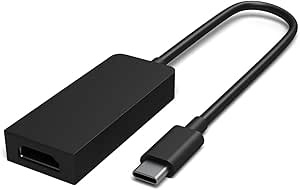
Microsoft HFM-00001 Surface USB-C to HDMI Adapter
Seamlessly Connect Your Surface to HDMI DisplaysIntroducing the Microsoft Surface USB-C to HDMI Adapter, designed to enable effortless connectivity between your Surface Book 2 and HDMI-compatible displays. Share your content on a big-screen HDTV with stunning 4K resolution and support for AMD Eye...
View price on Amazon
Affiliate Disclosure: As an Amazon Associate, Studio Supplies earns from qualifying purchases made through links on this page, at no additional cost to you. This helps support our editorial team.
Notice a mistake? Let Us Know
Overview
Seamlessly Connect Your Surface to HDMI Displays
Introducing the Microsoft Surface USB-C to HDMI Adapter, designed to enable effortless connectivity between your Surface Book 2 and HDMI-compatible displays. Share your content on a big-screen HDTV with stunning 4K resolution and support for AMD Eyefinity and NVIDIA technologies.
Specifications:
- Connector Type: USB-C to HDMI
- HDMI Compatibility: HDMI 2.0
- Resolution Support: 4K-Ready
- Features: Active-Format Adapter
- Compatibility: Surface Book 2 Only
Key Features
Compatible with Surface Book 2
Connect to an HDMI-compatible display to share pictures or videos on your big-screen HDTV
HDMI 2.0 compatible and 4K-ready, this is an active-format adapter that supports AMD Eyefinity and NVIDIA
Specifications
Compatibility
Surface Book 2
Output Port
HDMI
HDMI Standard
HDMI 2.0
Resolution Support
4K-ready
Adapter Type
Active-format
Additional Technology Support
AMD Eyefinity, NVIDIA
Frequently Asked Questions
Is this Microsoft USB-C to HDMI Adapter compatible with all Surface devices?
The Microsoft USB-C to HDMI Adapter is specifically listed as compatible with the Surface Book 2.
What kind of display can I connect to using this adapter?
You can connect this adapter to any HDMI-compatible display, allowing you to share pictures or videos on your big-screen HDTV.
Does this adapter support 4K resolution?
Yes, this adapter is HDMI 2.0 compatible and 4K-ready, meaning it supports high-resolution output to compatible displays.
Is this an active or passive adapter?
This is an active-format adapter, which helps ensure signal integrity and broader compatibility with various display setups.
Does this adapter support specific graphics technologies like AMD Eyefinity or NVIDIA?
Yes, the Microsoft Surface USB-C to HDMI Adapter supports both AMD Eyefinity and NVIDIA technologies.
Related Products

