


Microsoft
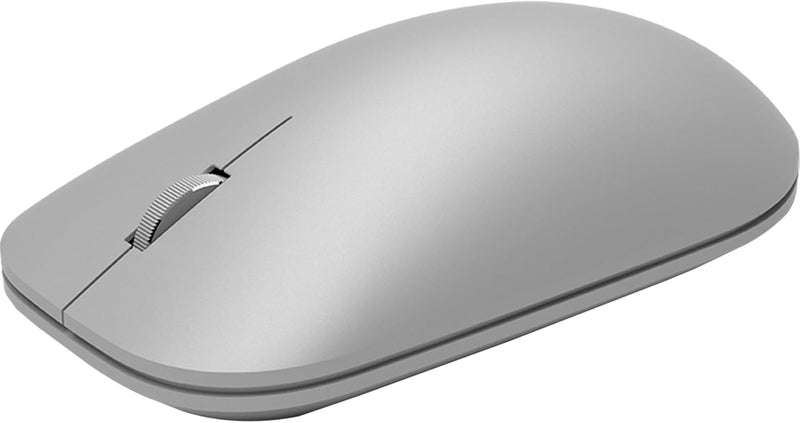
Microsoft KGY-00001 Surface Mobile Bluetooth Mouse Silver
BlueTrack precision and a year of battery life in a sub-100g Bluetooth mouse that disappears into any laptop bag.
$67.99*
View on Amazon
✓ In Stock on Amazon.com
*Price sourced from Amazon.com. Last updated:Aug 30, 2026.Price and availability are subject to change — details.
Affiliate Disclosure: As an Amazon Associate, Studio Supplies earns from qualifying purchases made through links on this page, at no additional cost to you. This helps support our editorial team.
Notice a mistake? Let Us Know
Overview
Key Features
Light, portable, ergonomic mouse is perfect for precise navigation on the go
No cords or dongle — connects wirelessly to your Surface via Bluetooth
Enhanced wheel is optimized for smooth, natural scrolling
Works on virtually any surface thanks to BlueTrack technology
Elegant, sculpted design — sits comfortably in your hand. Available in a choice of rich colors. Up to 1 year of battery life
Specifications
Connectivity
Bluetooth (no USB dongle)
Tracking Technology
BlueTrack
Battery
2x AAA
Battery Life
Up to 1 year
Design
Ergonomic, sculpted
Color
Silver
Buttons
Left, right, scroll wheel
DPI
Fixed (not user-adjustable)
Frequently Asked Questions
Does the Surface Mobile Mouse require a USB dongle, or is it pure Bluetooth?
It connects exclusively via Bluetooth — no USB receiver or dongle is required. This preserves your laptop's USB-A ports entirely. It pairs with any Bluetooth-enabled device, not just Microsoft Surface hardware, despite the branding.
What Bluetooth version does the KGY-00001 use, and does it support Swift Pair?
Microsoft does not publish the specific Bluetooth version for this model in its technical documentation. It is compatible with Bluetooth-standard pairing on Windows, macOS, and other Bluetooth HID hosts, but Swift Pair support on Windows 10/11 is not confirmed for this model.
How does BlueTrack tracking perform on glass or highly reflective surfaces?
BlueTrack uses a wide-spectrum blue light combined with an image sensor designed to track on more surface types than standard optical or laser sensors — including fabric and wood grain. It does not reliably track on clear glass or mirror-finish surfaces, which is a documented limitation of the technology.
What battery type does this mouse use, and how realistic is the one-year claim?
The Surface Mobile Mouse uses two AAA batteries. The one-year estimate assumes standard office use (approximately 8 hours/day, 5 days/week). Heavy daily users or those who leave Bluetooth active continuously without the mouse moving will see shorter intervals.
Is there a power switch, and does the mouse go to sleep automatically?
Yes, there is an on/off switch on the underside. The mouse also enters an automatic low-power sleep state after a period of inactivity, which is the primary mechanism behind the long battery life rating.
Related Products
