


Microsoft
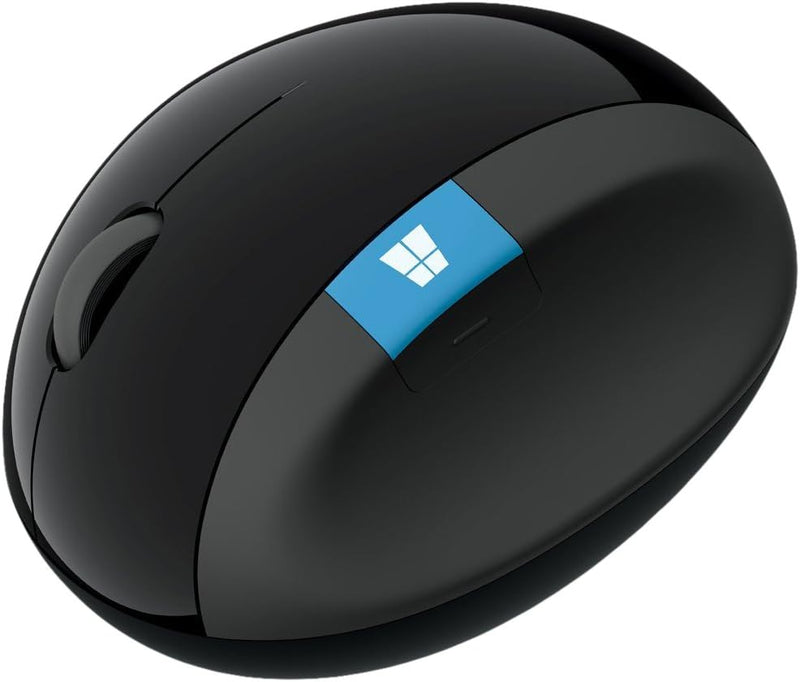
Microsoft L6V-00002 Sculpt Ergonomic Wireless Mouse Black
Ergonomically sculpted wireless mouse with thumb scoop and 4-way scroll wheel for comfortable, all-day productivity.
View price on Amazon
Affiliate Disclosure: As an Amazon Associate, Studio Supplies earns from qualifying purchases made through links on this page, at no additional cost to you. This helps support our editorial team.
Notice a mistake? Let Us Know
Overview
Key Features
The shape of the mouse is designed to maximize wrist comfort
Thumb scoop helps to maintain the correct ergonomic hand and wrist position
Windows button provides one-touch access to the Start screen
Back button for faster navigation
4-way scroll wheel for navigating up, down, left and right
Specifications
Brand
Microsoft
Model
L6V-00002
Design
Ergonomic
Connectivity
Wireless
Scroll Wheel
4-way (up, down, left, right)
Buttons
Windows button, Back button
Thumb Support
Thumb scoop
Color
Black
Frequently Asked Questions
What makes this mouse ergonomic compared to a standard mouse?
The Sculpt Ergonomic Mouse has a domed shape designed to keep the wrist at a natural angle, plus a thumb scoop that guides your hand into the correct position to reduce strain during extended use.
Does the 4-way scroll wheel scroll horizontally as well as vertically?
Yes, the 4-way scroll wheel supports up, down, left, and right scrolling, which is useful for navigating wide spreadsheets or timelines without needing to click and drag.
What does the dedicated Windows button on this mouse do?
It provides one-touch access to the Windows Start screen, letting you quickly switch between apps or access the Start menu without reaching for the keyboard.
How does this mouse connect to a computer?
It connects wirelessly, eliminating cable clutter and allowing flexible placement on your desk.
Is this mouse designed for right-handed or left-handed users?
The ergonomic shape and thumb scoop are designed for right-handed use.
Related Products
