

Microsoft
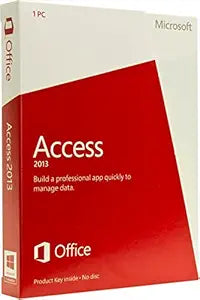
Microsoft MSOffice15Par02 Access 2013 Single User
Streamline Data Management with EaseIntroducing Microsoft Access 2013, the database management software designed for a single PC user. Organize, analyze, and share data effectively with this user-friendly and powerful tool, tailored for individual productivity...
View on Amazon for pricing
Affiliate Disclosure: As an Amazon Associate, Studio Supplies earns from qualifying purchases made through links on this page, at no additional cost to you. This helps support our editorial team.
Notice a mistake? Let Us Know
Overview
Streamline Data Management with Ease
Introducing Microsoft Access 2013, the database management software designed for a single PC user. Organize, analyze, and share data effectively with this user-friendly and powerful tool, tailored for individual productivity...
Specifications
Product
Access 2013
Brand
Microsoft
User License
Single User
Series
Microsoft Office 15
Frequently Asked Questions
Is Microsoft Access 2013 suitable for multiple users to work on a database simultaneously?
No, this version of Microsoft Access 2013 is specified for single-user use, meaning it's not designed for collaborative, multi-user database environments.
Will Access 2013 be compatible with the latest Windows operating systems?
As a 2013 software release, its compatibility with the very latest Windows operating systems (like Windows 11) is not explicitly guaranteed and may be limited compared to newer versions.
Does this product include other Microsoft Office applications?
No, this is specifically Microsoft Access 2013 Single User, not the full Office suite. It only provides the Access application.
Can I connect Access 2013 databases to modern web applications?
While Access 2013 can link to various data sources, its capabilities for direct, seamless integration with modern web applications and cloud services may be limited compared to newer database solutions.
Is this a physical copy or a digital download?
The product title does not specify whether it is a physical copy or a digital download; typically, older software could be either. You would need to check the seller's specific offering.
Related Products


