

Microsoft
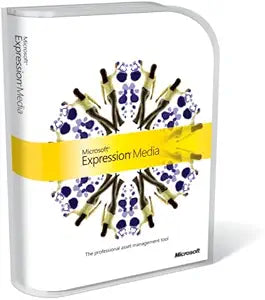
Microsoft PHL-00403 Expression Media Upgrade Software
Streamline Your Digital Asset Management WorkflowIntroducing the Microsoft Expression Media Upgrade. Designed for professionals, this upgrade helps you visually catalog, organize, and retrieve your digital assets with ease. Specifications: Compatibility: Supports more than 100 different media...
View price on Amazon
Affiliate Disclosure: As an Amazon Associate, Studio Supplies earns from qualifying purchases made through links on this page, at no additional cost to you. This helps support our editorial team.
Notice a mistake? Let Us Know
Overview
Streamline Your Digital Asset Management Workflow
Introducing the Microsoft Expression Media Upgrade. Designed for professionals, this upgrade helps you visually catalog, organize, and retrieve your digital assets with ease.
Specifications:- Compatibility: Supports more than 100 different media formats, including digital RAW files
- Automation: Flexible scripting tools
- Protection: Built-in archiving and backup features
- Storage: Store assets as shared folders, CDs, hard drives, or DVDs
- Editing: Basic editing tools (rotating, cropping, and resizing)
Key Features
Support for more than 100 different media formats, including digital RAW files, from popular cameras and industry-standard metadata formats
Flexible scripting tools get tedious tasks out your way
All digital assets are protected with built-in archiving and backup features
Store assets as shared folders, CDs, hard drives, or DVDs
Basic editing tools - Rotating, cropping, and resizing are done from inside Expression Media
Specifications
Supported Media Formats
Over 100 (including digital RAW files)
Supported Metadata Formats
Industry-standard
Editing Tools
Rotating, cropping, resizing
Archiving Features
Built-in archiving and backup
Storage Options
Shared folders, CDs, hard drives, DVDs
Frequently Asked Questions
What types of media formats does Microsoft Expression Media support?
Microsoft Expression Media supports more than 100 different media formats, including digital RAW files from popular cameras.
Does this software offer tools for automating tasks?
Yes, it features flexible scripting tools designed to automate tedious tasks, helping to streamline your workflow.
How does Expression Media protect digital assets?
It includes built-in archiving and backup features to help protect all your digital assets.
Where can I store my digital assets using this software?
You can store assets as shared folders, on CDs, hard drives, or DVDs, offering multiple options for organization and preservation.
Are there any editing capabilities within Expression Media?
Yes, it provides basic editing tools for rotating, cropping, and resizing images directly from within the software.
Is this software compatible with industry-standard metadata?
Yes, it supports industry-standard metadata formats, which aids in organizing and cataloging your media files.
Related Products


