



Microsoft
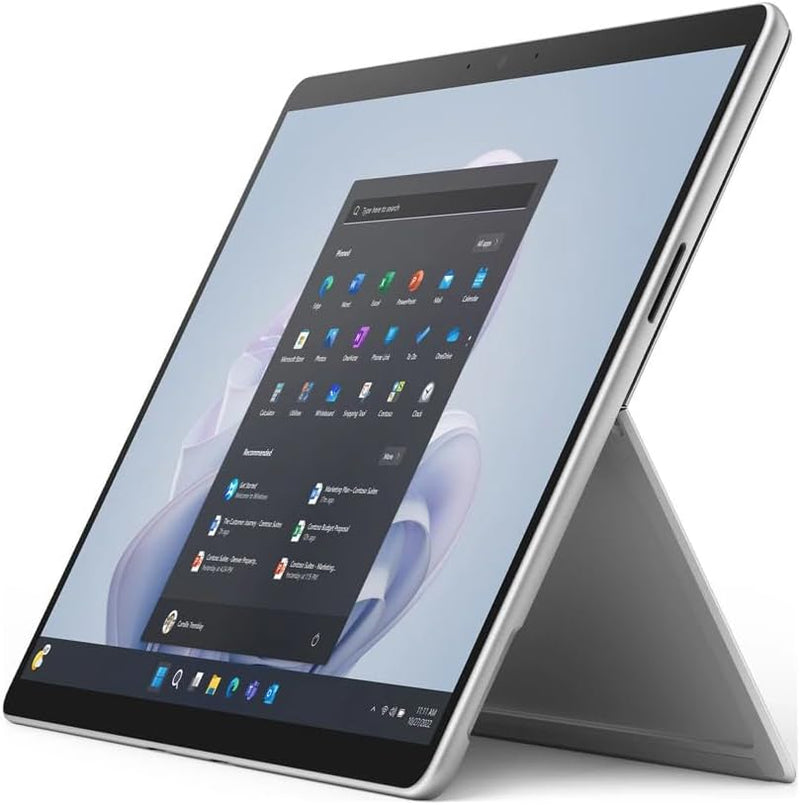
Microsoft QIY-00001 Surface Pro 9 i7 Tablet 512GB
16 GB memory512 GB SSD1.94 lb
A 12th Gen Intel Core i7 inside a 1.94lb chassis: the Surface Pro 9 delivers Thunderbolt 4, Wi-Fi 6, and 2880x1920 PixelSense in a form factor that eliminates the laptop/tablet compromise.
View price on Amazon
Affiliate Disclosure: As an Amazon Associate, Studio Supplies earns from qualifying purchases made through links on this page, at no additional cost to you. This helps support our editorial team.
Notice a mistake? Let Us Know
Overview
Key Features
The 1.94 lb light weight saves you from the physical strain of carrying this tablet
13" screen size with PixelSense resolution allows a great view of movies and TV shows and yet is small enough to easily carry
Core i7 processor offers maximum productivity in a timely efficient manner
15.50 Hours battery run time helps you stay unwired and work longer non-stop
Deca-core (10 Core) core processor offers maximum productivity in a timely efficient manner
16 GB memory seamlessly handles multiple programs together
Provides brighter results with high peak intensity to ensure maximum reliability
Windows 11 Pro operating system offers powerful platform to efficiently run routine applications
Use light weight apps, play games and store your personal stuff on the go in a 512 GB SSD storage
Bluetooth effectively avoids interference from other wireless devices to ensure dependable connectivity
Specifications
Display
13-inch PixelSense Touchscreen
Resolution
2880 x 1920
Processor
12th Gen Intel Core i7-1265U (10 Core, up to 4.3GHz)
RAM
16GB LPDDR5
Storage
512GB SSD (NVMe)
Graphics
Intel Iris Xe Graphics
Operating System
Windows 11 Pro 64-bit
Wireless
Wi-Fi 6 (802.11ax), Bluetooth
Ports
2x USB-C with Thunderbolt 4
Cameras
1080p HD front-facing, 10MP rear-facing
Weight
1.94 lbs
Dimensions
11.3" x 8.2" x 0.4"
Battery Life
Up to 15.5 hours (rated)
Frequently Asked Questions
What does Thunderbolt 4 on the Surface Pro 9's two USB-C ports actually enable over standard USB-C?
Thunderbolt 4 guarantees 40 Gbps bidirectional bandwidth per port — four times USB 3.2 Gen 2's 10 Gbps. In practice this means: driving an external 4K or 5K display at full refresh from a single port, connecting an external GPU enclosure, daisy-chaining Thunderbolt docks, and achieving full-speed NVMe external storage performance. Both ports support DisplayPort alt mode, power delivery, and data simultaneously.
Does the Surface Pro 9 come with a keyboard, and is one required for laptop-style productivity?
The Surface Pro 9 does not include a keyboard in the standard box — the Surface Pro Keyboard is a separate accessory. The device functions as a standalone tablet with the touchscreen and optional Surface Slim Pen 2, but for full laptop-replacement productivity, the Type Cover keyboard is effectively a required purchase that adds significant cost to the system.
How does the 12th Gen Intel Core i7-1265U perform under sustained workloads on a fanless or thin chassis?
The i7-1265U is a low-power (15W TDP) mobile processor — it sustains strong single-core performance but will thermal throttle under extended multi-core load (video encoding, large compilation jobs) as the thin chassis limits sustained heat dissipation. For burst workloads (Office, web, light creative), performance matches the spec sheet; for sustained multi-threaded tasks, expect clock speeds to reduce below the 4.3GHz max turbo over time.
Can the Surface Pro 9 drive a second external display while charging?
Yes — each Thunderbolt 4 port can independently output to an external display and deliver power simultaneously. With two ports, you can charge via one while driving an external monitor from the other, or use a Thunderbolt dock to drive multiple displays from a single connection. The built-in PixelSense display remains active during external monitor use.
What storage interface does the 512GB SSD use, and is it user-replaceable?
The Surface Pro 9's SSD uses an NVMe interface, delivering significantly faster read/write performance than SATA-based storage. However, Surface Pro SSDs are soldered or use a proprietary M.2 form factor — they are not field-replaceable by the user and require Microsoft service center access for storage upgrades.
Related Products


