

Microsoft
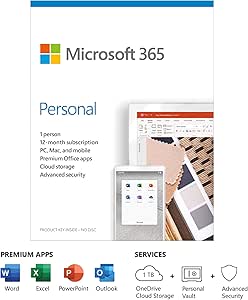
Microsoft QQ2-00989 365 Personal 1-Year Subscription
Unlock Your Productivity with Microsoft 365 Personal Microsoft 365 Personal is your essential companion for productivity and organization. Enjoy premium Office apps, cloud storage, and advanced security features on your PC, Mac, tablet, and phone. This 1-year subscription for one user ensures you...
View price on Amazon
Affiliate Disclosure: As an Amazon Associate, Studio Supplies earns from qualifying purchases made through links on this page, at no additional cost to you. This helps support our editorial team.
Notice a mistake? Let Us Know
Overview
Unlock Your Productivity with Microsoft 365 Personal
Microsoft 365 Personal is your essential companion for productivity and organization. Enjoy premium Office apps, cloud storage, and advanced security features on your PC, Mac, tablet, and phone. This 1-year subscription for one user ensures you stay connected and efficient wherever you are.
Specifications:
- Subscription Length: 1 Year
- Number of Users: 1
- Platforms: PC, Mac, Tablet, Phone
-
Operating System Requirements:
- Windows: Windows 10, Windows 8.1, Windows Server 2019, Windows Server 2016
- macOS: One of the three most recent versions of macOS
- Android: Supported versions of Android with ARM-based or Intel x86 processor
- iOS: The two most recent versions of iOS
- PC Processor: 1.6 GHz or faster, 2 cores
- PC Memory: 4 GB RAM; 2 GB RAM (32-bit)
- PC Hard Disk Space: 4 GB of available disk space
- PC Display: 1280 x 768 screen resolution
- Graphics: Graphics hardware acceleration requires DirectX 9 or later, with WDDM 2.0 or higher for Windows 10 (or WDDM 1.3 or higher for Windows 10 Fall Creators Update)
- Mac Processor: Intel processor
- Mac Memory: 4 GB RAM
- Mac Hard Disk Space: 10 GB HFS + hard disk format
- Mac Display: 1280 x 800 resolution
Key Features
Office 365 is now Microsoft 365. Microsoft 365 Family has everything you enjoy in Office 365 Home and much more. Every Office 365 user is automatically updated to Microsoft 365.
12 months subscription - up to 6 users – each user can install on 1 PC or Mac, 1 tablet or iPad and 1 mobile phone (Windows, iOS, Android). Install code in box (requires Internet)
Premium, always updated, Office 365 apps: Word, Excel, PowerPoint, Outlook and others.
Cloud Storage: 6 TB total OneDrive (1 TB per person) with Premium Security, to collaborate on documents with others online and to secure your sensitive files in OneDrive Personal Vault. Skype: 60 minutes of calling per month for each user. Premium support via chat or phone from Microsoft experts and much more.
Office for Mac is supported in the last three versions of macOS. When a new macOS version is released, it becomes the current version.
Renew your existing Office 365 Home of Personal subscription: simply purchase Microsoft 365 here and enter your login ID from your current Microsoft account
Specifications
Product Name
Microsoft 365 Personal
Subscription Length
12 Months
Number of Users
1 User
PC/Mac Installations per User
1
Tablet/iPad Installations per User
1
Mobile Phone Installations per User
1
Included Apps
Word, Excel, PowerPoint, Outlook and others
OneDrive Cloud Storage
1 TB per person
Skype Minutes
60 minutes per month per user
Support
Premium support via chat or phone
macOS Compatibility
Last three versions of macOS
Platform Compatibility
Windows, macOS, iOS, and Android
Activation Method
Install code in box (requires Internet)
Frequently Asked Questions
How many devices can I install Microsoft 365 Personal on?
As a single user, you can install Microsoft 365 Personal on one PC or Mac, one tablet or iPad, and one mobile phone.
Is this a one-time purchase or a subscription?
This is a 12-month subscription, meaning it requires renewal after the year to continue access to the services.
What kind of cloud storage is included with this subscription?
You receive 1 TB of OneDrive cloud storage with Premium Security, perfect for storing and securing your files.
Can I get support if I encounter issues?
Yes, premium support via chat or phone from Microsoft experts is included with your subscription.
Is this product compatible with Apple devices?
Yes, it is compatible with macOS (the last three versions), iOS, and Android, in addition to Windows.
How do I activate my subscription?
You will use the install code provided in the box, which requires an internet connection for redemption and activation.
Related Products


