



Microsoft
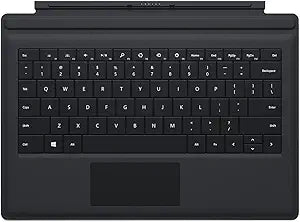
Microsoft RD2-00080 Surface Pro 3 Black Type Cover
The Surface Pro 3 Type Cover adds a backlit full-travel keyboard and magnetic auto-sleep attachment that converts your tablet into a functional laptop without adding bulk.
$179.99*
View on Amazon
✓ In Stock on Amazon.com
*Price sourced from Amazon.com. Last updated:Aug 30, 2026.Price and availability are subject to change — details.
Affiliate Disclosure: As an Amazon Associate, Studio Supplies earns from qualifying purchases made through links on this page, at no additional cost to you. This helps support our editorial team.
Notice a mistake? Let Us Know
Overview
Key Features
Backlit, l Qwerty keyboard, Magnetic
Folds back to prevent unwanted typing
Turns device off and shields screen when Closed
Protects the screen against bumps and scratches
Intended to be used with the Surface Pro 3
Specifications
Compatibility
Surface Pro 3 only
Keyboard Layout
QWERTY
Backlighting
Yes
Attachment
Magnetic
Color
Black
Sleep/Wake
Automatic (open/close)
Fold-back keyboard disable
Yes
Driver Required
No
Screen Protection
Yes (fabric surface cover when closed)
Frequently Asked Questions
Is the RD2-00080 Type Cover compatible with Surface Pro models other than the Surface Pro 3?
No — the RD2-00080 is specifically designed for the Surface Pro 3. The magnetic connector and physical dimensions are matched to the Surface Pro 3's connector placement. It is not cross-compatible with Surface Pro 4 or later models, which use a revised connector design.
Does the keyboard backlighting drain the Surface Pro 3's battery when the Type Cover is attached?
The Type Cover is a passive input device powered by the Surface Pro 3's connector — it draws power from the tablet. Backlighting is a low-draw feature, but it does contribute marginally to overall battery consumption when illuminated. Closing the cover disables the keyboard and triggers screen sleep, which stops all associated power draw.
What happens to the keyboard when the Type Cover is folded back?
Folding the Type Cover back behind the tablet deactivates the keyboard input to prevent accidental keystrokes. This is handled by the magnetic attachment mechanism and does not require a software toggle — the keyboard stops registering input in the folded-back position automatically.
Does the Type Cover provide any structural rigidity or screen protection when the device is in a bag?
Yes — when closed, the Type Cover covers the display surface and provides a physical barrier against scratches and minor contact damage. It is a fabric-surface protective layer, not a hardshell case, so it protects against everyday handling wear rather than drop impacts.
Does the Type Cover require any drivers or software installation on the Surface Pro 3?
No additional drivers are required. The Type Cover connects via the Surface Pro 3's proprietary magnetic connector, which is natively recognized by Windows. Keyboard input and the auto sleep/wake function are handled at the hardware and firmware level without additional software.
Related Products

