
Microsoft
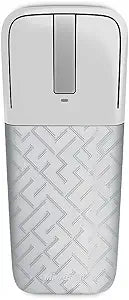
Microsoft RVF-00010 Arc Touch Cement Gray Mouse
Microsoft's Arc Touch Mouse curves for ergonomic use and flattens for pocket-sized portability with BlueTrack precision.
View price on Amazon
Affiliate Disclosure: As an Amazon Associate, Studio Supplies earns from qualifying purchases made through links on this page, at no additional cost to you. This helps support our editorial team.
Notice a mistake? Let Us Know
Overview
Key Features
Flexible Design - Curve for comfort, flatten to pack.
Touch to Scroll - Click. Tap. Flick. Control.
BlueTrack Technology - Works on difficult surfaces—rough, glossy, or soft.
Perfectly Portable Stowable Nano Transceiver for wireless freedom.
BlueTrack Technology - Works on difficult surfaces-rough, glossy, or soft.
Flexible Design - Curve for comfort, flatten to pack.
Touch to Scroll - Click. Tap. Flick. Control.
BlueTrack Technology - Works on difficult surfaces—rough, glossy, or soft.
Perfectly PortableStowable Nano Transceiver for wireless freedom.
Specifications
Design
Flexible (Curve to use, flatten to store)
Tracking
BlueTrack Technology
Scrolling
Capacitive Touch Strip with Haptic Feedback
Connectivity
2.4GHz Wireless via USB Nano Transceiver
Power Control
Curve to turn on, flatten to turn off
Battery
2 x AAA Alkaline (included)
Color
Cement Gray
Model
RVF-00010
Frequently Asked Questions
How does the Arc Touch Mouse turn on and off?
The mouse uses its flexible design as a power switch — curve it into an arc shape to turn it on, and flatten it to turn it off. There are no physical power buttons or switches.
What is BlueTrack Technology, and why does it matter on this mouse?
BlueTrack combines a wide blue optical beam with high-resolution sensors to track accurately on surfaces where traditional optical or laser mice struggle, including rough wood, granite, and carpet.
How does the touch scrolling work on the Arc Touch Mouse?
The center strip is a capacitive touch sensor that supports clicking, tapping, and flicking gestures for scrolling. It provides haptic feedback with a subtle vibration so you can feel each scroll increment without a physical scroll wheel.
What type of wireless connection does the Arc Touch Mouse use?
It connects via a plug-and-go USB nano transceiver (2.4GHz wireless). The small receiver plugs into a USB-A port and pairs automatically with the mouse.
What batteries does the Arc Touch Mouse require?
It runs on two AAA alkaline batteries, which are included in the box.
Related Products
