

Microsoft
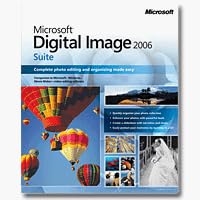
Microsoft S83-00692 Digital Image Suite 2006 (Old Version)
Microsoft Digital Image Suite 2006 Anniversary Edition brings a full photo editing and creation toolkit to legacy Windows workflows.
Check availability
Affiliate Disclosure: As an Amazon Associate, Studio Supplies earns from qualifying purchases made through links on this page, at no additional cost to you. This helps support our editorial team.
Notice a mistake? Let Us Know
Overview
Specifications
Software Title
Digital Image Suite 2006
Version
Old Version
Publisher
Microsoft
Frequently Asked Questions
What is included in Digital Image Suite 2006 Anniversary Edition?
The suite bundles Digital Image Editor and Digital Image Library, giving you both photo editing tools and an organizational catalog system in a single install.
Will this software run on modern versions of Windows?
This is a 2006-era application designed for Windows XP and early Vista environments. It is not compatible with Windows 10 or 11 without significant compatibility workarounds, and even then functionality is not guaranteed.
Does Digital Image Suite 2006 require an internet connection or activation server?
It uses a product key activation model typical of mid-2000s Microsoft software. Microsoft's activation servers for this title are no longer maintained, which can complicate fresh installs or re-activations.
What photo editing capabilities does this suite provide?
It includes tools for exposure correction, color adjustment, red-eye removal, cropping, resizing, and basic compositing effects — a feature set comparable to entry-level editors of its era.
Is this suitable for professional photo editing work?
No. The toolset is consumer-grade and predates raw file support for most modern cameras, non-destructive editing workflows, and the layer-based editing that professional work requires.
Related Products


