



Microsoft
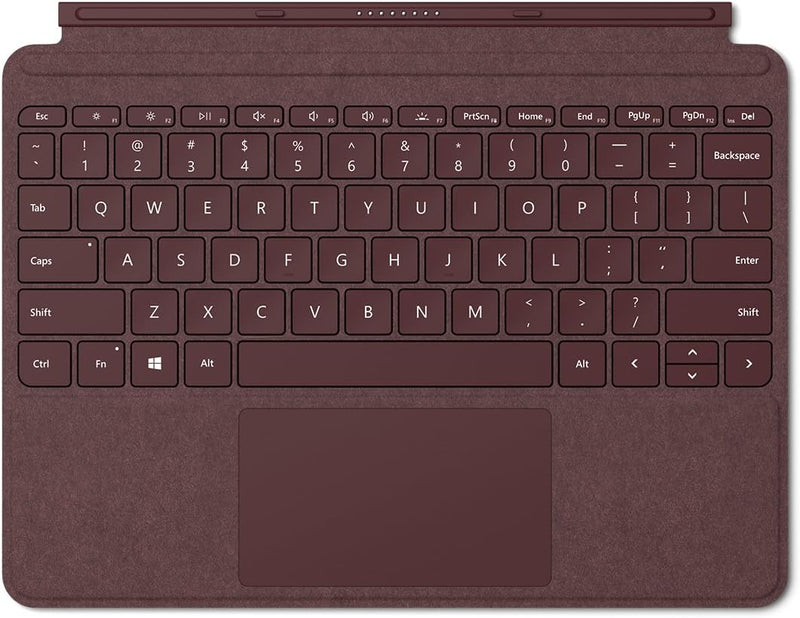
Microsoft Surface Go Alcantara Signature Type Cover Burgundy
Microsoft's Alcantara Signature Type Cover turns the Surface Go into a full typing experience with backlit keys and a luxurious feel.
View price on Amazon
Affiliate Disclosure: As an Amazon Associate, Studio Supplies earns from qualifying purchases made through links on this page, at no additional cost to you. This helps support our editorial team.
Notice a mistake? Let Us Know
Overview
Key Features
Features a full mechanical keyset, backlit keys, and extra-large trackpad for precise navigation and control. Slim and compact, yet performs like a traditional, full-size keyboard.
Clicks in place instantly — use in combination with Surface Go Kickstand for a best-in-class laptop experience anywhere. (Surface Go and Kickstand sold separately).
Alcantara material on select covers is soft and smooth, yet durable and stain resistant.
Close to protect screen and conserve battery, or fold back completely for a take-anywhere tablet.
Complement your style with a choice of rich colors — Platinum, Burgundy, and Cobalt Blue in Alcantara, plus Black.
Specifications
Brand
Microsoft
Compatible Device
Surface Go
Material
Alcantara
Color
Burgundy
Key Type
Full Mechanical Keyset
Backlighting
Yes
Trackpad
Extra-large
Connection
Magnetic click-in
Frequently Asked Questions
Is the Alcantara material difficult to keep clean?
No. The Alcantara fabric used on this Type Cover is engineered to be stain-resistant and durable, so it holds up well to regular daily use and can be wiped down easily.
Does this Type Cover work with all Surface Go models?
This cover is designed for the Surface Go line. Check Microsoft's compatibility list to confirm it works with your specific Surface Go generation, as connector designs may vary.
Are the keys backlit?
Yes. The keys feature adjustable backlighting, making it easy to type in dimly lit environments such as airplanes, conference rooms, or late-night work sessions.
Can the Type Cover fold back behind the tablet for handheld use?
Yes. The cover folds back completely so you can use the Surface Go as a tablet without the keyboard getting in the way.
How does the Type Cover attach to the Surface Go?
It connects via a magnetic click-in mechanism along the bottom edge of the Surface Go. No pairing or Bluetooth setup is required—just snap it in place.
Related Products


