

Microsoft
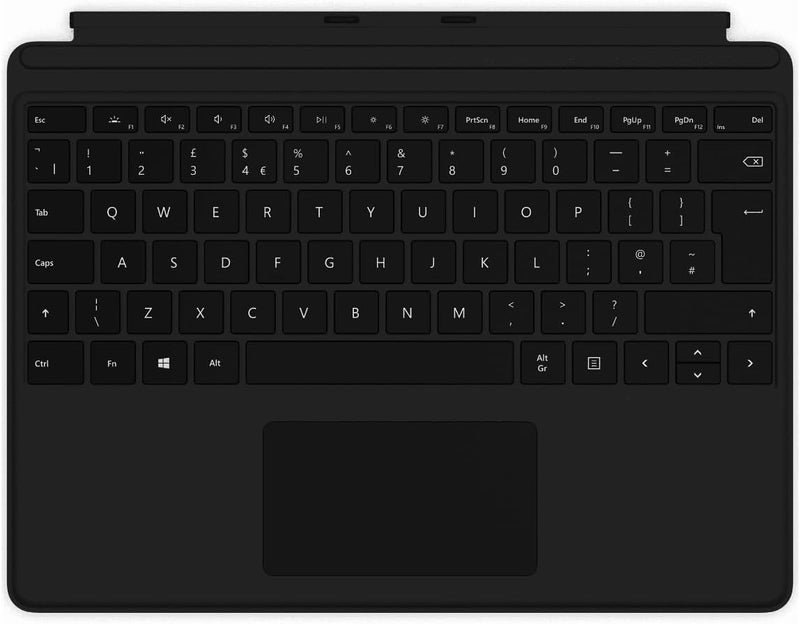
Microsoft Surface Pro X Keyboard - Slim, Backlit, Black
Turn your Surface Pro X into a full productivity workstation with a backlit keyboard that connects instantly and doubles as a protective cover.
View price on Amazon
Affiliate Disclosure: As an Amazon Associate, Studio Supplies earns from qualifying purchases made through links on this page, at no additional cost to you. This helps support our editorial team.
Notice a mistake? Let Us Know
Overview
Key Features
Enhance Your Surface Pro X Experience: The Microsoft Surface Pro X Keyboard in sleek black is designed to elevate your Surface Pro X experience by providing a comfortable, responsive, Precision Engineered for Productivity: This keyboard features a precision trackpad, backlit keys, and a spacious layout, enabling you to work efficiently in various lighting conditions
Wireless Convenience: Enjoy the freedom of wireless connectivity with Bluetooth compatibility, allowing you to connect and type seamlessly without the hassle of wires or cables., Sleek and Stylish Design: The black finish complements the Surface Pro X's aesthetic, creating a unified and professional look, while the slim, lightweight design ensures portability.
Long-Lasting Battery Life: With an extended battery life, you can go longer between charges, ensuring uninterrupted productivity whether you're on the go or working from your favorite spot., Color of the keyboard is black
Product Dimensions 12.5 x 10.2 x 0.7 inches, Item Weight 1 pounds
Dedicated Shortcut Keys, Backlit for Convenience
Specifications
Compatibility
Surface Pro X, Surface Pro 8, Surface Pro 9
Connectivity
Magnetic connector (no Bluetooth pairing required)
Keyboard Layout
Full-size with dedicated shortcut keys
Backlighting
Single-color backlit keys
Trackpad
Precision trackpad with multi-touch gesture support
Color
Black
Dimensions
12.5" L x 10.2" W x 0.7" H
Weight
1 pound
Frequently Asked Questions
Which Surface devices is this keyboard compatible with?
This keyboard is compatible with the Surface Pro X, Surface Pro 8, and Surface Pro 9. It connects via the dedicated keyboard port on the bottom edge of those devices, not via Bluetooth pairing.
Does the keyboard require separate charging or batteries?
No. The Surface Pro X Keyboard draws power directly from the Surface Pro through the connector pins. There is no separate battery to charge or replace.
Are the keys backlit, and can you adjust the brightness?
Yes, the keys are backlit with a single-color backlight. Brightness can be adjusted using the dedicated keyboard shortcut keys, making it usable in dim or dark environments.
Does this keyboard include a trackpad?
Yes. It features a built-in precision trackpad that supports multi-touch gestures recognized by Windows, so you can navigate without carrying an external mouse.
Does this keyboard have a pen storage slot?
The Surface Pro X Keyboard does not include the Slim Pen storage bay found on the Signature version. If you need integrated pen charging and storage, you would need the Signature model instead.
Related Products

