
Microsoft
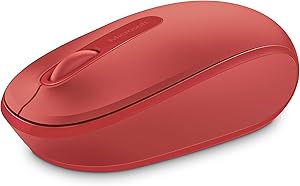
Microsoft U7Z-00031 Wireless Mobile Mouse 1850 Flame Red
Microsoft Wireless Mobile Mouse 1850 in Flame Red offers ambidextrous comfort and nano transceiver portability.
View price on Amazon
Affiliate Disclosure: As an Amazon Associate, Studio Supplies earns from qualifying purchases made through links on this page, at no additional cost to you. This helps support our editorial team.
Notice a mistake? Let Us Know
Overview
Key Features
Designed for Comfort and Portability
Design is suitable for use with either hand
Scroll wheel for easy navigation
Built-in mini transceiver (USB) storage for
Ultimate portability
Available in multiple colors
Designed for Comfort and Portability
Note : In case of Wireless mouse, the USB receiver will be provided inside or along with the mouse
Design is suitable for use with either hand
Scroll wheel for easy navigation
Specifications
Brand
Microsoft
Model
U7Z-00031
Product Name
Wireless Mobile Mouse 1850
Color
Flame Red
Connectivity
Wireless (2.4 GHz nano transceiver, USB)
Hand Orientation
Ambidextrous
Buttons
2 buttons + scroll wheel
Transceiver Storage
Built-in
Compatibility
PC, Laptop, Desktop, Mac, Windows 8/10/11
Frequently Asked Questions
Does the Microsoft Wireless Mobile Mouse 1850 require drivers to set up?
No, it uses a plug-and-play nano USB transceiver. Insert the receiver into a USB port and the mouse is ready to use without additional software.
Where is the nano transceiver stored when not in use?
The nano USB transceiver stores inside the mouse body, so it stays protected and attached during transport.
What type of batteries does the Mouse 1850 use?
It uses a single AA battery, which provides extended use before needing replacement.
Is this mouse suitable for left-handed users?
Yes, the Microsoft Wireless Mobile Mouse 1850 has a symmetrical, ambidextrous design that works comfortably in either hand.
What operating systems are compatible with this mouse?
It is compatible with Windows 8, Windows 10, Windows 11, and Mac operating systems.
Related Products
