

Microsoft
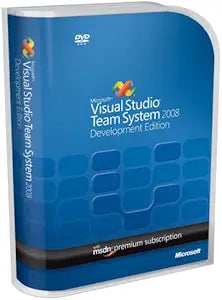
Microsoft UEC-00005: Visual Studio Team System 2008 Renewal
Elevate Your Development ProcessMicrosoft Visual Studio Team System 2008 Development Edition provides developers with tools to enhance code quality, enforce best practices, and automate testing. Streamline your workflow and deliver better software faster. Features: Static Code Analysis, Cod...
Check availability
Affiliate Disclosure: As an Amazon Associate, Studio Supplies earns from qualifying purchases made through links on this page, at no additional cost to you. This helps support our editorial team.
Notice a mistake? Let Us Know
Overview
Elevate Your Development Process
Microsoft Visual Studio Team System 2008 Development Edition provides developers with tools to enhance code quality, enforce best practices, and automate testing. Streamline your workflow and deliver better software faster.
- Features: Static Code Analysis, Code Metrics, Code Profiler, Unit Testing with Code Coverage, Check-in Policies
- Benefits: Improved code quality, reduced security risks, automated software unit testing
- Integration: Seamlessly integrates with Visual Studio Team System 2008 Team Foundation Server
Key Features
Provides developers with an advanced set of tools to identify inefficient, insecure, or poor-quality code, specify coding best practices, and automate software unit testing
Static Code Analysis to improve code quality and security; Check-in policies to ensure coding best practices
New Code Metrics to identify error-prone code
Code Profiler to measure code performance and find performance bottlenecks
Unit testing with code coverage to test code early and often and measure the effectiveness of your tests
Specifications
Product
Visual Studio Team System 2008 Renewal
Brand
Microsoft
Function
Developer Tools
Key Feature 1
Static Code Analysis
Key Feature 2
Check-in policies
Key Feature 3
Code Metrics
Key Feature 4
Code Profiler
Key Feature 5
Unit testing with code coverage
Frequently Asked Questions
What is the primary purpose of Microsoft Visual Studio Team System 2008 Renewal?
The primary purpose is to provide developers with advanced tools for identifying inefficient, insecure, or poor-quality code, enforcing best practices, and automating unit testing.
Does this software help improve code quality and security?
Yes, it includes Static Code Analysis features specifically designed to improve code quality and enhance security.
Can this software assist teams in maintaining consistent coding standards?
Absolutely, it offers Check-in policies to help ensure that coding best practices are followed by the development team.
How does this version of Visual Studio help in identifying performance issues?
The software includes a Code Profiler feature that measures code performance and assists in finding performance bottlenecks within applications.
Is there a way to measure the effectiveness of tests with this product?
Yes, it provides unit testing with code coverage capabilities to test code early and often, and to measure the effectiveness of your tests.
Related Products


