

Microsoft
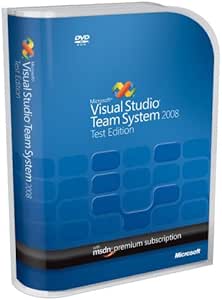
Microsoft UEE-00014 Visual Studio Team System 2008 Test Edition
Empower Your Team with Advanced Testing ToolsMicrosoft Visual Studio Team System 2008 Test Edition provides a comprehensive suite of tools for Web application and service testing. Integrated into the Visual Studio environment, it enables testers to efficiently manage and execute tests, ensuring a...
View price on Amazon
Affiliate Disclosure: As an Amazon Associate, Studio Supplies earns from qualifying purchases made through links on this page, at no additional cost to you. This helps support our editorial team.
Notice a mistake? Let Us Know
Overview
Empower Your Team with Advanced Testing Tools
Microsoft Visual Studio Team System 2008 Test Edition provides a comprehensive suite of tools for Web application and service testing. Integrated into the Visual Studio environment, it enables testers to efficiently manage and execute tests, ensuring application quality and performance.
- Web Testing Tools: Comprehensive tools for Web Services, HTTP, XML, and ASP.NET applications
- Testing Management: Enables testers to author, execute, and manage tests within Visual Studio
- Load Testing: Simulates production loads to diagnose performance issues
- Code Coverage: Measures the effectiveness of tests
- Defect and Test List Management: Integrated management (requires Team Foundation Server)
Key Features
Comprehensive Web testing tools for Web Services, HTTP, XML, and ASP.NET applications
Enables testers to author, execute, and manage tests and related work items--all from within Visual Studio
Load testing to simulate production loads and diagnose performance issues in labs and pre-production environments
Code coverage to measure the effectiveness of your tests
Integrated defect and test list management (Requires Visual Studio Team System 2008 Team Foundation Server)
Specifications
Product Name
Visual Studio Team System 2008 Test Edition
Publisher
Microsoft
Included Tools
Web testing tools, Load testing, Code coverage
Supported Applications
Web Services, HTTP, XML, ASP.NET
Integration Requirement
Visual Studio Team System 2008 Team Foundation Server for integrated defect/test list management
Frequently Asked Questions
What types of applications can Visual Studio Team System 2008 Test Edition test?
This software provides comprehensive web testing tools designed for Web Services, HTTP, XML, and ASP.NET applications.
Is integrated defect and test list management available with this product?
Yes, integrated defect and test list management is possible, but it requires Visual Studio Team System 2008 Team Foundation Server.
Can this edition of Visual Studio simulate production loads?
Yes, it includes load testing capabilities to simulate production loads and help diagnose performance issues in various environments.
What is the purpose of the code coverage feature?
Code coverage functionality is included to measure the effectiveness of your tests, helping to identify untested areas of code.
Does this product allow testers to manage tests within Visual Studio?
Yes, it enables testers to author, execute, and manage tests and related work items all from within the Visual Studio environment.
Related Products


