

Microsoft
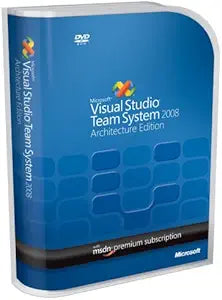
Microsoft UEF-00026: Visual Studio Team System 2008 Architecture Edition
Architect and Validate Distributed Systems with Ease Microsoft Visual Studio Team System 2008 Architecture Edition is designed to improve the design and validation of distributed systems. Empowering architects, operations managers, and developers, this tool allows visual construction of service-...
Check availability
Affiliate Disclosure: As an Amazon Associate, Studio Supplies earns from qualifying purchases made through links on this page, at no additional cost to you. This helps support our editorial team.
Notice a mistake? Let Us Know
Overview
Architect and Validate Distributed Systems with Ease
Microsoft Visual Studio Team System 2008 Architecture Edition is designed to improve the design and validation of distributed systems. Empowering architects, operations managers, and developers, this tool allows visual construction of service-oriented solutions and validates them against operational environments prior to deployment.
Specifications:
- Designed to visually construct service-oriented solutions and validate them against their operational environments prior to deployment
- Application Designer to visually define service-oriented applications and generate code
- System Designer to compose applications into systems or reusable subsystems and validate the resulting configurations
- Deployment Designer to validate application designs against a target datacenter and identify issues before deployment begins
- Logical Datacenter Designer to visualize the logical structure of datacenters, specify operational policies, and validate applications prior to deployment
Key Features
Gives architects, operations managers, and developers the ability to visually construct service-oriented solutions and validate them against their operational environments prior to deployment
Application Designer to visually define service-oriented applications and generate code
System Designer to compose applications into systems or reusable subsystems and validate the resulting configurations
Deployment Designer to validate application designs against a target datacenter and identify issues before deployment begins
Logical Datacenter Designer to visualize the logical structure of datacenters, specify operational policies, and validate applications prior to deployment
Specifications
Software Title
Visual Studio Team System 2008 Architecture Edition
Brand
Microsoft
Frequently Asked Questions
What is the primary function of Visual Studio Team System 2008 Architecture Edition?
This software is designed to give architects, operations managers, and developers the tools to visually construct service-oriented solutions and validate them against operational environments before deployment.
Can this software generate code for applications?
Yes, it includes an Application Designer feature that allows users to visually define service-oriented applications and generate code from those designs.
How does this product help with deployment validation?
The Deployment Designer feature is specifically built to validate application designs against a target datacenter, aiming to identify potential issues before the deployment process begins.
Is this software suitable for visualizing datacenter structures?
Yes, it features a Logical Datacenter Designer that enables visualization of the logical structure of datacenters, specification of operational policies, and pre-deployment application validation.
Related Products


