

Microsoft
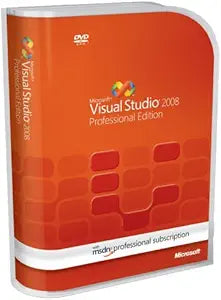
Microsoft UEH-00007 Visual Studio 2008 Professional MSDN
Empower Your Development with a Robust Toolset Step up your coding game with Microsoft Visual Studio 2008 Professional, a comprehensive suite designed to accelerate your software development process. This version includes an MSDN Professional Renewal, providing you with the resources needed to de...
Check availability
Affiliate Disclosure: As an Amazon Associate, Studio Supplies earns from qualifying purchases made through links on this page, at no additional cost to you. This helps support our editorial team.
Notice a mistake? Let Us Know
Overview
Empower Your Development with a Robust Toolset
Step up your coding game with Microsoft Visual Studio 2008 Professional, a comprehensive suite designed to accelerate your software development process. This version includes an MSDN Professional Renewal, providing you with the resources needed to design, develop, test, and deploy cutting-edge applications.
Specifications
- Brand: Microsoft
- Model: UEH-00007
- Product: Visual Studio 2008 Professional with MSDN Professional Renewal
- Platforms Supported: Web, Windows Vista, 2007 Office System, SQL Server 2008, Windows Server 2008, Windows Mobile
Key Features
Build applications for Windows, the Web, the Microsoft Office system, the .NET Framework, SQL Server, and Windows Mobile with integrated drag-and-drop designers; be part of a community of millions of developers
Visual Studio integrates Visual Basic, Visual C#, and Visual C++ to support a wide variety of development styles; Editor features simplify the cycle of designing, developing, and debugging an application
Deploy client applications easily with ClickOnce, which enables developers and IT Pros to deploy an application and its prerequisites and then ensure that the application remains up-to-date
Build applications which target the .NET Framework, shortening development time by reducing the need for infrastructure code and helping to enhance application security; Use ASP.NET to speed the creation of interactive Web applications and Web services
MSDN Subscription includes a wide variety of software to help developers to design, develop, test, and demonstrate applications or solutions--active subscribers have access to current, past, and pre-release future versions of many Microsoft products
Specifications
Product
Visual Studio 2008 Professional MSDN
Brand
Microsoft
Supported Platforms
Windows, Web, Microsoft Office system, .NET Framework, SQL Server, Windows Mobile
Integrated Languages
Visual Basic, Visual C#, Visual C++
Deployment Feature
ClickOnce
Included Subscription
MSDN Subscription
Frequently Asked Questions
What platforms can applications be built for using Visual Studio 2008 Professional MSDN?
Visual Studio 2008 Professional MSDN allows developers to build applications for Windows, the Web, the Microsoft Office system, the .NET Framework, SQL Server, and Windows Mobile.
Which programming languages are integrated into Visual Studio 2008?
Visual Studio 2008 integrates Visual Basic, Visual C#, and Visual C++ to support a wide variety of development styles.
How does Visual Studio 2008 simplify the deployment of client applications?
It simplifies deployment through ClickOnce, which enables developers and IT Pros to easily deploy applications and their prerequisites, ensuring they remain up-to-date.
What is the benefit of targeting the .NET Framework with Visual Studio 2008?
Building applications that target the .NET Framework shortens development time by reducing the need for infrastructure code and helps enhance application security.
What does the included MSDN Subscription offer?
The MSDN Subscription provides active subscribers with access to current, past, and pre-release future versions of many Microsoft products, along with a wide variety of software for development, testing, and demonstration.
Can this version be used for creating interactive web applications?
Yes, users can employ ASP.NET within Visual Studio 2008 to speed up the creation of interactive web applications and web services.
Related Products


