

Microsoft
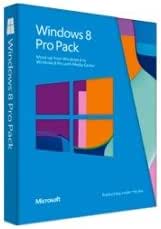
Microsoft Windows 8 Pro Upgrade Pack - 1 License
Upgrade to a More Powerful Windows Experience Enhance your computing with the Microsoft Windows 8 Pro Pack. This product upgrade allows you to move from Windows 8 Basic to Windows 8 Pro, unlocking advanced features and improved performance for both personal and professional use. Specifications ...
Check availability
Affiliate Disclosure: As an Amazon Associate, Studio Supplies earns from qualifying purchases made through links on this page, at no additional cost to you. This helps support our editorial team.
Notice a mistake? Let Us Know
Overview
Upgrade to a More Powerful Windows Experience
Enhance your computing with the Microsoft Windows 8 Pro Pack. This product upgrade allows you to move from Windows 8 Basic to Windows 8 Pro, unlocking advanced features and improved performance for both personal and professional use.Specifications
- Edition: Windows 8 Pro
- Bit Compatibility: 32-bit/64-bit
- Language: English
- License Type: Product Upgrade
- Number of Licenses: 1
- Media: Medialess (Product Key Code ONLY)
Specifications
Software Type
Operating System Upgrade
Operating System
Windows 8 Pro
License Quantity
1 License
Developer
Microsoft
Frequently Asked Questions
What is included in the Microsoft Windows 8 Pro Upgrade Pack?
The pack includes one license for upgrading to Microsoft Windows 8 Pro, providing access to its advanced features.
Is this a full version of Windows 8 Pro or an upgrade?
This product is specifically an upgrade pack, designed for users who already have a compatible version of Windows installed.
How many computers can I upgrade with this license?
This upgrade pack provides 1 license, meaning it is intended for use on a single computer.
What are some benefits of upgrading to Windows 8 Pro?
Upgrading to Windows 8 Pro provides access to professional features such as BitLocker for data encryption and Remote Desktop for accessing your computer from another location.
Is Windows 8 still supported by Microsoft?
While Windows 8 was succeeded by newer versions, users should check Microsoft's official lifecycle policy for current support status and end-of-life dates for this operating system.
Related Products


