



MSI
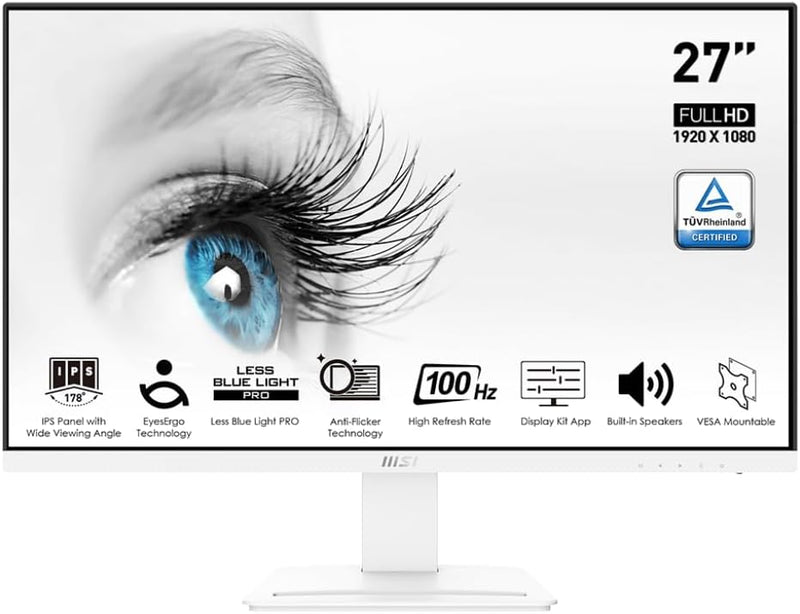
MSI Pro MP273AW 27" FHD 100Hz IPS Monitor - White
FHD1920 x 1080
A 27-inch IPS panel with 100Hz refresh and TUV-certified eye care built for marathon productivity sessions.
View price on Amazon
Affiliate Disclosure: As an Amazon Associate, Studio Supplies earns from qualifying purchases made through links on this page, at no additional cost to you. This helps support our editorial team.
Notice a mistake? Let Us Know
Overview
Key Features
27" (1920 x 1080 full HD)
100Hz Refresh Rate
TUV Certified Eyesight Protection
4ms response time
Specifications
Brand
MSI
Model
Pro MP273AW
Screen Size
27"
Resolution
1920 x 1080 (Full HD)
Panel Type
IPS
Refresh Rate
100Hz
Response Time
4ms
Connectivity
DisplayPort, HDMI
Eye Protection
TUV Certified (Low Blue Light, Flicker-Free)
Stand Adjustment
Tilt
Color
White
Frequently Asked Questions
Does the 100Hz refresh rate make a noticeable difference over a standard 60Hz office monitor?
Yes. The jump from 60Hz to 100Hz produces visibly smoother cursor movement, window dragging, and scrolling. It will not rival a 144Hz gaming panel, but for desktop productivity the improvement in motion clarity is immediately apparent.
What video inputs does the MSI Pro MP273AW support?
The monitor includes both HDMI and DisplayPort inputs. This covers most modern desktops and laptops without requiring adapters, though it lacks USB-C video input.
Is this monitor suitable for color-accurate work like photo editing?
The IPS panel delivers wide viewing angles and consistent color across the screen, which is better than VA or TN alternatives. However, at 1080p resolution on a 27-inch panel the pixel density is relatively low, and MSI does not advertise factory color calibration or wide gamut coverage, so it is more suited to general office work than professional color grading.
Can the stand be adjusted for height, swivel, or pivot?
The stand supports tilt adjustment only. There is no height adjustment, swivel, or pivot. Users who need ergonomic positioning flexibility will want to pair this monitor with a VESA-compatible arm.
What does the TUV Certified Eyesight Protection actually do?
TUV certification means the monitor has been independently tested and verified for low blue light emission and flicker-free operation. These features reduce eye strain during extended use compared to panels without these protections.
Related Products


