



NZXT
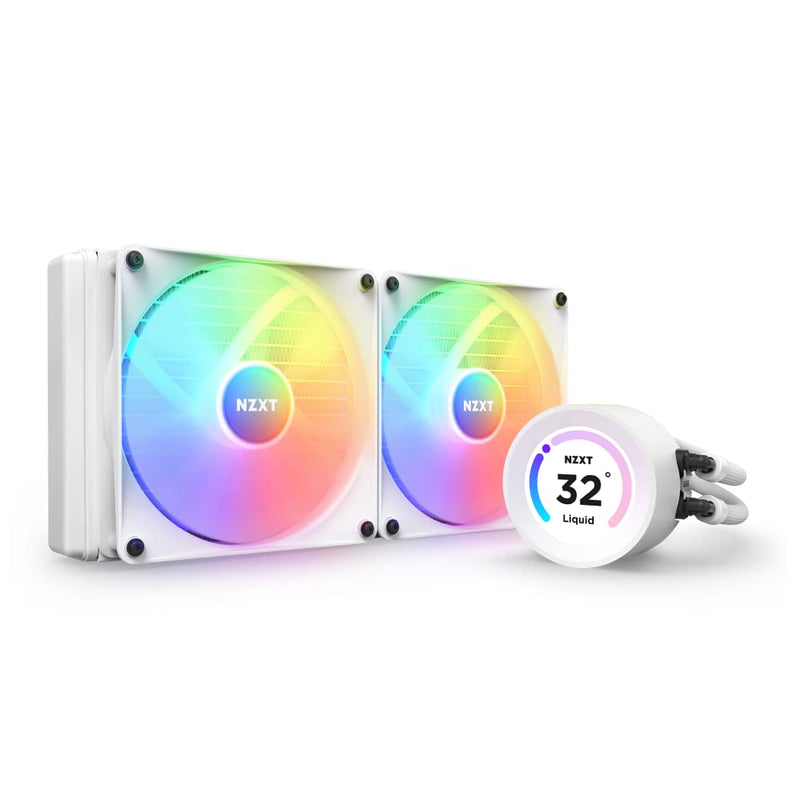
NZXT RL-KR28E-W1 Kraken Elite 280 RGB Cooler
640x640
The Kraken Elite 280 pushes 280mm of cooling surface and a real-time LCD display into one of the cleaner AIO packages on the market.
View price on Amazon
Affiliate Disclosure: As an Amazon Associate, Studio Supplies earns from qualifying purchases made through links on this page, at no additional cost to you. This helps support our editorial team.
Notice a mistake? Let Us Know
Overview
Key Features
PERSONALIZATION THAT POPS: Display a favorite animated GIF or static image, monitor real-time PC performance metrics, see music that's currently playing, integrate web content and more with NZXT CAM software.
WIDE-ANGLE LCD DISPLAY: 2.36"" diameter LCD display with a wide viewing angle, crisp 640x640 resolution, high 60 Hz refresh rate, and a vivid 690 cd/m² backlight brings on-screen content to life.
HIGH-PERFORMANCE PUMP: The powerful Asetek pump operates at up to 2,800 RPM to ensure efficient and quiet coolant circulation.
COLORFUL COOLING: RGB Core Fans with fluid dynamic bearings provide an optimal balance of static pressure and airflow for powerful cooling plus vivid RGB lighting."
SIMPLE SETUP: A single breakout cable from pump to motherboard makes for easy installation.
Specifications
Display Type
LCD
Display Diameter
2.36 inches
Display Resolution
640x640
Display Refresh Rate
60 Hz
Display Brightness
690 cd/m²
Pump Speed
Up to 2,800 RPM
Fan Type
RGB Core Fans
Fan Bearing Type
Fluid Dynamic Bearings
Frequently Asked Questions
What CPU sockets does the Kraken Elite 280 support?
NZXT supports both current Intel and AMD platforms. This includes Intel LGA1700/1851 and AMD AM4/AM5. Confirm the specific socket bracket is included in the box before building, as NZXT ships with a universal mounting kit. The 280mm radiator form factor also means you need to verify your case has a 280mm radiator mounting position — not all mid-towers do.
What does the 2,800 RPM pump speed actually mean for cooling headroom?
Pump RPM determines how quickly coolant cycles through the loop — faster circulation means less heat soak in the block between passes. At 2,800 RPM, the Asetek pump sits in the high end of the AIO pump range, which translates to consistent delta temperatures under sustained all-core workloads. It's not just a peak spec; it matters most under long encoding or rendering sessions where heat accumulates.
How loud is the Kraken Elite 280 under load?
Noise output is primarily determined by the two F140 RGB Core fans rather than the pump. With fluid dynamic bearings, the fans operate quietly at low RPM during light loads. Under full CPU load, fan speed and audible noise increase — this is an AIO cooler, not a passive system. NZXT CAM software allows fan curve tuning to balance temperature and noise to your preference.
Does the LCD display require NZXT CAM software to function?
Initial setup and display configuration require NZXT CAM. Once configured, the display can run certain presets without CAM running in the background, but the full feature set — animated GIFs, real-time metrics, web content integration — requires CAM active. CAM is Windows-only, which is a relevant constraint for Linux builds.
Will the white colorway show discoloration over time?
The white finish is on the pump head and fans. The pump head housing is plastic, which can yellow slightly over multi-year use in high-UV or high-temperature environments. Keeping the case closed and maintaining reasonable ambient temperatures minimizes this. The radiator and tubing are standard black regardless of colorway.
Related Products


