
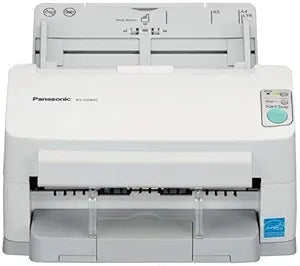
Panasonic KV-S1065C: High-Speed Document Scanner (Refurbished)
Streamline Your Document Management with a Reliable ScannerThe Panasonic KV-S1065C Document Scanner (Certified Refurbished) is designed for efficient and reliable document capture. Ideal for modern digital offices, this scanner is a perfect solution for various document management applications. ...
*Price sourced from Amazon.com. Last updated:Oct 09, 2026.Price and availability are subject to change — details.
Notice a mistake? Let Us Know
Overview
Streamline Your Document Management with a Reliable Scanner
The Panasonic KV-S1065C Document Scanner (Certified Refurbished) is designed for efficient and reliable document capture. Ideal for modern digital offices, this scanner is a perfect solution for various document management applications.
- Condition: Certified Refurbished
- Scan Speed: Up to 60 pages per minute (ppm) / 120 impressions per minute (ipm)
- ADF Capacity: Up to 75 originals
- Media Handling: Handles various paper weights, types, lengths, and multipart forms
- Software Included: Panasonic Image Capture Plus software
Key Features
For areas such as a desktop where space is limited, a compact space saving design is a highly beneficial feature. Panasonic’s experienced design team took this into account when developing the Panasonic KV-S1065C scanner, thus creating a high speed desktop scanner with the smallest footprint possible. The Panasonic KV-S1065C also features a retractable exit tray which helps conserve space when the scanner is not in use.
A large capacity ADF Automatic Document Feeder is an essential part of any scanning experience. Users simply place up to the allotted document capacity into the ADF in the tray and start the scan job. This allows for an easily managed scan process, and saves users time by eliminating the need to individually feed pages one by one through the scanner.
The Double-Feed Skip Key is a helpful tool which allows you to resume scanning when the device detects a double-fed document. This is especially convenient when scanning documents with sticky notes, taped receipts, envelopes or folders. These items typically trigger the Double-Feed Detection sensor and pause the scanning operation. The Double-Feed Skip Key allows the user to quickly and easily resume the scanning operation by skipping past the double feed detection error with a single touch of a button.
The ability to handle mixed size documents is an essential feature for many office environments that handle multiple documents and document sizes. For example, a doctor’s office may need to scan a health questionnaire printed on letter size paper and a medical insurance card. The KV-S1065C is capable of scanning all these documents in a single scan. This helps save time by feeding documents of various sizes in one shot without the need for multiple scans.
For advanced worry-free scanner operation, an Ultrasonic Double-Feed Sensor is equipped within the scanner to detect items such as sticky notes or smaller documents mixed in amongst regular sized documents. These innovative, high-performance sensors can detect even subtle changes, and immediately pause the scanning operation so that the double-feed document can be recovered. Thanks to these double-feed sensors, optimum scanning reliability is assured even when scanning high volumes of documents.
To reliably feed documents with various thicknesses, the scanner features an Active-Dynamic Rotating Feed Roller. The active double-feed prevention roller system prevents double-feeding by rotating in the reverse direction to help separate documents that are being fed, and then feeds the leading document in first.
With the convenient Document Output Control function, the scanner output speed is automatically adjusted for documents that are 5.82 or shorter in length. The two exit guide attachments then keep the document in place as they come through to the exit tray. This prevents longer documents from sliding under shorter ones, which prevents the output order of documents from changing after they are scanned.
Long Paper Mode allows documents of up to 100 inches in length to be scanned in one single scan job. This feature was designed for scanning electrocardiograms EKG, well logs, exceptionally long receipts or any other special documents. The highly reliable paper feed system ensures that these documents are scanned straight through as a single scan job.
Automatic Image Orientation allows users to place a stack of documents into the ADF without having to worry about their orientation. This function will detect the direction of scanned text in documents and automatically rotate them so that they are saved in the correct direction. This eliminates the hassle of manually rotating documents either pre or post scanning.
Specifications
Frequently Asked Questions
Related Products


