



PreSonus
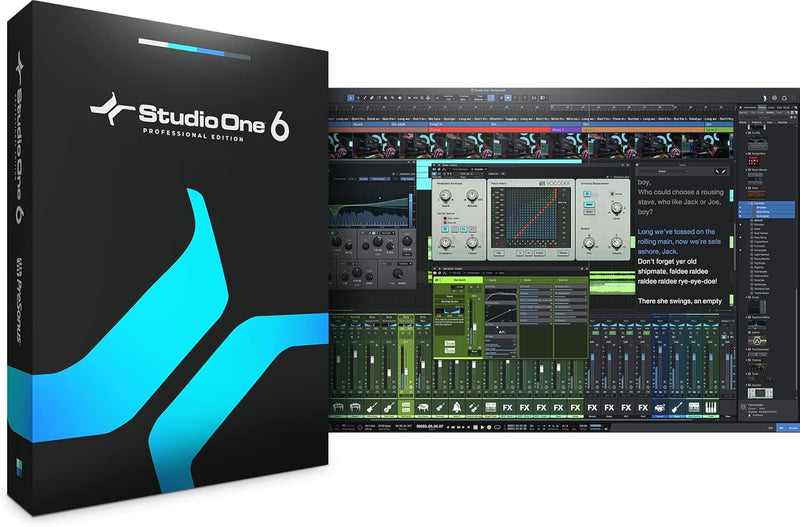
PreSonus 2778100110 Studio One 6 Professional Download
A complete DAW for composing, recording, mixing, mastering, and live performance — all in one intuitive application.
Check availability
Affiliate Disclosure: As an Amazon Associate, Studio Supplies earns from qualifying purchases made through links on this page, at no additional cost to you. This helps support our editorial team.
Notice a mistake? Let Us Know
Overview
Key Features
The only DAW that lets you compose, record, produce, mix, master, and perform all from a single, intuitive application.
Intuitive, customizable work environment with industry-leading drag-and-drop functionality.
Unlimited audio and instrument tracks, advanced automation features, virtual instruments, buses, and FX channels.
Smart Templates make getting started recording, beatmaking, mastering, and setting up for a Show fast.
Arranger Track makes it easy to remix and rearrange Songs, or fire loops live.
Complete suite of Native Effects plug-ins including all new De-Esser, Vocoder, and improved ProEQ3 with per-band dynamics mode.
Five powerful virtual instruments including: Impact XT drum sampler; Presence XT virtual sample-player; Mai Tai polyphonic analog modeling synthesizer; Mojito monophonic subtractive synthesizer; and Sample One XT live sampler and sample editor.
Quickly compose drums and melodies with the integrated step-sequencer style Pattern Editor.
Available standalone or as part of the PreSonus Sphere membership.
Chord Track manipulates audio and note data of any or all tracks for Harmonic Editing and song prototyping.
Specifications
Software Type
Digital Audio Workstation (DAW)
Version
6 Professional
Delivery
Download
Audio/Instrument Tracks
Unlimited
Virtual Instruments
Impact XT, Presence XT, Mai Tai, Mojito, Sample One XT
Effects
Native Effects suite (De-Esser, Vocoder, ProEQ3 with per-band dynamics, and more)
Key Features
Chord Track, Pattern Editor, Arranger Track, Show Page, Mastering Projects, Smart Templates
Workflow
Drag-and-drop
Availability
Standalone purchase or PreSonus Sphere membership
Frequently Asked Questions
Can Studio One 6 Professional handle both recording and mastering in the same project?
Yes, Studio One 6 Professional includes a dedicated Mastering page alongside the Song page, so you can move from recording and mixing to mastering without leaving the application.
What virtual instruments are included?
It includes five instruments: Impact XT (drum sampler), Presence XT (sample player), Mai Tai (polyphonic analog synth), Mojito (monophonic subtractive synth), and Sample One XT (live sampler and editor).
Is this a subscription or a one-time purchase?
This is a one-time purchase download. It is also available as part of the PreSonus Sphere membership if you prefer a subscription model.
Does Studio One 6 support third-party plug-ins?
Yes, Studio One 6 Professional supports VST2, VST3, AU, and ReWire formats for third-party instruments and effects.
What is the Show Page used for?
The Show Page lets you set up setlists and perform live using backing tracks, virtual instruments, and loops from your Studio One projects.
Related Products


