



QNAP
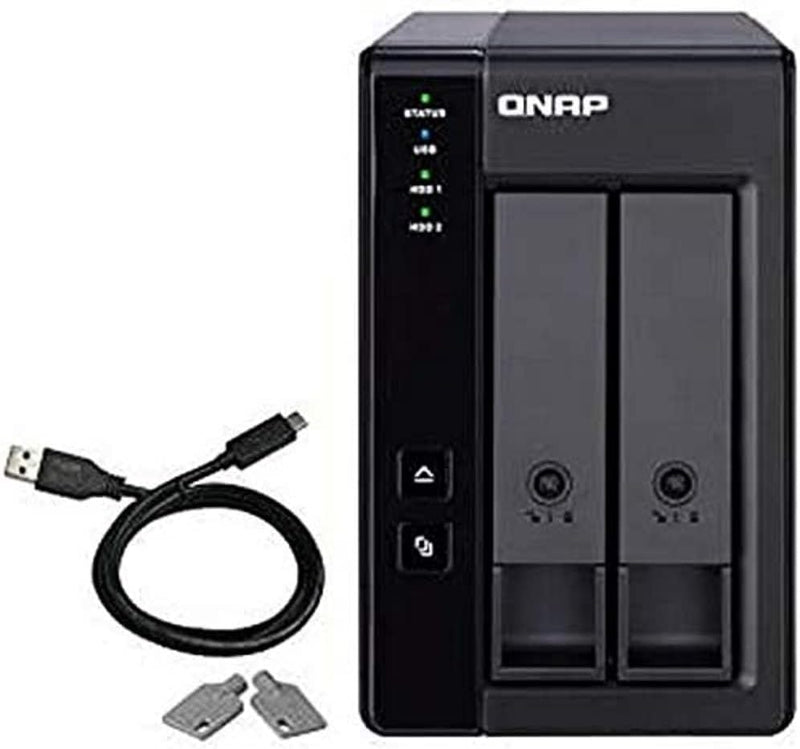
QNAP TR-002 2 Bay USB 3.2 Gen 2 NAS Expansion
USB 3.2
QNAP TR-002 two-bay USB 3.2 Gen 2 expansion enclosure adds flexible RAID storage to your NAS or PC.
$126.84*$163.99Save 22%
Check availability
*Price sourced from Amazon.com. Last updated:Aug 29, 2026.Price and availability are subject to change — details.
Affiliate Disclosure: As an Amazon Associate, Studio Supplies earns from qualifying purchases made through links on this page, at no additional cost to you. This helps support our editorial team.
Notice a mistake? Let Us Know
Overview
Key Features
USB 3.2 Gen 2 Type-C port* for faster data transfer.
Supports up to two SATA drives.
Disk mode DIP switch to change from Hardware Control and Software Control configurations for setting RAID group.
Eject button for disconnecting the TR-002 from a NAS or computer*.
Lockable hard drive trays to prevent accidental drive removal.
Specifications
Brand
QNAP
Model
TR-002
Number of Bays
2
Drive Compatibility
3.5-inch / 2.5-inch SATA
Connectivity
USB 3.2 Gen 2 Type-C
RAID Modes
Hardware and Software Control (RAID 0, RAID 1, JBOD, Individual)
Drive Tray
Lockable
Eject Button
Yes
Usage
NAS Expansion / Direct-Attached Storage (DAS)
Frequently Asked Questions
Can the TR-002 be used as standalone storage with a PC, or does it require a QNAP NAS?
It works both ways. You can connect it directly to a PC as a Direct-Attached Storage (DAS) device, or use it to expand the storage capacity of a compatible QNAP NAS. No QNAP NAS is required for basic use.
What RAID configurations does the TR-002 support?
The TR-002 supports multiple configurations through its DIP switch, including RAID 0, RAID 1, JBOD, and individual disk modes. You can set these via hardware control on the unit itself or through software when connected to a QNAP NAS.
What size and type of drives are compatible?
It accepts 3.5-inch SATA hard drives and 2.5-inch SATA drives (HDD or SSD). It supports up to two drives in its two bays.
What does the lockable drive tray feature do?
The drive trays include a physical lock mechanism that prevents drives from being accidentally removed or dislodged. This is useful in shared environments or when the unit is positioned where it might be bumped.
How do you safely disconnect the TR-002 from a host device?
The TR-002 includes a dedicated eject button on the unit itself, which safely disconnects the enclosure from the connected NAS or PC before you unplug the USB cable.
Related Products
