Razer

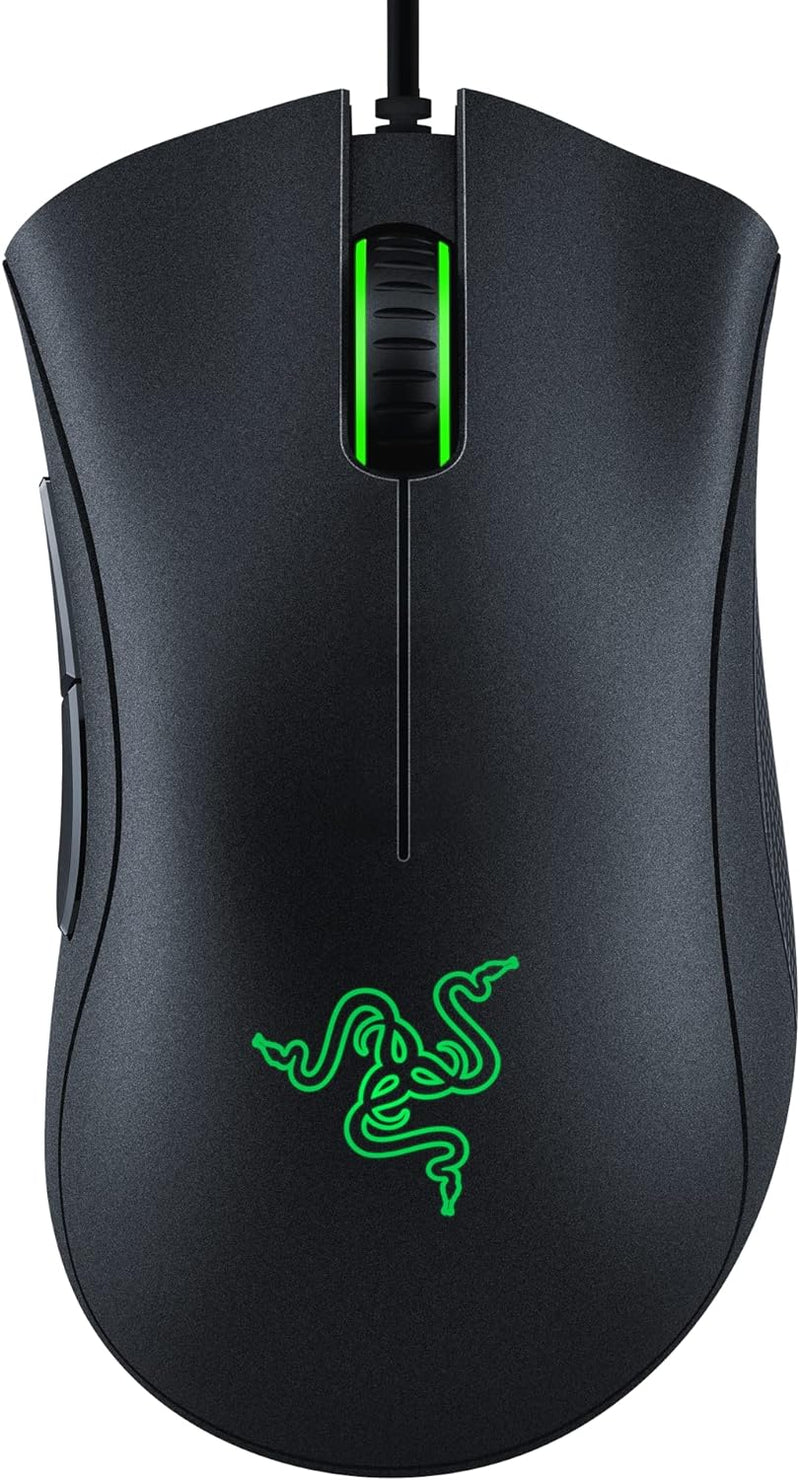
Razer RZ01-03850100 Deathadder Essential Esports Gaming Mouse (Renewed)

4.5 (186 reviews)

A proven 6400 DPI optical sensor in a battle-tested ergonomic shell — refurbished pricing for a mouse that still outperforms most budget alternatives on accuracy and comfort.

$16.02*$24.98Save 35%
In Stock on Amazon.com
View on Amazon

*Price sourced from Amazon.com. Last updated:Jul 14, 2026.Price and availability are subject to change.

Affiliate Disclosure: Studio Supplies may earn a commission from qualifying purchases made through links on this page, at no additional cost to you. This helps support our editorial team.

Notice a mistake? Let Us Know

Overview

The Razer DeathAdder Essential is built around the 4G Optical sensor rated to 6400 DPI — a true optical design with no hardware smoothing or angle-snapping. At the DPI stages most players actually use (400–1600 DPI for FPS, 800–2400 for MOBA and productivity), the sensor performs with clean linearity and consistent 1:1 tracking response. The mechanical switches under the left and right buttons deliver a tactile actuation confirmation with a defined reset point, which enables faster double-click cadences than membrane designs. The right-hand ergonomic shell has been iterated across multiple DeathAdder generations — the thumb shelf and pinky rest position are tuned to keep the hand in a neutral posture across both full-palm and relaxed-claw grip styles, which matters in sessions that extend past a few hours.

This is a wired USB mouse — no wireless option, no polling rate upgrades, no weight reduction cutouts. It prioritizes comfort and proven sensor performance over the sub-80g and 4000 Hz specifications that define current competitive hardware. For the buyer, that positioning means it is best suited as a reliable everyday driver for 1080p to 1440p gaming and desktop use, rather than a high-specification competitive tool for tournament-level play. As a renewed unit, it fits experienced users who know the DeathAdder platform and want its ergonomics without paying new pricing, or first-time buyers who want a proven sensor architecture at an entry price. Razer Synapse 3 on Windows handles DPI stage configuration and button remapping.

Key Features

HIGH-PRECISION 6,400 DPI OPTICAL SENSOR — Offers on-the-fly sensitivity adjustment through dedicated DPI buttons (reprogrammable) for gaming and creative work

DURABLE MECHANICAL SWITCHES — Supports up to 10 million clicks, backed by a 2 year warranty

RIDGED, RUBBERIZED SCROLL WHEEL FOR MAXIMUM ACCURACY — Small, tactile bumps increases grip and allows for more controlled scrolling in high-stakes gaming situations

5 PROGRAMMABLE BUTTONS — Allows for button remapping and assignment of complex macro functions through Razer Synapse

#1 SELLING PC GAMING PERIPHERALS BRAND IN THE U.S. — Source — Circana, Retail Tracking Service, U.S., Dollar Sales, Gaming Designed Mice, Keyboards, and PC Headsets, Jan. 2019- Dec. 2023 combined

Specifications

Sensor Type
6400 DPI 4G Optical sensor
Hand Orientation
Right-hand (designed to fit under palm or with claw-grip)
Button Design
Two large main buttons with perfect bounce back
Condition
Renewed

Pros & Cons

👍 Pros

  • 6400 DPI 4G Optical sensor delivers true optical tracking without the hardware smoothing or angle-snapping that inflates specs on budget sensors
  • Right-hand ergonomic shell distributes grip pressure across both palm and relaxed-claw grip styles, reducing fatigue during extended sessions
  • Mechanical switches beneath the main buttons provide a defined tactile actuation point with a consistent reset position — faster repeat inputs than membrane alternatives
  • Wired USB connection removes latency variability and eliminates the battery management overhead of wireless designs
  • Refurbished pricing puts a sensor-and-shell combination with proven track record below the cost of current-generation budget alternatives

👎 Cons

  • 6400 DPI ceiling sits below the 16,000–30,000 DPI range of current flagship sensors, which limits utility on very high-resolution displays or specialized low-sensitivity competitive setups
  • Only five programmable buttons — users requiring macro-dense layouts for MMO or productivity workflows will find the button count insufficient
  • Smooth rubber side grip coating accumulates wear over extended use and can develop a slick surface texture as the texture degrades
  • Razer Synapse 3 requires account creation and an internet connection for full DPI and button customization, introducing a software dependency that some users find intrusive
  • Switch wear history is undisclosed on renewed units — click consistency and actuation feel may degrade faster than a new unit if the prior use cycle was heavy

Frequently Asked Questions

The sensor tops out at 6400 DPI. For most FPS and MOBA players running 1080p or 1440p displays, effective DPI is typically 400–1600 — the 6400 ceiling covers high-sensitivity edge cases and large-format monitor use. What matters more than the ceiling is linearity and consistency at low DPI stages, and the 4G Optical delivers both without angle-snapping or prediction artifacts.
Five total — left click, right click, scroll wheel click, and two left-side thumb buttons. All five are remappable via Razer Synapse 3 on Windows. Razer Synapse requires an account and internet connection for initial setup, which is a software dependency worth noting before purchase.
The mouse functions as a standard HID input device on macOS without drivers. Razer Synapse 3, which handles DPI customization and remapping, is Windows-only. Mac users get plug-and-play operation at default DPI but lose software configuration capability.
It has been inspected, tested to functional spec, and cleaned. It ships with a minimum 90-day warranty. Switch actuation count and sensor operational hours are not disclosed — this matters because mechanical switch feel can degrade over time. Suitable for daily gaming; less ideal if switch consistency is a priority for competitive tournament use.
No. The DeathAdder Essential is a right-hand-only ergonomic design with a contoured thumb shelf on the left side. It offers no ambidextrous geometry. Left-handed users need to look at symmetrical designs.