



Roku
Roku RCA1R Voice Remote - Compatible with Roku Devices
Take Control with Voice: The Roku Voice Remote Upgrade or replace your existing remote with the Roku Voice Remote. Stream effortlessly and enjoy hands-free control of your entertainment experience. Easily search for content, launch channels, and manage your TV with simple voice commands. Conveni...
$19.49*$19.99Save 2%
View on Amazon
✓ In Stock on Amazon.com
*Price sourced from Amazon.com. Last updated:Oct 24, 2026.Price and availability are subject to change — details.
Affiliate Disclosure: As an Amazon Associate, Studio Supplies earns from qualifying purchases made through links on this page, at no additional cost to you. This helps support our editorial team.
Notice a mistake? Let Us Know
Overview
Take Control with Voice: The Roku Voice Remote
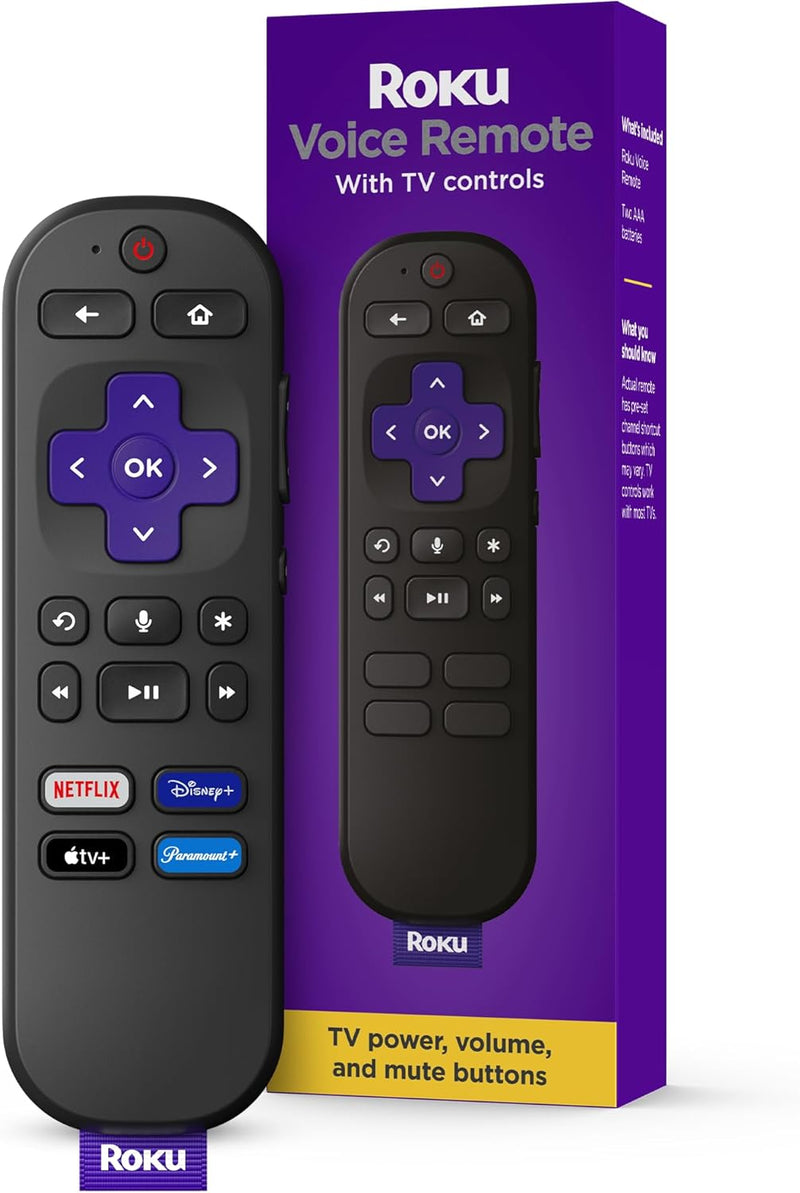
Upgrade or replace your existing remote with the Roku Voice Remote. Stream effortlessly and enjoy hands-free control of your entertainment experience. Easily search for content, launch channels, and manage your TV with simple voice commands. Convenient pre-set shortcut buttons provide instant access to your favorite streaming services. Set up is a breeze with automatic pairing.
- Easy Voice Search & Control: Quickly find your favorite channels, movies, and shows using just your voice.
- Universal Control: Power your TV, adjust volume, manage your Roku device, and switch inputs all with one remote.
- Pre-set Channel Shortcuts: Launch popular streaming apps with a single touch.
- Simple Setup: Automatic pairing ensures a hassle-free setup process.
- Broad Compatibility: Works with all Roku TV models, Roku audio products, and most Roku players.
- Enhanced TV Control: Launch channels, search for entertainment, turn captions on, and switch inputs with voice commands.
- Seamless Player Integration: Use voice to launch channels and search for entertainment.
- Audio Control: Control TV power, volume, and mute using voice commands.
Specifications:
- Product Dimensions: 5.5 x 1.7 x 0.8 inches
- Item Weight: 1.6 ounces
- Item Model Number: RCA1R
- Batteries: 2 AAA batteries required (included)
- Manufacturer: Roku
- Country of Origin: China
- Brand: Roku
- Special Feature: Voice Search
- Color: Black
- Max Number of Supported Devices: 1
- Compatible Devices: Television
Key Features
Easy voice search & control: Quickly search across thousands of top channels, play entertainment, control your streaming, and more with your voice
No more juggling remotes: Power up your TV, adjust the volume, control your Roku device, switch inputs on your Roku TV, and more—all in a tap
Pre-set channel shortcuts: Pre-set channel shortcuts let you launch popular streaming channels with the push of a button, all without having to scroll
Simple setup: Simply turn on your Roku device and pull the battery tab on the back of the remote and it should pair automatically
Works with your Roku device: Roku Voice Remote works with all Roku TV models, Roku audio products, and most Roku players*
Specifications
Control Method
Voice, Buttons
Voice Control
Yes
TV Control
Power, Volume, Input Switch (on Roku TV)
Roku Device Control
Yes
Pre-set Channel Shortcuts
Yes
Setup
Automatic Pairing
Compatibility
All Roku TV models, Roku audio products, Most Roku players
Frequently Asked Questions
How does the voice search and control feature work on this remote?
You can quickly search across thousands of top channels, play entertainment, and control your streaming and Roku device simply by speaking commands to the remote.
Can this remote control my TV's volume and power?
Yes, the Roku Voice Remote is designed to power up your TV, adjust the volume, and control your Roku device, consolidating multiple functions into one controller.
Is the Roku Voice Remote easy to set up with my existing Roku device?
Setup is simple; you just need to turn on your Roku device and pull the battery tab on the back of the remote, and it should pair automatically.
What Roku devices are compatible with this voice remote?
This remote works with all Roku TV models, Roku audio products, and most Roku players, offering broad compatibility across the Roku ecosystem.
Does this remote offer quick access to popular streaming services?
Yes, it includes pre-set channel shortcuts that allow you to launch popular streaming channels with the push of a button, without having to scroll.
Related Products

