

Samsung
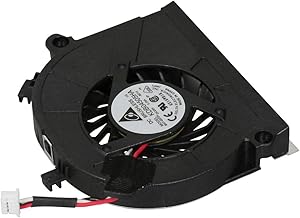
Samsung BA31-00072A Fan Sparepart
OEM replacement cooling fan for Samsung laptops, restoring proper airflow and thermal performance.
View price on Amazon
Affiliate Disclosure: As an Amazon Associate, Studio Supplies earns from qualifying purchases made through links on this page, at no additional cost to you. This helps support our editorial team.
Notice a mistake? Let Us Know
Overview
Keep Your System Cool with Reliable Cooling
The Samsung BA31-00072A Fan ensures efficient cooling, preventing overheating and maintaining optimal performance.
Specifications:
- Part Number: BA31-00072A
- Brand: Samsung
- Type: Fan
Frequently Asked Questions
How do I find out if the BA31-00072A fan is compatible with my Samsung laptop?
Check your laptop's service manual or existing fan for the part number BA31-00072A. This is an OEM Samsung part, so compatibility depends on matching the exact part number to your specific laptop model.
Is this fan a direct plug-and-play replacement?
Yes, as an OEM Samsung component, the BA31-00072A is designed to match the original fan's connector, mounting points, and dimensions for the supported laptop models.
What symptoms indicate that this fan needs replacing?
Common signs include loud grinding or rattling noises from the fan, frequent overheating or thermal shutdowns, and the fan failing to spin at all, which can all be resolved by installing a new replacement unit.
Does installing this fan require any special tools?
Typically a small Phillips-head screwdriver is all that is needed. However, the level of disassembly required varies by laptop model, so consult your specific model's service manual before starting.
Related Products


