SanDisk

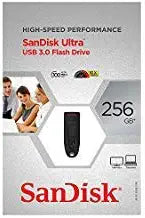
SanDisk Ultra 256GB USB 3.0 High Speed Flash Drive

4.6 (15 reviews)

256GB of USB 3.0 storage in a pocket-sized form factor — the SanDisk Ultra gives you a full project library on a drive that lives on your keychain.

View price on Amazon
Affiliate Disclosure: Studio Supplies may earn a commission from qualifying purchases made through links on this page, at no additional cost to you. This helps support our editorial team.

Notice a mistake? Let Us Know

Overview

The SanDisk Ultra 256GB is a USB 3.0 flash drive engineered around a simple proposition: maximum portable storage in a form factor small enough to ignore until you need it. The USB 3.0 interface supports read speeds up to 100MB/s — a 3-4x throughput improvement over typical USB 2.0 drives for sequential operations like transferring a folder of raw files or a video project directory. At 256GB, the capacity accommodates use cases that used to require spinning external drives: a full photo archive, a working media library, a complete software toolkit. The drive covers the full host compatibility spectrum via USB 3.0/2.0 backward compatibility.

SanDisk's flash storage manufacturing track record gives this drive credibility that generic alternatives can't match — the NAND quality and controller firmware directly affect how the drive behaves after thousands of write cycles. For IT professionals staging deployment drives, photographers backing up shoots in the field, or office users needing portable file portability between workstations, the Ultra 256GB sits in the practical center of the flash drive market. It doesn't offer hardware encryption or active cooling for sustained writes, but for the portable archive and file transfer use case it's built for, it delivers reliable, fast, pocketable storage.

Specifications

Capacity
256GB
Interface
USB 3.0 (backward compatible with USB 2.0)
Read Speed
Up to 100MB/s
Form Factor
USB Flash Drive
Brand
SanDisk

Pros & Cons

👍 Pros

  • USB 3.0 interface delivers read speeds up to 100MB/s — substantially faster than legacy USB 2.0 drives for large file transfers
  • 256GB capacity accommodates full project archives and media libraries without requiring an external hard drive
  • Compact plug-and-play form factor requires no cables, external power, or software installation
  • Backward compatible with USB 2.0 ports for universal deployment across older and newer hardware
  • SanDisk's flash reliability record supports consistent daily use over extended periods

👎 Cons

  • Write speeds are not published — sequential write performance is typically well below read speeds on this class of drive
  • Not suitable for sustained random read/write workloads such as running a virtual machine or database directly from the drive
  • USB-A connector requires an adapter on modern laptops that have moved to USB-C only
  • 256GB capacity, while useful, falls short for 4K video workflows where a single project can exceed this limit
  • No hardware encryption or physical write-protect switch on this model

Frequently Asked Questions

SanDisk rates this drive up to 100MB/s read speed on a USB 3.0 host port. Write speeds are not published — sequential writes are typically lower than reads on flash drives of this class. For large file reads and sequential transfers, it's meaningfully faster than USB 2.0 drives.
Yes. USB 3.0 is backward compatible with USB 2.0 ports — the drive will work, but transfer speeds will be limited to USB 2.0 rates (~25–35MB/s effective).
256GB holds approximately 50,000 JPEG photos, several hours of 1080p video, or tens of thousands of documents. For a working file archive or portable project backup, it's a meaningful capacity without requiring an external hard drive.
No. It enumerates as a standard USB mass storage device on Windows, macOS, and Linux without driver installation. SanDisk may include optional backup software, but it's not required for basic operation.
It can run portable applications, but flash drives are not designed for the sustained random read/write workloads of application execution. For that use case, an SSD in an enclosure is the better tool.