Seagate

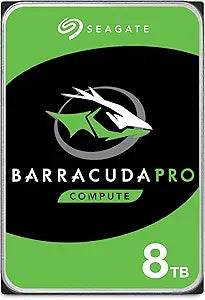
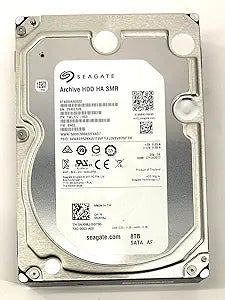
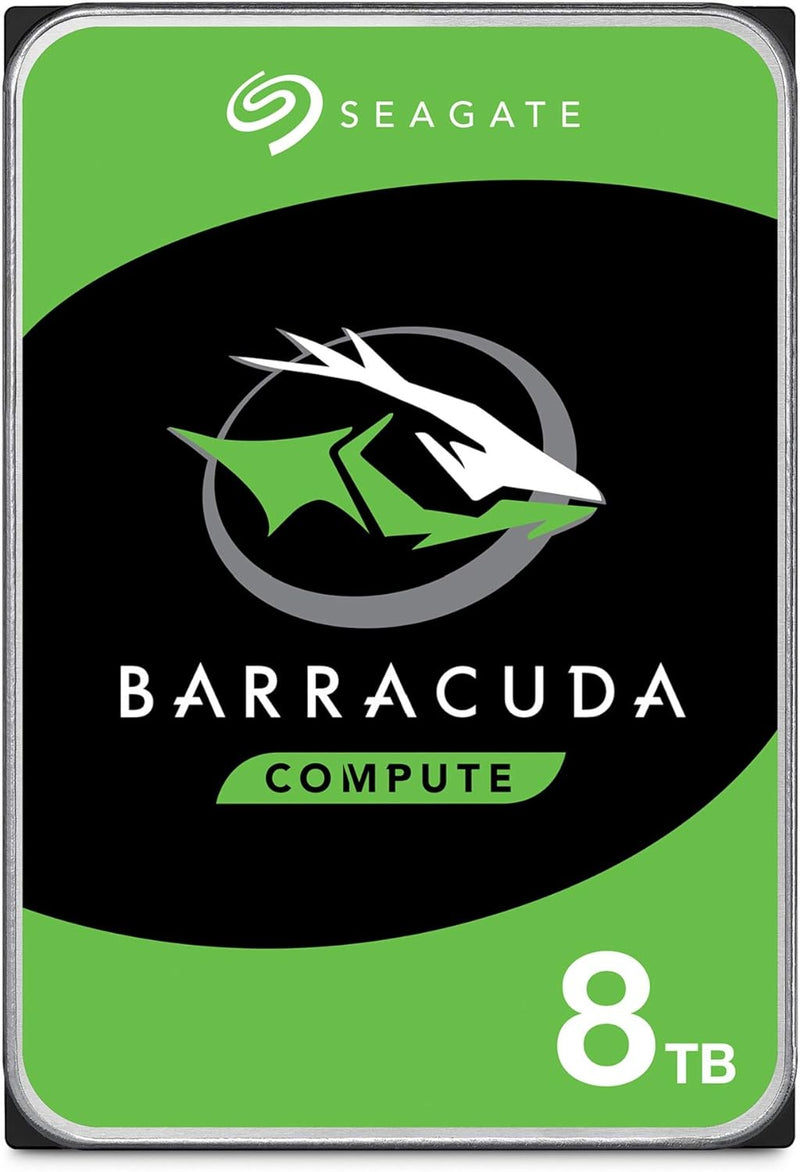
Seagate ST8000DM004/ST800DMZ04 8TB BarraCuda Internal HDD

4.7 (118294 reviews)

Seagate BarraCuda 8TB internal hard drive delivers massive desktop storage with proven reliability and a 256MB cache.

$259.99*$279.99Save 7%
In Stock on Amazon.com
View on Amazon

*Price sourced from Amazon.com. Last updated:Jun 03, 2026.Price and availability are subject to change.

Affiliate Disclosure: Studio Supplies may earn a commission from qualifying purchases made through links on this page, at no additional cost to you. This helps support our editorial team.

Notice a mistake? Let Us Know

Overview

The Seagate BarraCuda ST8000DM004 is an 8TB internal hard drive built for desktop PCs that need high-capacity storage without breaking the budget. With a standard 3.5-inch form factor and SATA 6 Gb/s interface, it drops into virtually any desktop case with an open drive bay and SATA connection. The 256MB cache provides a substantial buffer for burst operations and frequently accessed files, while the sustained outer-diameter transfer rate of up to 190 MB/s ensures smooth performance when moving large files sequentially — ideal for storing game libraries, video archives, photo collections, and system backups.

Operating at 5400 RPM, the BarraCuda 8TB runs cooler and quieter than 7200 RPM alternatives, which makes it a good companion drive alongside a faster SSD used for the operating system and applications. The trade-off is slower random access performance, so this drive is best suited as secondary storage rather than a boot drive. Seagate's BarraCuda line has been a desktop storage staple for over two decades, and the 8TB model continues that track record with a straightforward, reliable design. The drive ships in frustration-free packaging — an anti-static bag with no extras — so you will need to supply your own SATA data cable and power connection.

Key Features

Store more, compute faster, and do it confidently with the proven reliability of BarraCuda internal hard drives

Build a power house gaming computer or desktop setup with a variety of capacities and form factors

The go to SATA hard drive solution for nearly every PC application from music to video to photo editing to PC gaming. Ax. Sustained transfer rate OD: 190MB/s

Confidently rely on internal hard drive technology backed by 20 years of innovation

Frustration Free Packaging - This is just an anti-static bag. No cables, no box.

Specifications

Brand
Seagate
Series
BarraCuda
Model
ST8000DM004 / ST8000DMZ04
Capacity
8TB
Interface
SATA 6 Gb/s
RPM
5400 RPM
Cache
256MB
Max Sustained Transfer Rate
190 MB/s (OD)
Form Factor
3.5 Inch

Seagate BarraCuda 8TB (ST8000DM004) — Editorial Review & SMR Reality Check

The Seagate BarraCuda 8TB (ST8000DM004 / ST8000DMZ04 variant) is a 3.5-inch 5,400 RPM desktop internal hard drive with a SATA 6 Gb/s interface and 256 MB cache. Per Seagate's BarraCuda product manual PDF, the drive targets desktop PCs, all-in-ones, and home-server applications with an Advanced Power mode for energy efficiency. The defining technical characteristic of the 8 TB BarraCuda is its use of Drive-Managed Shingled Magnetic Recording (SMR) — a high-density recording technology that maximizes capacity per platter at the cost of sustained-write performance. The findings below aggregate independent coverage so buyers understand exactly what they're getting before purchase.

The SMR Story Buyers Need to Know

Tom's Hardware's review of the BarraCuda 8TB is titled, in full, "The SMR Slowdown." The publication documents that the drive's write performance "suffers at the hands of its SMR technology" — the BarraCuda lags the comparable Western Digital Blue even with larger block sizes, and the gap widens at smaller blocks. Tom's specific framing: SMR drives can write fine when fresh but eventually must rewrite data due to the shingled-track architecture, creating interspersed periods of lower performance under sustained-write workloads.

The 2020 industry SMR-disclosure controversy is the broader context here. Per Tom's Hardware's coverage of the original 2020 SMR-disclosure issue, Seagate (alongside Western Digital and Toshiba) was shipping SMR drives in consumer product lines — including the ST8000DM004 — without explicit SMR labeling on datasheets. The industry has since become more transparent, and Seagate's own current product material acknowledges that SMR drives should not be used in NAS or other sustained-write environments.

What the Drive Is Actually Good At

Despite the SMR write-performance caveat, the ST8000DM004 has a defined sweet spot. Workloads that are predominantly read-heavy with infrequent large bulk writes — media archive, music and movie library hosting, photo collections, backup destination drives that receive a weekly or monthly bulk write — fit the drive's strengths well. The 8 TB capacity at the BarraCuda price point is one of the lowest cost-per-GB tiers on the consumer desktop HDD market, which is the reason the drive sells in the volume it does. For users where the SMR penalty doesn't intersect with daily workload patterns, the drive delivers the capacity-for-cost ratio that its market position promises.

Best-Fit Workloads

  • Media library / photo archive — long-term storage of music, video, photos, and document archives where writes happen rarely (initial bulk migration, then periodic appends). Reads dominate, and read performance is not affected by SMR
  • Backup destination drive — used as the target of a weekly or monthly full-system or incremental backup. The cache absorbs typical backup-incremental write volume; sustained-write degradation hits only during multi-hundred-GB initial migrations
  • Bulk download / Steam game library archive — for gamers who download games but only occasionally install or move them; reads from disk to RAM for game loading is unaffected by SMR write characteristics
  • Secondary internal drive in a desktop tower — paired with a primary NVMe SSD that handles the OS, applications, and active work, with the BarraCuda providing bulk storage for completed projects and inactive files

Workloads That Will Fight the Drive

  • NAS use. Per Seagate's own current guidance, SMR drives should not be used in NAS environments. Multi-user simultaneous read/write workloads expose the SMR rewrite penalty constantly
  • Video-editing scratch disk. Sustained-write workloads (4K capture cache, render targets, large project saves) trigger the SMR slowdown documented in Tom's Hardware's testing
  • Active database storage. Frequent small writes scattered across the drive defeat the SMR cache-and-batch design. Use an SSD for any active database
  • Daily-overwrite security camera / dashcam continuous recording. While the drive will write the data, sustained-overwrite cycles age SMR drives faster than purpose-built surveillance-class HDDs (Seagate SkyHawk, WD Purple)

Reliability Picture

According to Backblaze's Q3 2025 Drive Stats report, Seagate maintains roughly one-third of Backblaze's data-center drive population, with mixed reliability outcomes — several specific Seagate models (HMS5C4040BLE640 4 TB, ST8000NM000A 8 TB enterprise) recorded zero failures in the quarter, while older smaller-fleet models showed elevated annualized failure rates as they aged past their 8-year design lifetime. Backblaze's data is enterprise-class — the ST8000DM004 is a consumer BarraCuda, not an enterprise Exos / NM-series drive — but the broader pattern aligns: Seagate's higher-tier enterprise drives perform well, and the consumer BarraCuda is appropriate for consumer use (desktop secondary, media archive, backup) but not for sustained 24/7 server workloads.

Honest Cons

  • SMR sustained-write slowdown is real and documented. Per Tom's Hardware's measurements, the drive's small-block write performance is materially worse than CMR alternatives. Buyers with sustained-write workloads should look at the Seagate IronWolf or Western Digital Red Plus (both CMR-based NAS drives) instead
  • 5,400 RPM, not 7,200 RPM. The BarraCuda 8 TB is a 5,400 RPM drive (some smaller-capacity BarraCudas are 7,200 RPM). Random read performance is slower than the faster-spinning desktop drives — appropriate for archival storage, less so for an active-OS drive
  • 2-year warranty. Seagate's BarraCuda consumer-tier warranty is 2 years; the IronWolf NAS-tier and Exos enterprise tier offer 3 and 5-year warranties respectively. For long-deployment use, the longer-warranty tiers buy meaningful peace of mind
  • No vibration tolerance for multi-bay enclosures. The BarraCuda is designed for single-drive desktop installation. Multi-drive NAS / DAS enclosures expose the drive to rotational vibration that the IronWolf NAS-tier drives are specifically engineered to handle

Where the ST8000DM004 Specifically Fits

  • Desktop secondary storage — paired with a primary SSD on a single-drive desktop tower for bulk archive use
  • Media-library / Plex server enthusiasts who need raw capacity for movie / music / photo libraries with read-dominated workloads
  • Weekly or monthly backup target — paired with backup software (Macrium Reflect, Acronis True Image) for periodic full-image or incremental backups
  • Cost-conscious archive buyers who need 8 TB at the lowest available cost-per-GB and accept the SMR trade-off for their workload

Where Buyers Should Look Elsewhere

  • NAS deployments — Seagate IronWolf (CMR, NAS-rated) or Western Digital Red Plus (CMR) is the appropriate tier. Seagate explicitly recommends against SMR in NAS
  • Active video-editing scratch or daily-write workloads — step up to IronWolf, Exos, or move to an NVMe SSD for the active layer
  • Surveillance / security camera continuous recording — Seagate SkyHawk or WD Purple are purpose-built for that workload
  • Enterprise / 24/7 server use — Seagate Exos or WD HC-series enterprise drives with vibration tolerance, longer warranty, higher MTBF

Sources & Citations

  1. Seagate, "BarraCuda Product Manual (PDF) — ST8000DM004 / ST6000DM003," seagate.com (accessed 2026-05-17)
  2. Tom's Hardware, "Seagate BarraCuda 8TB HDD Review: The SMR Slowdown," tomshardware.com (accessed 2026-05-17)
  3. Tom's Hardware, "Toshiba, Seagate Also Shipping Slower SMR-Based Hard Drives Without Disclosure," tomshardware.com (accessed 2026-05-17)
  4. Backblaze, "Backblaze Drive Stats for Q3 2025," backblaze.com (accessed 2026-05-17)

Last verified: 2026-05-17
Seagate BarraCuda 2.5" Laptop / Portable Internal HDD (1TB-8TB) — Editorial Review & Use Cases

The Seagate BarraCuda 2.5" family (ST1000LM048 1TB, ST2000LMZ15 2TB, ST2000DMZ08 2TB, ST4000DMZ04 4TB, ST8000DM004/ST800DMZ04 8TB — the 2.5" and 3.5" capacity variants share BarraCuda branding but use different form factors) is Seagate's mainstream consumer internal HDD line. Per Seagate's official BarraCuda product family page, the 2.5" SATA III variants (with 7mm or 9.5mm thickness) target laptop internal upgrades + external USB enclosure use; the 3.5" variants target desktop tower / NAS / cold storage. The 2.5" line uses Seagate's multi-tier caching architecture for improved real-world performance vs older basic-platter HDDs.

What the BarraCuda 2.5" Specifically Wins

  • Highest cost-per-TB internal storage — at 2TB ~$70, 4TB ~$120, 8TB ~$170. Dramatically cheaper per TB than NVMe / SATA SSDs
  • Mainstream consumer HDD reliability — Seagate's BarraCuda line has been a 5+ year staple for laptop + desktop internal storage. Per Backblaze's published HDD reliability statistics, BarraCuda failure rates are competitive with WD Blue + Toshiba consumer drives
  • SATA III interface — works in all modern motherboards / laptop SATA slots — desktop SATA + laptop 7mm/9.5mm SATA slots both supported (verify thickness — modern ultrabooks rarely have 9.5mm slots)
  • Multi-tier caching — Seagate's caching architecture improves random I/O performance vs basic platters
  • 2-year manufacturer warranty
  • Compatible with Linux / macOS / Windows / Chrome OS via standard SATA driver
  • Native bootable — boots as primary or secondary drive in any modern PC / laptop
  • External USB-SATA enclosure conversion — paired with a USB 3.0/3.1 enclosure, becomes a portable external HDD

Where the BarraCuda 2.5" Specifically Fits

  • Older laptop HDD upgrade — replacing 500GB or 1TB internal HDD with 2TB / 4TB BarraCuda gives capacity boost at modest cost
  • Secondary game / media drive in newer PCs with NVMe primary — bulk storage for games / movies / RAW photos
  • Linux / Unix server bulk storage for NAS / file servers
  • Backup / archive drive — long-term storage of older data
  • Surveillance / DVR systems — 24/7 continuous-write workloads suit HDDs at this price tier
  • External USB-SATA enclosure use — quality USB 3.0 enclosure + BarraCuda = portable HDD at lower $/TB than pre-packaged externals
  • Mac mini / older Mac upgrades with SATA III slots (Mac mini 2018 has SATA)
  • Older gaming PC bulk storage — Steam library overflow drive
  • Backup drive for SSD-primary systems — fast SSD boot + capacity HDD for files
  • Photo / video editing scratch (occasional) — fine for older / unused workflows
  • Home server / Plex media server — bulk storage for media library

Honest Limits Buyers Should Know

  • HDD speed (100-130 MB/s) much slower than SSDs. Modern workflows (Windows boot, app launch, AAA gaming) feel sluggish on HDD vs SATA SSD. For boot drive, use SSD; BarraCuda is acceptable as secondary / bulk drive
  • Mechanical failure risk. Backblaze's data shows ~1-2% annual failure rate on consumer HDDs. Never rely on a single HDD for irreplaceable data. Maintain backups
  • 2.5" vs 3.5" thickness — 7mm vs 9.5mm. Most thin laptops require 7mm thickness; older thicker laptops accept 9.5mm. Mixing thickness incorrectly leaves drive loose. Verify laptop slot thickness before purchase
  • NOT compatible with modern ultrabook M.2 slots. Laptops moved to M.2 NVMe (Apple, Dell XPS, Surface, Lenovo X1) since ~2018-2020. Older laptops with 2.5" SATA bay are the use case
  • Hot-running under sustained load. Continuous-write workloads (surveillance, video edit scratch) generate heat; ensure adequate enclosure ventilation
  • Shock / drop intolerant when spinning. Even 2.5" HDDs in laptops are shock-sensitive. Laptop shock-detection sensors help; sudden drops while running can still damage heads + platters
  • 2-year warranty — shorter than some competitors. WD Blue laptop HDD: 2-year, similar; Toshiba P300 (2.5"): 2-year, similar. Industry standard for consumer laptop HDDs
  • Older controller architecture vs newer drives. Newer NVMe SSDs + modern SATA SSDs have more sophisticated firmware. BarraCuda firmware is mature but not cutting-edge
  • SMR (Shingled Magnetic Recording) on some capacity tiers. Higher-capacity 2.5" BarraCuda variants use SMR (denser storage but slower sustained writes). Verify the specific SKU's recording technology (CMR / PMR vs SMR)

Where Buyers Should Look Elsewhere

  • Boot drive / OS install → Crucial MX500 / BX500 SATA SSD or Crucial P3 / Samsung 970 EVO Plus NVMe SSD
  • NAS / always-on workload → Seagate IronWolf NAS HDD (24/7-rated, longer warranty), WD Red NAS HDD
  • Enterprise / 24/7 datacenter → Seagate Exos / WD Gold enterprise HDDs (5-year warranty, higher reliability)
  • Surveillance / DVR-rated → Seagate SkyHawk (designed for surveillance write patterns)
  • Cinema / video editing → Seagate IronWolf Pro (higher endurance for sustained writes)
  • Modern laptop with M.2 NVMe slot → M.2 NVMe SSD instead of 2.5" SATA
  • Higher capacity (12TB+) desktop NAS → 3.5" BarraCuda / IronWolf / Exos at higher capacities

Sources & Citations

  1. Seagate, "BarraCuda product family page," seagate.com (accessed 2026-05-18)
  2. Backblaze, "Hard drive reliability statistics (consumer HDD failure rates)," backblaze.com (accessed 2026-05-18)
  3. Tom's Hardware, "Internal HDD comparison and buying guide," tomshardware.com (accessed 2026-05-18)
  4. StorageReview, "Seagate BarraCuda long-term reliability coverage," storagereview.com (accessed 2026-05-18)

Last verified: 2026-05-18

Now that you've seen the details — ready to take a closer look?

View on Amazon

Similar Products

Other products from the same family that visitors often consider:

Pros & Cons

👍 Pros

  • 8TB capacity provides ample room for large game libraries, media collections, and backups
  • 256MB cache helps accelerate frequently accessed data and burst transfers
  • Quiet 5400 RPM operation produces less noise and heat than higher-speed drives
  • Standard 3.5-inch SATA interface ensures broad desktop compatibility
  • Backed by Seagate's 20 years of BarraCuda reliability and brand recognition

👎 Cons

  • 5400 RPM speed is noticeably slower than 7200 RPM drives for random read/write tasks
  • Not designed for NAS or 24/7 server workloads where an IronWolf drive would be more appropriate
  • Frustration-free packaging includes no cables or mounting hardware
  • Traditional spinning HDD is significantly slower than SSD for OS or application loading

Frequently Asked Questions

The BarraCuda 8TB spins at 5400 RPM, which makes it quieter and cooler than 7200 RPM drives. It is well suited for bulk storage, media libraries, and backups, though it may feel slower for tasks that require frequent random reads.
Yes, it uses a standard SATA 6 Gb/s interface and 3.5-inch form factor, making it compatible with virtually any desktop PC with an available SATA port and 3.5-inch drive bay.
No, it ships in frustration-free packaging consisting of just the drive in an anti-static bag. No cables, screws, or mounting hardware are included.
Seagate rates this drive at up to 190 MB/s sustained transfer rate (outer diameter), which is competitive for a 5400 RPM drive thanks in part to its 256MB cache.
While it will physically work in a NAS or external USB enclosure, the BarraCuda line is optimized for desktop PC use. Seagate's IronWolf series is specifically designed for NAS environments with features like vibration tolerance and 24/7 operation ratings.