



Seagate
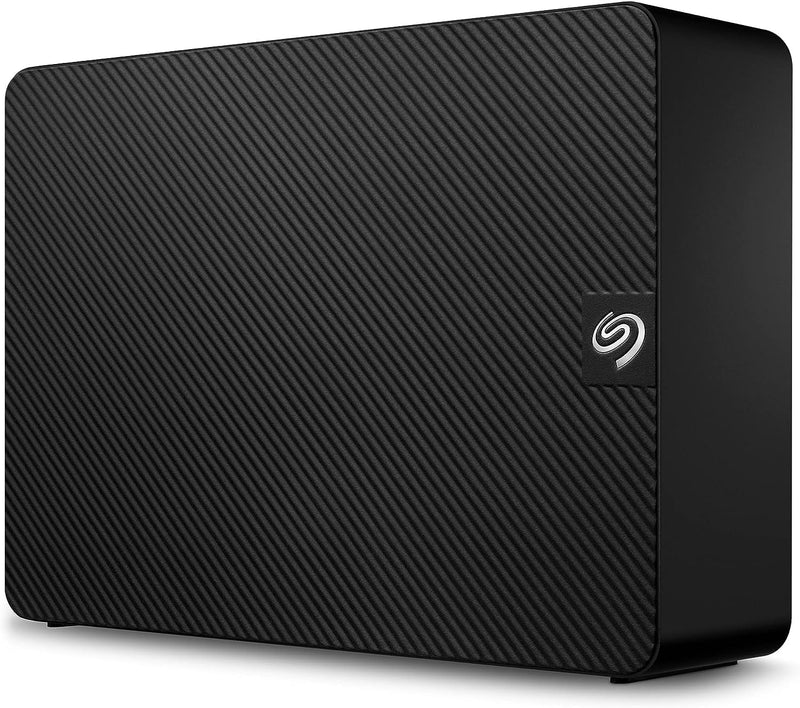
Seagate STKP16000400 16TB Expansion USB 3.0 External Hard Drive
USB 3.0
16TB of always-on storage that plugs straight in — no setup, no software, no ceiling for your archive.
$539.14*
Check availability
*Price sourced from Amazon.com. Last updated:Oct 21, 2026.Price and availability are subject to change — details.
Affiliate Disclosure: As an Amazon Associate, Studio Supplies earns from qualifying purchases made through links on this page, at no additional cost to you. This helps support our editorial team.
Notice a mistake? Let Us Know
Overview
Key Features
Easy-to-use desktop hard drive—simply plug in the power adapter and USB cable
Fast file transfers with USB 3.0
Drag-and-drop file saving right out of the box
Automatic recognition of Windows and Mac computers for simple setup (Reformatting required for use with Time Machine)
Enjoy peace of mind with the included limited warranty and Rescue Data Recovery Services
Specifications
Brand
Seagate
Model
STKP16000400
Capacity
16TB
Interface
USB 3.0
Form Factor
3.5 inch (Desktop)
Power
External power adapter (included)
OS Compatibility
Windows (plug-and-play); macOS (requires reformat for Time Machine)
File System (out of box)
NTFS
Color
Black
Data Recovery
Rescue Data Recovery Services (included)
Frequently Asked Questions
Does this drive require any software installation to start using it?
No. The Expansion Desktop is plug-and-play on both Windows and macOS — the NTFS formatting is recognized immediately by Windows, and macOS reads it without drivers. Note that Time Machine requires a reformat to HFS+ or APFS before the drive will appear as a backup destination.
What real-world transfer speeds should I expect over USB 3.0?
USB 3.0's theoretical ceiling is 5 Gbps, but mechanical HDD read/write speeds are the actual bottleneck — expect sustained sequential transfers in the 150–200 MB/s range depending on file size and fragmentation. For large media files (video, RAW photo archives), this is adequate; for millions of small files, overhead will reduce effective throughput noticeably.
Can this drive be reformatted for use with Linux or NAS enclosures?
Yes. The drive uses a standard 3.5" SATA mechanism inside a USB bridge enclosure. It can be reformatted to ext4, exFAT, or any filesystem your system supports. Be aware that "shucking" for NAS use voids the warranty and may require a 3.3V power pin modification depending on the NAS hardware.
What does the included Rescue Data Recovery Service cover?
Seagate's Rescue service covers up to three years of data recovery attempts in the event of drive failure — including mechanical failure — at no additional cost. This is a meaningful inclusion for primary archive storage where losing data would be costly.
Is there a single-cable option or does this require both USB and power?
This is a 3.5" desktop drive and requires both the included USB cable and the external power adapter. It cannot be bus-powered from a USB port alone — plan for a power outlet at the installation location.
Related Products
