



Sharp
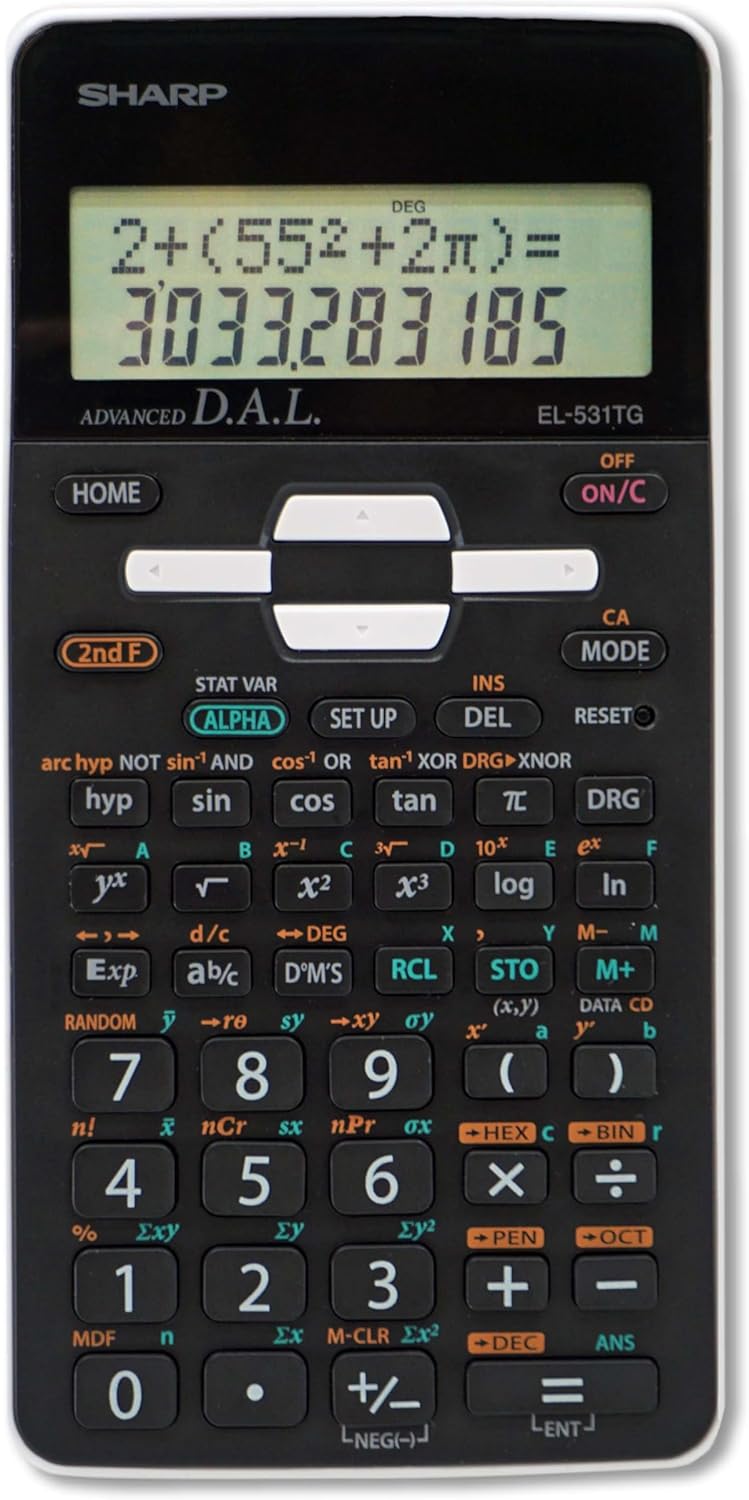
Sharp EL-531TGBBW Scientific Engineering Calculator - Black/White
The Sharp EL-531TGBBW scientific calculator offers 273 functions and a clear two-line display for math, science, and engineering coursework.
$19.25*
View on Amazon
✓ In Stock on Amazon.com
*Price sourced from Amazon.com. Last updated:Aug 27, 2026.Price and availability are subject to change — details.
Affiliate Disclosure: As an Amazon Associate, Studio Supplies earns from qualifying purchases made through links on this page, at no additional cost to you. This helps support our editorial team.
Notice a mistake? Let Us Know
Overview
Key Features
Large 12 Digit, 2 line LCD display perfect for easy viewing and shows Calculation entry and result at the same time
Perfect for students studying general math and science, pre-algebra, algebra, geometry, trigonometry, statistics, biology, and chemistry
Direct algebraic logic (D.A.l.) which allows calculations to be displayed as written on paper. 273 functions and 2 Modes: normal and start
Home key allows users to start fresh from any screen by clearing previously entered data and settings
Features a durable gloss black finish with white accents, acrylic display protection to prevent cracks and a 3D light reflecting cover.
Specifications
Brand
Sharp
Model
EL-531TGBBW
Calculator Type
Scientific / Engineering
Display
12-Digit, 2-Line LCD
Screen Size
2.625 inches
Functions
273
Modes
2 (Normal, Start)
Input Method
Direct Algebraic Logic (D.A.L.)
Power Source
Battery and Solar Hybrid
Color
Black with White Accents
Display Protection
Acrylic panel
Frequently Asked Questions
Does the Sharp EL-531TGBBW use batteries, solar power, or both?
It uses a battery and solar hybrid power system, so the solar cell extends battery life during normal use while the battery ensures the calculator works in low-light conditions.
What does Direct Algebraic Logic (D.A.L.) mean on this calculator?
D.A.L. lets you enter calculations exactly as they are written on paper — in standard mathematical notation — rather than requiring you to rearrange the order of inputs. This reduces errors and makes it easier to verify what you have typed.
Is the Sharp EL-531TGBBW permitted on standardized tests?
As a non-graphing, non-CAS scientific calculator, it is generally accepted on exams that allow scientific calculators. However, check the specific rules for your test, as policies vary by exam and testing organization.
What does the Home key do?
Pressing the Home key clears all previously entered data and settings in one step, returning the calculator to its default state so you can start a new calculation without manually clearing each entry.
How does the acrylic display protection work?
The display is covered with an acrylic panel that sits over the LCD screen, protecting it from cracks and scratches during daily handling and transport in a bag or pencil case.
Related Products


