



Synology
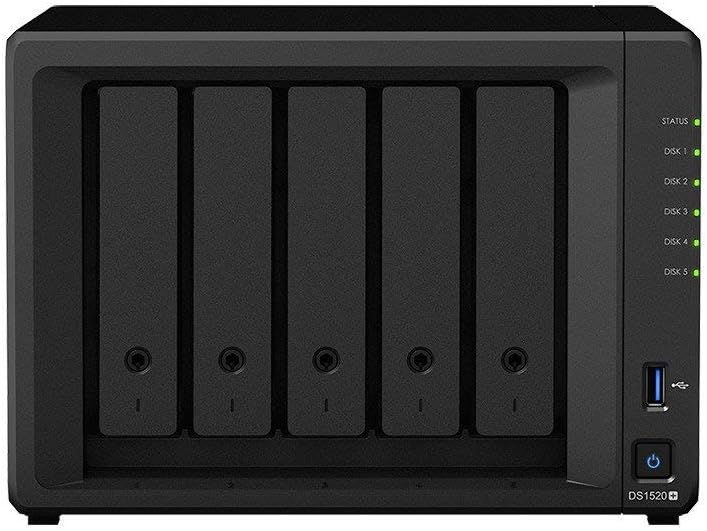
Synology DS1520+ DiskStation 5-Bay NAS (Diskless)
3.5 inch2.5 inch
A five-bay NAS with NVMe cache acceleration that grows from small-office storage to a 108TB data infrastructure without swapping hardware.
Check availability
Affiliate Disclosure: As an Amazon Associate, Studio Supplies earns from qualifying purchases made through links on this page, at no additional cost to you. This helps support our editorial team.
Notice a mistake? Let Us Know
Overview
Key Features
Capacity-scalable NAS with SSD Cache Acceleration Capability. Compatible Drive Type-3.5 inch SATA HDD, 2.5 inch SATA HDD, 2.5 inch SATA SSD, M.2 2280 NVMe SSD. "Compatible drive type" indicates drives that have been tested to be compatible with Synology products. This term does not indicate the maximum connection speed of each drive bay. Each internal volume (may consist of multiple drives) is expandable up to 108TB
Flexibly scale up to fifteen drives to increase storage capacity as demand grows
Built-in M.2 2280 NVMe SSD slots permit cache acceleration without occupying storage drive bays
Back up critical data and reduce Recovery Time Objective (RTO) with Snapshot Replication
Accelerated Application Performance Average 16% performance boost to photo indexing and other computing-intensive operations, as well as database response time
Specifications
Drive Bays
5
Compatible Drive Types
3.5 inch SATA HDD, 2.5 inch SATA HDD, 2.5 inch SATA SSD, M.2 2280 NVMe SSD
Max Internal Volume Capacity
108TB
SSD Cache Slots
Built-in M.2 2280 NVMe SSD slots
Performance Boost
Average 16% to photo indexing and computing-intensive operations
Frequently Asked Questions
What does the built-in M.2 NVMe caching actually do for read/write performance?
The M.2 slots allow you to install NVMe SSDs as a read-write cache tier that sits in front of your spinning disk array. Synology's testing shows roughly a 16% average boost on compute-heavy operations like photo indexing and database queries — more importantly, it does this without consuming any of your five SATA bays, preserving full storage capacity.
What drive types are confirmed compatible with the DS1520+?
Synology has tested and validated 3.5" SATA HDDs, 2.5" SATA HDDs, 2.5" SATA SSDs, and M.2 2280 NVMe SSDs (in the cache slots). Note that the drive bays' maximum connection speed is determined by their SATA interface — NVMe speed is only available through the dedicated M.2 slots.
How does the expansion path to 15 drives work?
The DS1520+ supports up to two Synology DX517 expansion units via eSATA, adding five bays each. That takes the total from 5 to 15 drives. Each internal volume can grow up to 108TB, so the expansion path is meaningful — not just a marketing ceiling.
Is Snapshot Replication included, or is it a paid add-on?
Snapshot Replication is a first-party Synology package available through DSM's Package Center at no additional cost. It provides immutable point-in-time snapshots that help reduce Recovery Time Objective (RTO) in the event of ransomware or accidental deletion without requiring a full backup restore cycle.
How much RAM does the DS1520+ ship with, and is it upgradeable?
The DS1520+ ships with 8GB DDR4. Synology supports RAM upgrades on this unit — check Synology's compatibility list for validated modules before purchasing, as using unvalidated memory can cause instability.
Related Products
