



Synology
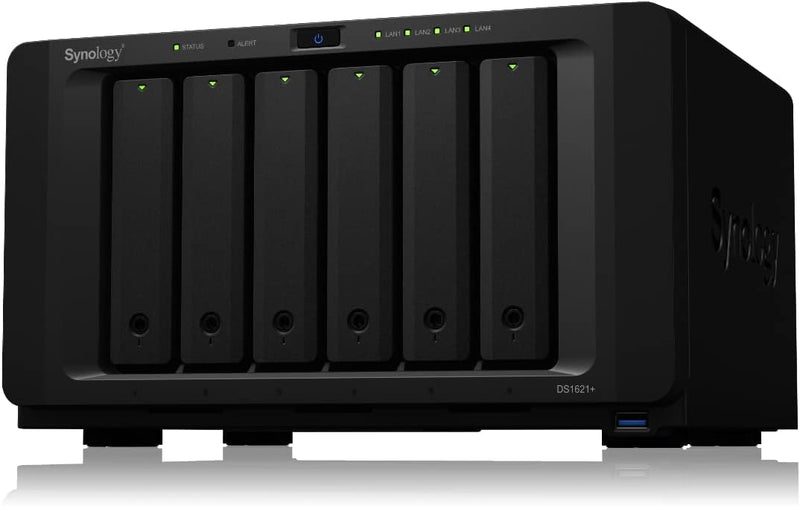
Synology DS1621+ DiskStation NAS - High Performance Storage
4K
AMD Ryzen-powered 6-bay NAS that delivers enterprise-grade read/write performance and scales to 16 drives without a chassis swap.
$1,270.48*
Check availability
*Price sourced from Amazon.com. Last updated:Aug 28, 2026.Price and availability are subject to change — details.
Affiliate Disclosure: As an Amazon Associate, Studio Supplies earns from qualifying purchases made through links on this page, at no additional cost to you. This helps support our editorial team.
Notice a mistake? Let Us Know
Overview
Key Features
Accelerated Performance: 174% higher 4K random read IOPS and 76% faster sequential write speeds compared to its predecessor
Maximize Performance: Turbocharge HDD arrays by 20x or more2 without occupying drive bays using dual built-in M.2 slots for NVMe SSD cache
Easy Expansion: Scale-up on-demand to 16 drives with two DX517 expansion units
Includes Everything to Protect Your Data: Back up critical data to and from public clouds, Windows PCs and servers, virtual machines, and data on the NAS with Synology Active Backup suite, Hyper Backup, and Snapshot Replication
Ready for 10GbE: Add in a 10GbE SFP+ or RJ-45 NIC to instantly increase network bandwidth based on your existing infrastructure
Specifications
Model
DS1621+
Type
DiskStation NAS
Performance (4K Random Read IOPS)
174% higher than predecessor
Performance (Sequential Write Speed)
76% faster than predecessor
M.2 Slots
Dual built-in for NVMe SSD cache
Drive Expansion Capability
Up to 16 drives with two DX517 units
Backup Solutions Included
Synology Active Backup suite, Hyper Backup, Snapshot Replication
Network Bandwidth
Ready for 10GbE (SFP+ or RJ-45 NIC add-in)
Frequently Asked Questions
What processor powers the DS1621+ and what does that mean for workload performance?
The DS1621+ runs an AMD Ryzen V1500B — a quad-core, 8-thread embedded processor clocked at 2.2 GHz. This is a significant step above the Atom-class CPUs in most NAS devices at this tier, which translates directly to faster virtual machine performance, more simultaneous users without throughput degradation, and responsive transcoding without dedicated hardware acceleration.
How much faster is the DS1621+ compared to its predecessor?
Synology rates it at 174% higher 4K random read IOPS and 76% faster sequential write speeds versus the previous generation. In practical terms, this means faster file access under multi-user load, quicker backup jobs, and meaningfully improved performance for iSCSI workloads or database hosting.
What do the dual M.2 NVMe slots do, and do they occupy drive bays?
The two built-in M.2 2280 slots are dedicated solely to NVMe SSD caching — they do not consume any of the six HDD bays. Adding NVMe cache can accelerate HDD array performance by up to 20x for frequently accessed data, effectively capping the latency gap between spinning disk and SSD for hot data.
Can I add 10GbE networking and does the DS1621+ support it natively?
The DS1621+ does not ship with 10GbE onboard, but it includes a PCIe 3.0 slot that accepts Synology's 10GbE NIC add-in cards — both SFP+ and RJ-45 options are available. Adding 10GbE eliminates the network as the bottleneck for high-throughput workloads like 4K video editing over NAS.
How does the DS1621+ handle expansion if I outgrow six drives?
Two DX517 expansion units can be daisy-chained via the eSATA expansion ports, bringing total drive capacity to 16 bays. Expansion is hot-add — you're scaling storage without downtime or data migration, which matters for always-on production environments.
Related Products
