



Synology
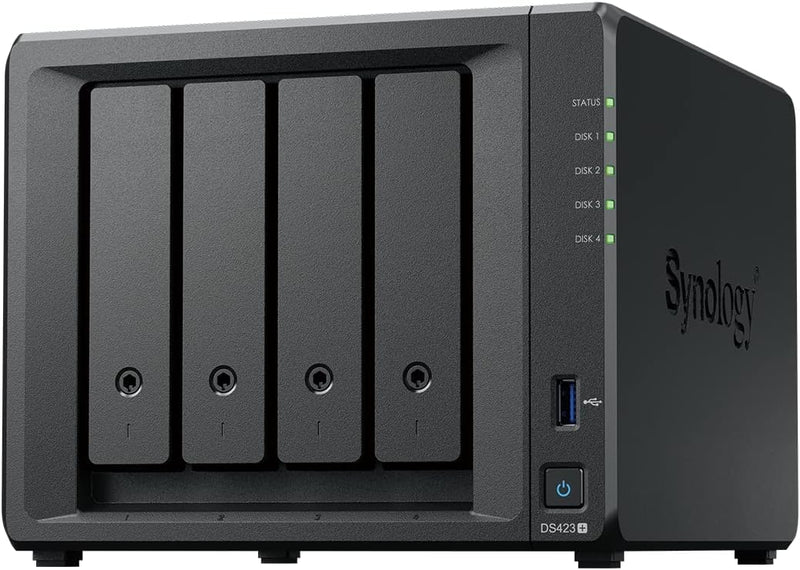
Synology DS423+ 4-Bay NAS DiskStation
Centralize your files, photos, and backups with the Synology DS423+ 4-bay NAS featuring DiskStation Manager.
$519.90*
Check availability
*Price sourced from Amazon.com. Last updated:Oct 22, 2026.Price and availability are subject to change — details.
Affiliate Disclosure: As an Amazon Associate, Studio Supplies earns from qualifying purchases made through links on this page, at no additional cost to you. This helps support our editorial team.
Notice a mistake? Let Us Know
Overview
Key Features
Leverage built-in file and photo management, data protection, and surveillance solutions
Access, share, and sync your data and media easily across different operating systems and devices
Check Synology knowledge center or YouTube channel for help on product setup and additional information
Check the product specification page for the software or application you want to use
SATA device only
Specifications
Brand
Synology
Model
DS423+
Number of Bays
4
Drive Compatibility
SATA devices only
Operating System
Synology DiskStation Manager (DSM)
Built-in Applications
File and photo management, data protection, surveillance
Color
Black
Frequently Asked Questions
Does the DS423+ come with hard drives included?
No, this is a diskless NAS enclosure. You need to purchase compatible SATA hard drives or SSDs separately to install in the four drive bays.
Does the Synology DS423+ come with hard drives included?
No, the DS423+ is sold diskless. You need to purchase compatible SATA hard drives or SSDs separately.
What operating system does the DS423+ run?
It runs Synology DiskStation Manager (DSM), a browser-based OS that provides file management, backup, surveillance, and media streaming applications out of the box.
What types of drives are compatible with the DS423+?
The DS423+ supports SATA devices only. This includes standard 3.5-inch SATA hard drives and 2.5-inch SATA SSDs.
What operating system does the DS423+ run?
It runs Synology DiskStation Manager (DSM), a Linux-based operating system with a web browser interface that provides file management, backup, media streaming, surveillance, and many other applications.
How many drive bays does the DS423+ have and what type of drives does it support?
The DS423+ has four drive bays and supports SATA devices only — including 3.5-inch and 2.5-inch SATA HDDs and SSDs.
Can I access my files remotely on the DS423+?
Yes, Synology QuickConnect and DSM's built-in tools let you access, sync, and share files remotely across different operating systems and devices without complex network configuration.
Can I access my files remotely from outside my home network?
Yes, Synology provides tools like QuickConnect and Synology Drive that let you access, share, and sync files across devices and operating systems from anywhere with an internet connection.
What RAID configurations can I set up with four bays?
With four bays, you can configure RAID 0, RAID 1, RAID 5, RAID 6, RAID 10, or Synology's own Hybrid RAID (SHR), which optimizes storage capacity when using drives of different sizes.
Does the DS423+ support RAID configurations?
Yes, with four bays you can configure various RAID levels including Synology Hybrid RAID (SHR), RAID 0, RAID 1, RAID 5, RAID 6, and RAID 10 for data redundancy and performance.
Related Products
