



Synology
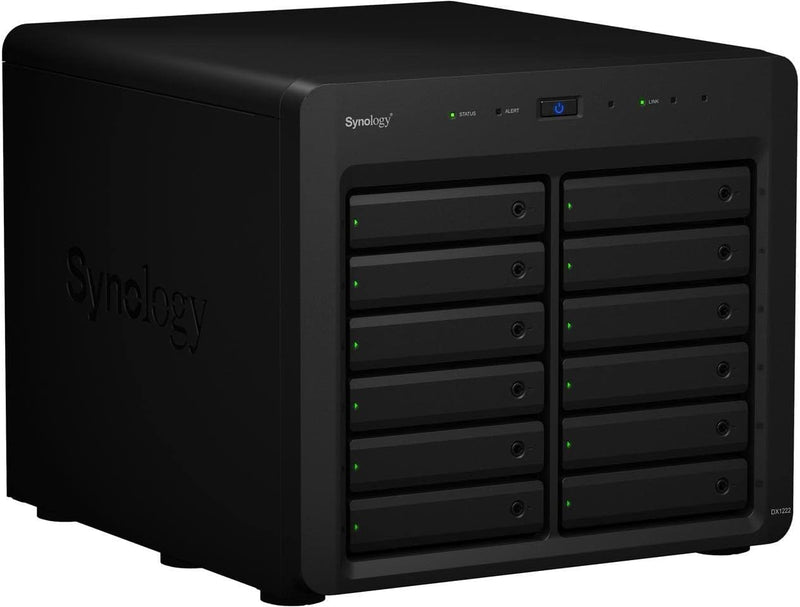
Synology DX1222 12-Bay Disk Expansion Unit (Diskless)
Add up to 12 drives of additional storage to your Synology NAS with a single expansion cable connection.
$1,199.99*
View on Amazon
✓ In Stock on Amazon.com
*Price sourced from Amazon.com. Last updated:Oct 18, 2026.Price and availability are subject to change — details.
Affiliate Disclosure: As an Amazon Associate, Studio Supplies earns from qualifying purchases made through links on this page, at no additional cost to you. This helps support our editorial team.
Notice a mistake? Let Us Know
Overview
Key Features
Expansion for selected Synology diskstation units
Configure new storage in minutes with Synology DSM's unified tools
5 year warranty
Specifications
Brand
Synology
Model
DX1222
Drive Bays
12
Drive Compatibility
2.5" or 3.5"
Compatibility
Selected Synology DiskStation units
Management
Synology DSM
Warranty
5-Year Limited
Color
Black
Dimensions
18.5 x 17.5 x 17 inches
Similar Products
Other products from the same family that visitors often consider:
 Currently Unavailable
Synology RX1214 12-Bay Diskless Rackmount Expansion Unit
Check on Amazon → ✓ Available
Synology RX1217RP 12-Bay RackStation Expansion Unit
$2,399.99
View on Amazon → Currently Unavailable
Synology RX1214RP 12-Bay Rackmount Expansion Unit
Check on Amazon → Currently Unavailable
Synology RX1217sas 12-Bay SAS Expansion Diskless
Check on Amazon → ✓ Available
Synology RXD1215sas 12-Bay RackStation Expansion Unit
$3,013.75
View on Amazon →Frequently Asked Questions
Does the DX1222 come with hard drives included?
No, the DX1222 is sold diskless. You supply your own 2.5-inch or 3.5-inch drives and install them into the 12 available bays.
Which Synology NAS models are compatible with the DX1222?
The DX1222 is compatible with selected Synology DiskStation models. You should check Synology's official compatibility list to confirm your specific NAS is supported before purchasing.
How does the DX1222 connect to the main NAS unit?
It connects via an expansion cable to a compatible Synology DiskStation. Once connected, the additional drives are managed through Synology's DSM operating system as part of your existing storage.
Can I mix 2.5-inch and 3.5-inch drives in the same unit?
Yes, the 12 bays support both 2.5-inch and 3.5-inch drives, so you can use a combination of SSDs and traditional hard drives depending on your performance and capacity needs.
What warranty coverage does the DX1222 include?
Synology provides a 5-year limited warranty on the DX1222 expansion unit.
Related Products
