

Synology
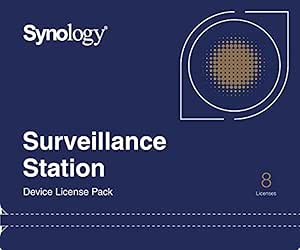
Synology LICENSE PACK 8 Camera License Pack
Unlock eight additional IP camera slots on your Synology Surveillance Station without replacing any hardware.
View price on Amazon
Affiliate Disclosure: As an Amazon Associate, Studio Supplies earns from qualifying purchases made through links on this page, at no additional cost to you. This helps support our editorial team.
Notice a mistake? Let Us Know
Overview
Expand Your Surveillance Capabilities with Synology License Pack x 8
Synology License Pack x 8 offers the ability to expand the number of IP cameras and I/O modules that can be set up on your Synology Surveillance Station. Up to a maximum of eight cameras can be added to your existing Synology system.
Specifications:
- Licenses: 8
Frequently Asked Questions
What does this license pack actually do — does it add hardware capability?
No hardware is included. This is a software license that unlocks eight additional camera slots within Synology Surveillance Station. Your NAS must already be running Surveillance Station to use it.
Is there a limit to how many license packs can be stacked on one Synology system?
Yes — Synology imposes a per-device maximum camera count depending on the NAS model. Each pack adds 8 slots, but you'll hit the hardware ceiling before stacking becomes unlimited. Check your specific NAS model's Surveillance Station specs before purchasing multiple packs.
Does this license expire or require renewal?
No. This is a one-time perpetual license. Once applied to your Synology account and activated on a device, the 8 camera slots are permanently unlocked — no subscription fees.
Will this work with any Synology NAS?
It works with any Synology NAS running a compatible version of Surveillance Station. Older DSM versions or entry-level NAS units with limited Surveillance Station support may have compatibility restrictions — verify against Synology's compatibility list first.
Can the license be transferred to a different NAS later?
Synology licenses are tied to the device they're activated on. Transferring to a different unit typically requires contacting Synology support and is not guaranteed.
Related Products


