

Toshiba
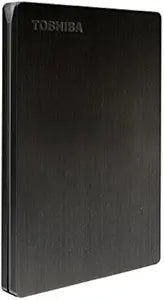
Toshiba HDTD210EK3EA Canvio Slim 1TB Portable Hard Drive
USB 3.0USB 2.0
Sleek and Secure Portable Storage The Toshiba Canvio Slim is a stylish and lightweight portable external hard drive, perfect for on-the-go data storage. With SuperSpeed USB 3.0 connectivity, password protection, and included backup software, it ensures fast transfers and secure data storage. It's...
Check availability
Affiliate Disclosure: As an Amazon Associate, Studio Supplies earns from qualifying purchases made through links on this page, at no additional cost to you. This helps support our editorial team.
Notice a mistake? Let Us Know
Overview
Sleek and Secure Portable Storage
The Toshiba Canvio Slim is a stylish and lightweight portable external hard drive, perfect for on-the-go data storage. With SuperSpeed USB 3.0 connectivity, password protection, and included backup software, it ensures fast transfers and secure data storage. It's also compatible with both PC and Mac, thanks to the included Tuxera HTFS for Mac driver.
Specifications:
- Brand: Toshiba
- Model: HDTD210EK3EA
- Capacity: 1TB
- Interface: USB 3.0 (USB 2.0 compatible)
- Max. Transfer Rate: ~ 5.0 Gbs
- Color: Black
- File System: NTFS (MS Windows)
- Dimensions: 107mm x 75mm x 9mm
- Weight: max. 125g
Key Features
Super slim portable & lightweight external hard drive with 1TB capacity
Ultra fast transfer speeds with USB 3.0 (USB 2.0 compatible)
Auto-backup software
Password protection
PC & Mac compatible
Specifications
Capacity
1TB
Interface
USB 3.0
Compatibility
USB 2.0
Features
Auto-backup software, Password protection
System Compatibility
PC & Mac
Frequently Asked Questions
Is this Toshiba Canvio Slim portable hard drive compatible with older USB 2.0 ports?
Yes, the Toshiba Canvio Slim 1TB portable hard drive is designed to be compatible with both USB 3.0 and older USB 2.0 ports, offering broad connectivity options.
What kind of security features are included with this portable hard drive?
This portable hard drive comes with password protection, allowing you to secure your data and prevent unauthorized access to your stored files.
Can this hard drive be used with both Windows PCs and Apple Macs?
Absolutely, the Toshiba Canvio Slim is PC and Mac compatible, meaning you can use it across different operating systems without issue.
Does the hard drive come with any software for backing up files?
Yes, it includes auto-backup software, which helps in automating your data backup process to keep your files secure and up-to-date.
Is the Toshiba Canvio Slim drive particularly heavy or bulky to carry around?
No, it is described as a super slim portable and lightweight external hard drive, making it convenient for carrying on the go.
Related Products
