



Price history
Toyvian
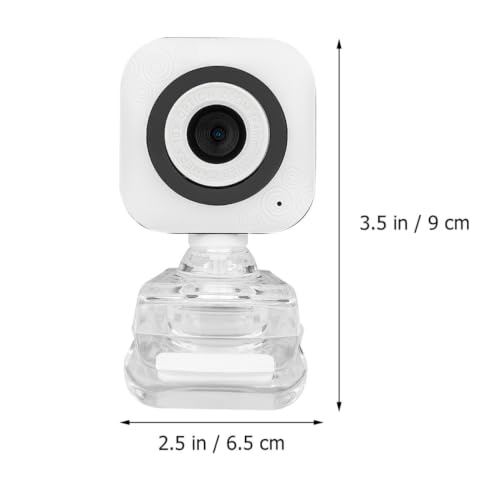
Toyvian USB Webcam with Built-In Microphone
A no-frills USB webcam with a built-in microphone and broad Windows support that reaches all the way back to XP
$13.73*
View on Amazon
✓ In Stock on Amazon.com
*Price sourced from Amazon.com. Last updated:Aug 09, 2026.Price and availability are subject to change.
Affiliate Disclosure: Studio Supplies may earn a commission from qualifying purchases made through links on this page, at no additional cost to you. This helps support our editorial team.
Notice a mistake? Let Us Know
Overview
Key Features
USB camera:suitable for online learning, video call, information connection, home etc,microphone for computer
External camera monitor:clear camera bring the good images,computer camera with microphone
Computer camera and microphone:you can adjust the focus easily,computer microphone
Home camera:it is easy to use,Microphone Camera
Desktop camera:it is compatible with windows xp, win2003/ /win8/win10 and so on,Built-in Mic Webcam
Specifications
Brand
Toyvian
Product Type
USB Camera with Microphone
Resolution
640x480
Housing Material
ABS
Microphone
Built-in
Focus
Manual, adjustable
Connection
USB
OS Compatibility
Windows XP, Win2003, Win8, Win10
Intended Use
Online learning, video calls, home use
Frequently Asked Questions
Does the Toyvian USB Camera include a microphone, or do I need a separate one?
It has a built-in microphone. Voice and image come from the single USB device, so you don't need to add a separate desktop mic or headset for calls.
What resolution does this Toyvian webcam record at?
The camera is listed at 640x480. That is standard definition rather than HD, which suits everyday video calls and online learning more than high-detail video work.
Will this webcam work with older Windows computers?
Yes. The listing cites compatibility with Windows XP, Win2003, Win8, and Win10, making it a fit for aging desktops that newer peripherals often no longer support.
Does the Toyvian camera focus automatically?
No. It uses manual focus, so you adjust image sharpness by hand to match your distance and lighting rather than relying on an automatic focusing system.
How does the Toyvian USB Camera connect to my computer?
It connects through a single USB port. That keeps setup simple and makes it an approachable choice for first-time or less technical computer users.
Is this Toyvian webcam compatible with Mac computers?
The source lists only Windows versions, from XP through Win10. Mac compatibility is not stated, so Apple desktop and laptop owners should treat it as a Windows-oriented device.
Related Products


