



TP-Link
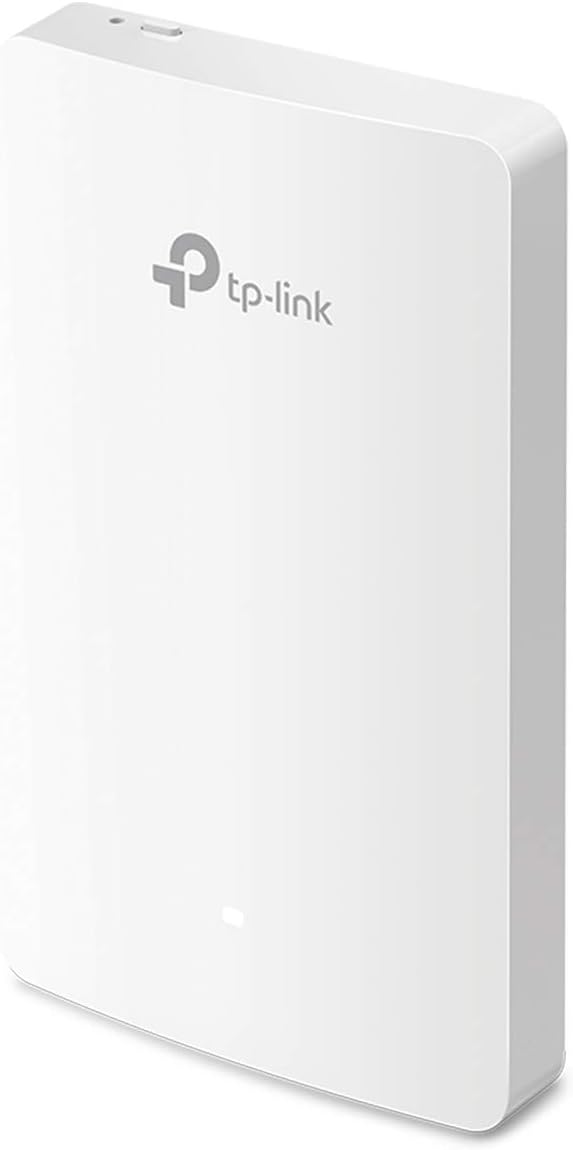
TP-Link EAP235-Wall AC1200 Gigabit In-Wall Access Point
Seamless Wireless Connectivity with TP-Link EAP235-Wall Access Point Transform your office or hotel room into a high-speed wireless hub with the TP-Link EAP235-Wall. This in-wall access point delivers AC1200 Wi-Fi speeds, MU-MIMO technology, and convenient PoE support for a streamlined network so...
$64.99*
View on Amazon
✓ In Stock on Amazon.com
*Price sourced from Amazon.com. Last updated:Oct 23, 2026.Price and availability are subject to change — details.
Affiliate Disclosure: As an Amazon Associate, Studio Supplies earns from qualifying purchases made through links on this page, at no additional cost to you. This helps support our editorial team.
Notice a mistake? Let Us Know
Overview
Seamless Wireless Connectivity with TP-Link EAP235-Wall Access Point
Transform your office or hotel room into a high-speed wireless hub with the TP-Link EAP235-Wall. This in-wall access point delivers AC1200 Wi-Fi speeds, MU-MIMO technology, and convenient PoE support for a streamlined network solution that integrates seamlessly into Omada SDN. It offers superior speeds and network control.
Specifications:
- Brand: TP-Link
- Model: EAP235-Wall
- Wireless Standard: 802.11ac Wave 2
- Wi-Fi Speed: AC1200 (up to 1200 Mbps)
- MU-MIMO Support: Yes
- Ports: 4 Gigabit Ethernet Ports (1 Uplink PoE, 3 Downlink)
- PoE Support: 802.3af/at
- SDN Compatibility: Omada SDN Integrated
- Color: White
Key Features
𝐒𝐮𝐩𝐞𝐫𝐢𝐨𝐫 𝐒𝐩𝐞𝐞𝐝𝐬 𝐰𝐢𝐭𝐡 𝐌𝐔-𝐌𝐈𝐌𝐎: Outfitted with the latest 802.11ac Wave 2 MU-MIMO technology, the EAP235-wall easily delivers dual-band Wi-Fi speeds of up to 1200 Mbps to multiple devices at the same time.
𝐃𝐞𝐥𝐢𝐜𝐚𝐭𝐞 𝐖𝐢-𝐅𝐢 𝐍𝐞𝐭𝐰𝐨𝐫𝐤 𝐈𝐧 𝐄𝐚𝐜𝐡 𝐑𝐨𝐨𝐦: Designed for office cubical and hotel room and allows guests to enjoy their own private Wi-Fi network.
𝐆𝐢𝐠𝐚𝐛𝐢𝐭 𝐏𝐨𝐫𝐭𝐬 𝐰𝐢𝐭𝐡 𝐏𝐨𝐄 𝐒𝐮𝐩𝐩𝐨𝐫𝐭: 4 Gigabit Ethernet Ports: 1× Uplink 802.3 af/at PoE powered Port, 3× Downlink Ports, with one access port Supporting PoE pass-through to provide power for wired device, making deployment effortless and flexible.
𝐈𝐧𝐭𝐞𝐠𝐫𝐚𝐭𝐞𝐝 𝐢𝐧𝐭𝐨 𝐎𝐦𝐚𝐝𝐚 𝐒𝐃𝐍: Omada's Software Defined Networking (SDN) platform integrates network devices including access points, switches & gateways with multiple control options offered - Omada Hardware controller, Omada Software Controller or Omada cloud-based controller*(Contact TP-Link for Cloud-Based Controller Plan Details). Standalone mode also applies.
𝐂𝐥𝐨𝐮𝐝 𝐀𝐜𝐜𝐞𝐬𝐬: Remote Cloud access and Omada app brings centralized cloud management of the whole network from different sites—all controlled from a single interface anywhere, anytime.
𝐒𝐃𝐍 𝐂𝐨𝐦𝐩𝐚𝐭𝐢𝐛𝐢𝐥𝐢𝐭𝐲: Requires SDN-supported or upgradable devices and controllers. SDN controllers work exclusively with SDN access points, switches, and gateways.
𝟓 𝐘𝐞𝐚𝐫𝐬 𝐖𝐚𝐫𝐫𝐚𝐧𝐭𝐲: Backed by our industry-leading 5-years warranty and free technical support from 6am to 6pm PST Monday to Fridays, you can work with confidence.
Specifications
Wi-Fi Standard
802.11ac Wave 2 MU-MIMO
Wi-Fi Speeds
Up to 1200 Mbps (Dual-band)
Ethernet Ports
4 Gigabit Ethernet Ports
Uplink Port
1× 802.3 af/at PoE powered Port
Downlink Ports
3× Downlink Ports (one with PoE pass-through)
Management
Omada SDN platform, Omada Hardware/Software/Cloud-based Controller, Standalone mode
Remote Access
Cloud Access, Omada app
Warranty
5 Years
Frequently Asked Questions
What kind of Wi-Fi speeds can I expect from the EAP235-Wall?
The EAP235-Wall delivers superior dual-band Wi-Fi speeds of up to 1200 Mbps, thanks to its 802.11ac Wave 2 MU-MIMO technology, allowing multiple devices to connect efficiently.
Can this access point provide a private Wi-Fi network for individual rooms?
Yes, it is specifically designed to create a delicate Wi-Fi network in each room, making it ideal for hotel rooms or office cubicles where private connectivity is desired.
How many Ethernet ports does this access point have, and do they support PoE?
It features four Gigabit Ethernet ports: one uplink port that is 802.3 af/at PoE powered, and three downlink ports, with one supporting PoE pass-through for powering wired devices.
Can I manage this access point remotely?
Yes, the EAP235-Wall integrates into Omada SDN, providing cloud access and an Omada app for centralized cloud management of your network from anywhere, anytime.
Is this device compatible with Omada Software Defined Networking (SDN)?
Yes, it is integrated into Omada SDN. For SDN usage, ensure your devices/controllers are equipped with or can be upgraded to an SDN version, as SDN controllers work only with SDN Access Points, Switches, and Gateways.
Related Products


