

TP-Link
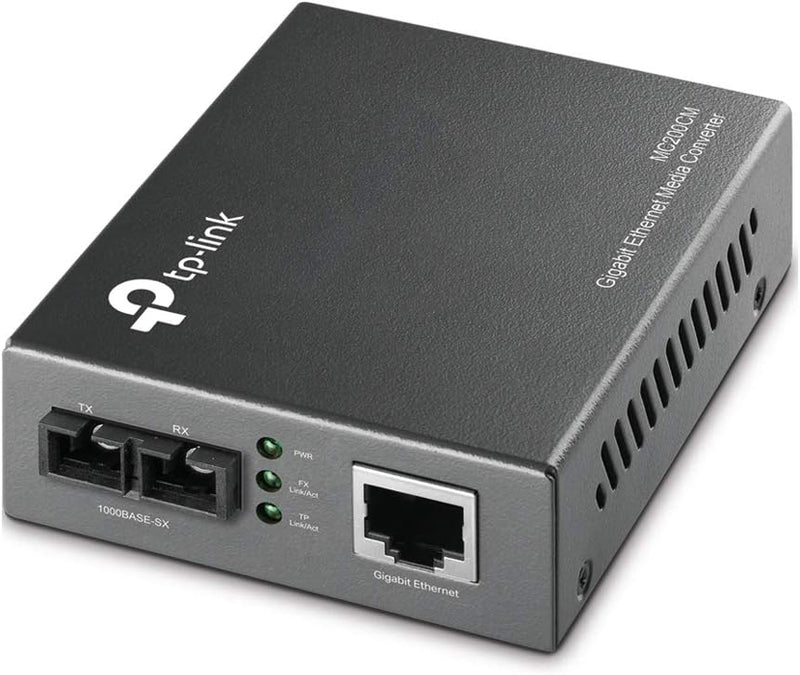
TP-Link MC200CM Gigabit SFP Fiber Media Converter
66W
Bridge fiber and copper networks seamlessly with this reliable Gigabit SFP media converter from TP-Link.
$25.99*
View on Amazon
✓ In Stock on Amazon.com
*Price sourced from Amazon.com. Last updated:Oct 07, 2026.Price and availability are subject to change — details.
Affiliate Disclosure: As an Amazon Associate, Studio Supplies earns from qualifying purchases made through links on this page, at no additional cost to you. This helps support our editorial team.
Notice a mistake? Let Us Know
Overview
Key Features
Designed to convert 1000BASE-SX fiber to 1000Base-T copper media or vice versa.
Works at 1000Mbps in Full-Duplex mode for both TX port and FX port
Supports auto MDI/MDIX for TX port and provides switch configuration of Force/Auto transfer mode for FX port
Extends fiber distance up to 550m (1,800feet) using 50/125um Multi-Mode Fiber, 220m(720 feet) using 62.5/125um Multi-Mode Fiber
Easy-to-view LED indicators provide status to monitor network activity easily
External power supply. Wave Length: 850nm. Max Power Consumption: 1.66W.
Works at 1000Mbps in Full-Duplex mode for both TX port and FX port
Supports auto MDI/MDIX for TX port
Provides switch configuration of Force /Auto transfer mode for FX port
Extends fiber distance up to 0.5km(0.31 miles)
Easy-to-view LED indicators provide status to monitor network activity easily
External power supply
Specifications
Brand
TP-Link
Model
MC200CM
Interface
Gigabit SFP to RJ45
Standards
IEEE 802.3i, IEEE 802.3u, IEEE 802.3ab, IEEE 802.3z
Data Transfer Rate
10/100/1000Mbps
Fiber Type
Multi-Mode Fiber
Fiber Connector
SC-Type
Wavelength
850nm
Fiber Distance (50/125μm)
Up to 550m (1,800 feet)
Fiber Distance (62.5/125μm)
Up to 220m (720 feet)
LED Indicators
Power, Link/Act
Max Power Consumption
1.66W
Power Supply
External
Frequently Asked Questions
What type of fiber does the TP-Link MC200CM support?
The MC200CM supports multi-mode fiber with SC-type connectors, working with both 50/125μm and 62.5/125μm cable.
What is the maximum fiber distance the MC200CM can achieve?
It reaches up to 550 meters (1,800 feet) with 50/125μm multi-mode fiber, or 220 meters (720 feet) with 62.5/125μm multi-mode fiber.
Does the MC200CM require a separate SFP module?
Yes, the MC200CM uses a standard Gigabit SFP slot, so you will need a compatible 1000BASE-SX SFP transceiver module.
Does this converter support auto-negotiation on the copper port?
Yes, the TX (copper) port supports auto MDI/MDIX, so it automatically detects the cable type. The FX (fiber) port offers switchable Force or Auto transfer mode.
Related Products


