



TP-Link
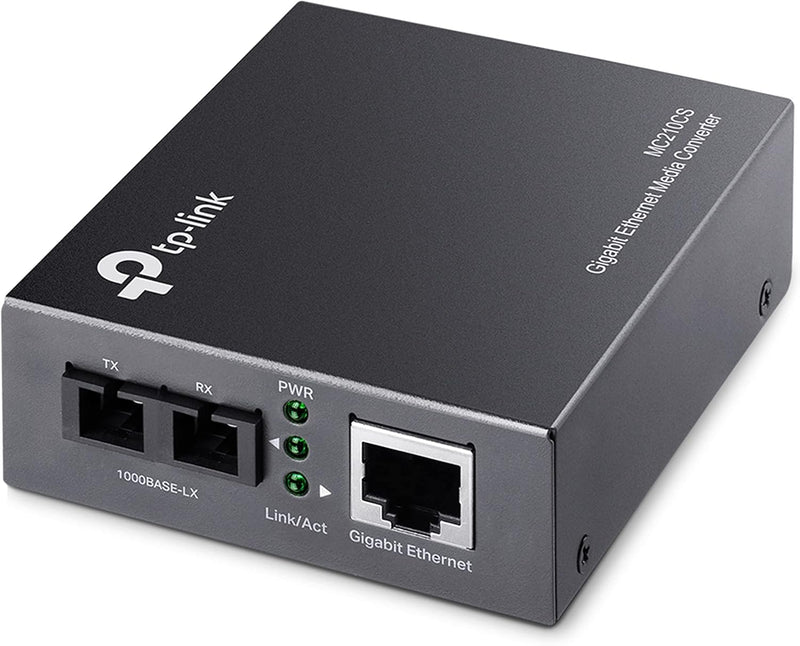
TP-Link MC210CS Gigabit SFP Fiber Media Converter
Seamlessly Connect Fiber to Ethernet The TP-Link MC210CS is a Gigabit SFP to RJ45 Fiber Media Converter designed to bridge the gap between fiber optic and copper Ethernet networks. This converter allows you to extend network distances using single-mode fiber, providing reliable and high-speed co...
$26.99*$37.58Save 28%
Check availability
*Price sourced from Amazon.com. Last updated:Oct 08, 2026.Price and availability are subject to change — details.
Affiliate Disclosure: As an Amazon Associate, Studio Supplies earns from qualifying purchases made through links on this page, at no additional cost to you. This helps support our editorial team.
Notice a mistake? Let Us Know
Overview
Seamlessly Connect Fiber to Ethernet
The TP-Link MC210CS is a Gigabit SFP to RJ45 Fiber Media Converter designed to bridge the gap between fiber optic and copper Ethernet networks. This converter allows you to extend network distances using single-mode fiber, providing reliable and high-speed connectivity. Specifications:- Brand: TP-Link
- Model: MC210CS
- Standards: IEEE 802.3i, IEEE 802.3u, IEEE 802.3ab, IEEE 802.3z
- Ports: 1 x 10/100/1000Mbps RJ45, 1 x 1000Base-LX Single-Mode Fiber (SC-Type)
- Fiber Type: Single-Mode
- Fiber Distance: Up to 15km
- Wavelength: 1310nm
- Transfer Mode: Force / Auto (configurable for FX port)
Key Features
Provides switch configuration of Force /Auto transfer mode for FX port
Extends fiber distance up to 20km
1× 10/100/1000Mbps Auto-Negotiation RJ45 port supporting Auto-MDI/MDIX
Auto-negotiation of Half-Duplex / Full-Duplex transfer mode
Specifications
Ethernet Port
1x 10/100/1000Mbps Auto-Negotiation RJ45
RJ45 Features
Auto-MDI/MDIX
Fiber Extension Distance
Up to 20km
FX Port Mode
Force / Auto Transfer Mode (switch configurable)
Duplex Mode
Auto-negotiation of Half-Duplex / Full-Duplex
Type
Gigabit SFP Fiber Media Converter
Frequently Asked Questions
What kind of fiber module do I need for this converter?
This is a Gigabit SFP Fiber Media Converter, meaning it requires a compatible SFP module to enable fiber optic connections, which is not included.
Can this converter connect two different speed networks, like 100Mbps and 1000Mbps?
Yes, the 10/100/1000Mbps Auto-Negotiation RJ45 port can automatically detect and adapt to the speed of the connected Ethernet device.
How far can this device extend my network using fiber optics?
The TP-Link MC210CS is capable of extending fiber distance up to 20km, suitable for connecting remote network segments.
Does this converter require a special type of Ethernet cable?
No, with Auto-MDI/MDIX support, it eliminates the need for specific crossover cables, working with standard Ethernet cables.
Can I manually control the fiber port's transfer mode?
Yes, the converter provides a switch configuration to select between Force and Auto transfer modes for the FX port.
Related Products


