



TP-Link
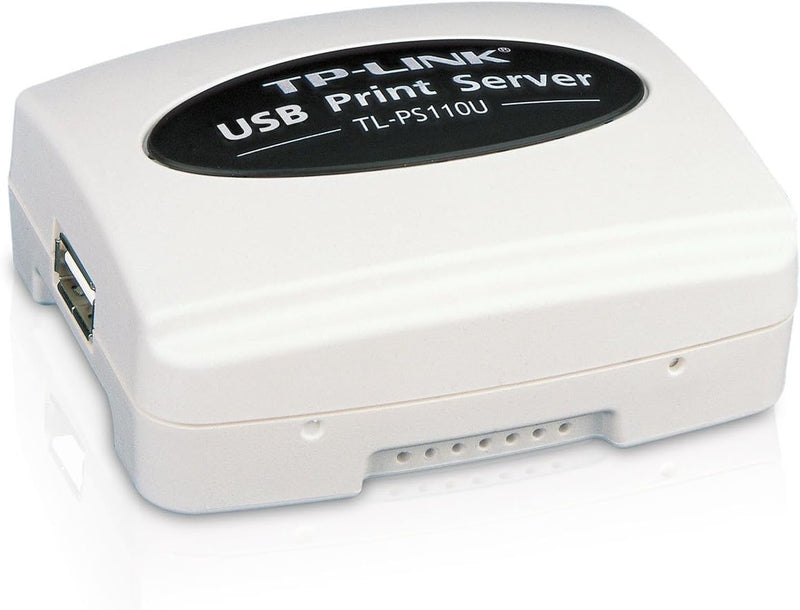
TP-Link TL-PS110U Single USB 2.0 Print Server
USB 2.0
Simplify Your Printing Network with the TP-Link TL-PS110U Print Server The TP-Link TL-PS110U Print Server allows you to easily share a USB printer over your network. Simply connect the print server to your LAN and access the printer from any computer on the network, eliminating the need for a ded...
Check availability
Affiliate Disclosure: As an Amazon Associate, Studio Supplies earns from qualifying purchases made through links on this page, at no additional cost to you. This helps support our editorial team.
Notice a mistake? Let Us Know
Overview
Simplify Your Printing Network with the TP-Link TL-PS110U Print Server
The TP-Link TL-PS110U Print Server allows you to easily share a USB printer over your network. Simply connect the print server to your LAN and access the printer from any computer on the network, eliminating the need for a dedicated print server PC. Ideal for home and small office environments.
Specifications:
- Interface: 1 USB 2.0 Port, 1 Fast Ethernet RJ 45 Port (10/100Mbps auto sensing)
- Protocols Supported: TCP/IP, IPX/SPX, NetBEUI, AppleTalk, LPR/LPD, IPP, SMB
- Complies with: IEEE 802.3 and 802.3u
- Supports: DHCP (client), Internet Printing Protocol (IPP), SMB, Print job log
- Management: Telnet, PSAdmin, SNMP, Web, HP Web JetAdmin / HP JetAdmin management
Key Features
Complies with IEEE 802.3 and 802.3u
1 USB 2.0 (high speed)-compliant port, 1 Fast Ethernet RJ-45 Port (10/100Mbps auto sensing)
Supports DHCP (client)
Supports E-mail Alert
Supports Internet Printing Protocol (IPP) and SMB
Supports print job log
Supports telnet, PSAdmin, SNMP, Web, HP Web JetAdmin / HP JetAdmin management
Supports firmware upgrade
Specifications
Compliance
IEEE 802.3, 802.3u
USB Port
1 x USB 2.0 (high speed)
Ethernet Port
1 x Fast Ethernet RJ-45 Port (10/100Mbps auto sensing)
DHCP Support
Client
E-mail Alert
Supported
Printing Protocols
Internet Printing Protocol (IPP), SMB
Management Protocols
telnet, PSAdmin, SNMP, Web, HP Web JetAdmin / HP JetAdmin
Features
Print job log, firmware upgrade
Frequently Asked Questions
What kind of printers can I connect to the TP-Link TL-PS110U print server?
You can connect any USB 2.0 compliant printer to this print server, allowing it to be shared across your network.
Does this print server support wireless printing?
The TP-Link TL-PS110U connects to your network via a Fast Ethernet RJ-45 port, so it facilitates network printing, but it does not have built-in wireless capabilities itself.
What management options are available for this print server?
The print server supports various management methods, including telnet, PSAdmin, SNMP, Web interface, and compatibility with HP Web JetAdmin/HP JetAdmin.
Can this device send me notifications about print jobs?
Yes, the TP-Link TL-PS110U supports an E-mail Alert feature, which can notify you of print job statuses.
Is it possible to update the software or firmware on this print server?
Yes, the device supports firmware upgrades, allowing you to keep it updated with the latest features and security improvements.
What are the network speed capabilities of this print server?
The print server features a Fast Ethernet RJ-45 port that supports 10/100Mbps auto sensing, integrating into standard local area networks.
Related Products


