



TP-Link
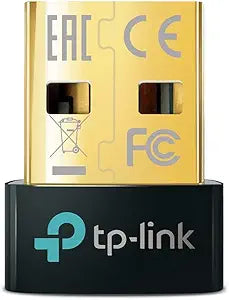
TP-Link UB5A Nano USB Bluetooth 5.0 Adapter
Bluetooth 5.0
Add Bluetooth 5.0 to any USB-A desktop or laptop in seconds — faster range, lower power draw, and up to 7 simultaneous device connections.
View price on Amazon
Affiliate Disclosure: As an Amazon Associate, Studio Supplies earns from qualifying purchases made through links on this page, at no additional cost to you. This helps support our editorial team.
Notice a mistake? Let Us Know
Overview
Key Features
Original brand product.
Three-year warranty against manufacturing defects.
Specifications
Brand
TP-Link
Model
UB5A
Bluetooth Version
5.0
Connector
USB-A
Max Simultaneous Devices
7
Transmission Speed
Up to 2 Mbps
Theoretical Range
Up to 40 m (open space)
Compatibility
Windows 11/10/8.1/7
Warranty
3 years
Frequently Asked Questions
Will this adapter work on a desktop PC that has no Bluetooth at all, or only on machines with existing Bluetooth hardware?
It works on any machine with a USB-A port and no existing Bluetooth — that's its primary use case. Windows detects the adapter as a standard Bluetooth controller and installs drivers automatically in most cases. No existing Bluetooth hardware is required or expected.
What is the practical range improvement of Bluetooth 5.0 over Bluetooth 4.0 or 4.2?
Bluetooth 5.0 doubles the transmission speed and quadruples the theoretical range compared to 4.2 — up to 40 meters in open space versus roughly 10 meters. In a real-world home or office environment with walls and interference, expect meaningfully fewer dropouts at mid-range distances rather than a dramatic distance increase.
How many devices can I connect simultaneously, and can I use a keyboard and mouse at the same time?
The UB5A supports up to 7 simultaneous Bluetooth connections. Yes, a Bluetooth keyboard and mouse can run concurrently — this is standard Bluetooth multi-device behavior and not a limitation of this specific adapter.
Does this adapter require third-party drivers, or does Windows handle it natively?
Windows 10 and 11 include native drivers that recognize the UB5A without additional software. On Windows 7 or Linux, manual driver installation may be required. The included software disc (where applicable) provides drivers for legacy systems.
Will this adapter interfere with my 2.4 GHz Wi-Fi or other wireless peripherals?
Bluetooth 5.0 uses adaptive frequency hopping to minimize interference with 2.4 GHz Wi-Fi networks. In dense wireless environments, some minor interference is possible — but the UB5A's adaptive hopping reduces this significantly compared to older Bluetooth versions. Positioning the adapter away from the router and other 2.4 GHz sources further reduces any interaction.
Related Products


