

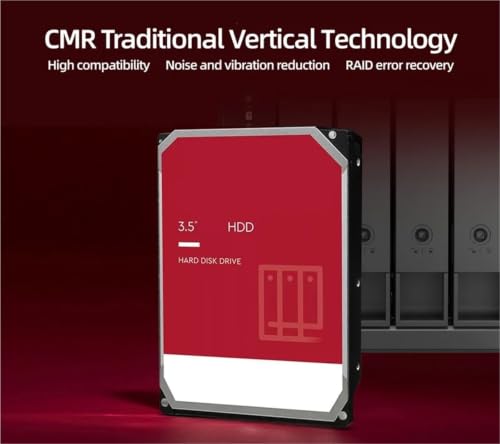
TPRRUGQTU
TPRRUGQTU 40EFZZ 4TB NAS Internal Hard Drive
A 4TB NAS-ready 3.5-inch drive that trades peak RPM for the quieter, cooler-running 5400RPM operation that always-on storage arrays favor
$797.88*
Check availability
*Price sourced from Amazon.com. Last updated:Aug 17, 2026.Price and availability are subject to change — details.
Affiliate Disclosure: As an Amazon Associate, Studio Supplies earns from qualifying purchases made through links on this page, at no additional cost to you. This helps support our editorial team.
Notice a mistake? Let Us Know
Overview
Key Features
External Hard Drives
4TB HDD Nas Internal Hard Drive Disk 3.5" 40EFZZ 5400RPM SATA 6Gb/s
Specifications
Brand
TPRRUGQTU
Model
40EFZZ
Capacity
4TB
Form Factor
3.5 inch
Rotational Speed
5400RPM
Interface
SATA 6Gb/s
Drive Type
Internal Hard Disk Drive (HDD)
Intended Use
NAS / Network Attached Storage
Frequently Asked Questions
Is the TPRRUGQTU 40EFZZ suitable for use in an always-on NAS enclosure?
Yes. It is marketed as a NAS internal hard drive, and its 5400RPM spindle speed favors the lower heat and quieter running that continuous, around-the-clock operation benefits from.
How much storage does the 40EFZZ provide?
It offers 4TB of capacity in a single 3.5-inch drive, enough to consolidate media libraries, backups, and shared files without frequent housekeeping in a home or small-office array.
Will this drive connect to my existing SATA controller or NAS backplane?
It uses a SATA 6Gb/s interface in the standard 3.5-inch form factor, which is compatible with the vast majority of current NAS enclosures, drive cages, and desktop SATA controllers.
Why does this drive spin at 5400RPM instead of 7200RPM?
The 5400RPM speed prioritizes lower heat, reduced noise, and efficiency over peak throughput, a common tradeoff for NAS drives expected to run continuously rather than chase maximum sequential speed.
Does the listing specify the cache size or endurance rating?
No. The provided details cover capacity, form factor, speed, and interface, but do not state cache size, endurance, or workload ratings, so confirm those separately if they matter to your build.
Related Products
