



Price history
UGREEN
UGREEN 5-Bay USB-C RAID Enclosure for SATA Drives
Consolidate up to five SATA drives and 160TB into one aluminum enclosure with eight selectable RAID and storage modes
$239.99*
View on Amazon
✓ In Stock on Amazon.com
*Price sourced from Amazon.com. Last updated:Aug 11, 2026.Price and availability are subject to change.
Affiliate Disclosure: Studio Supplies may earn a commission from qualifying purchases made through links on this page, at no additional cost to you. This helps support our editorial team.
Notice a mistake? Let Us Know
Overview
Key Features
8 RAID and Storage Modes for Every Workflow: Use PM for independent drive access, RAID 0 for faster performance, RAID 1/3/5/10 for protection against a drive failure, Large to combine capacity, or Clone to duplicate data for different storage tasks
5Gbps USB-C DAS for Multiple Hosts: The USB 3.2 Gen 1 Type-C interface supports data transfer speeds of up to 5Gbps and is compatible with Windows, macOS, and Linux; the enclosure can connect to compatible NAS devices for external backup and file transfer, but its drives cannot be added to or managed as part of a NAS storage pool
5-Bay Storage with 160TB Capacity: Install up to five 2.5/3.5 inch SATA HDDs /SSDs, with support for up to 32TB per drive and 160TB total, to reuse existing drives and expand storage without repeatedly opening your computer; the included 12V/8A DC power adapter supplies ample power for simultaneous multi-drive operation
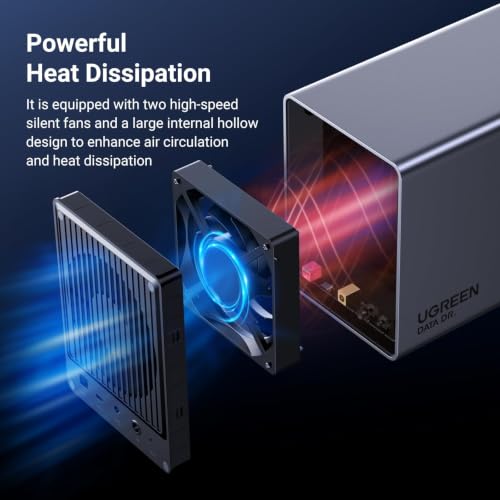
Smart Cooling and Sleep: The aluminum housing releases heat, and the system uses S.M.A.R.T. temperatures to adjust fan speed automatically; in PM mode, drives sleep and the fan stops after about 15 minutes of inactivity
Clear Drive Status and Safer RAID Setup: Five independent red/white LEDs show drive presence, mode issues, and RAID rebuilding; hold the power button for 3–5 seconds to start or shut down, and always back up your data before changing RAID modes because reformatting is required
Specifications
Brand
UGREEN
Manufacturer
Ugreen Group Limited
Drive Bays
5
Drive Compatibility
2.5 and 3.5 inch SATA HDD/SSD
Max Capacity Per Drive
32TB
Total Capacity
160TB
RAID and Storage Modes
PM, RAID 0, RAID 1, RAID 3, RAID 5, RAID 10, Large, Clone
Interface
USB 3.2 Gen 1 Type-C
Transfer Speed
Up to 5Gbps
Compatibility
Windows, macOS, Linux
Housing
Aluminum
Power Adapter
12V/8A DC
Frequently Asked Questions
How many drives can this enclosure hold and what is the total capacity?
It holds up to five 2.5 or 3.5 inch SATA HDDs or SSDs, supporting up to 32TB per drive and 160TB in total.
Which RAID and storage modes does it support?
Eight modes are available: PM for independent access, RAID 0, RAID 1, RAID 3, RAID 5, RAID 10, Large to combine capacity, and Clone to duplicate data.
How fast is the connection and which systems does it work with?
It uses a USB 3.2 Gen 1 Type-C interface rated up to 5Gbps and is compatible with Windows, macOS, and Linux.
Can I add these drives to my NAS storage pool?
No. It can connect to compatible NAS devices for external backup and file transfer, but its drives cannot be managed as part of a NAS storage pool.
How does it handle cooling and noise during idle periods?
The aluminum housing releases heat and the fan adjusts to S.M.A.R.T. temperatures automatically; in PM mode, drives sleep and the fan stops after about 15 minutes of inactivity.
What should I know before changing RAID modes?
Always back up your data first, because switching RAID modes requires reformatting the drives. Five LEDs also indicate rebuild status during setup.
Related Products


