

Westcott
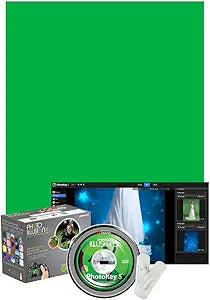
Westcott 5002 Photo Illusion Standard Green Screen Bundle
Unlock Creative Possibilities with Green Screen TechnologyThe Westcott 5002 Photo Illusion Standard Bundle provides everything you need to create stunning green screen effects. Featuring PhotoKey 5 Standard software, a wrinkle-resistant X-Drop Green Screen, and 100 overlay graphics, this bundle i...
Check availability
Affiliate Disclosure: As an Amazon Associate, Studio Supplies earns from qualifying purchases made through links on this page, at no additional cost to you. This helps support our editorial team.
Notice a mistake? Let Us Know
Overview
Unlock Creative Possibilities with Green Screen Technology
The Westcott 5002 Photo Illusion Standard Bundle provides everything you need to create stunning green screen effects. Featuring PhotoKey 5 Standard software, a wrinkle-resistant X-Drop Green Screen, and 100 overlay graphics, this bundle is perfect for photographers of all skill levels.
- Software: PhotoKey 5 Standard
- Green Screen: 5' x 7' Wrinkle-Resistant X-Drop
- Additional Content: 500 Digital Backdrops, 100 Overlay Graphics
- Software Features: Instant green screen removal, background replacement, chroma key & color difference techniques, 12 effects & color correction filters, text editor
- Compatibility: Mac OS X or Windows
- Max Resolution Support: Up to 25 megapixels
Key Features
Instant Green Screen Removal
Extended spill suppression & freehand masking
Easy background replacement
Ability to choose any background & add an overlay graphic element
Text Editor
Specifications
Feature
Capability
Green Screen
Instant Removal
Spill Control
Extended Spill Suppression
Masking
Freehand Masking
Backgrounds
Easy Replacement, Any Background Selection
Graphic Elements
Overlay Addition
Editing Tool
Text Editor
Frequently Asked Questions
What is the primary function of the Westcott Photo Illusion Standard Green Screen Bundle?
The primary function is to provide instant green screen removal, which simplifies the process of isolating subjects from a green background for editing.
Does this software help with green reflections on subjects?
Yes, the Westcott Photo Illusion bundle includes extended spill suppression to effectively manage and remove green reflections that can appear on subjects during green screen usage.
Can I add my own custom backgrounds with this software?
This software allows for easy background replacement and the ability to choose any background you desire, offering creative flexibility.
Does the bundle include any tools for adding text to my projects?
Yes, a text editor is included within the Westcott Photo Illusion Standard Green Screen Bundle, enabling you to add and modify text elements.
Are there advanced selection tools for isolating subjects?
The software features freehand masking capabilities, which provide precise control for isolating subjects from their backgrounds.
Related Products


