
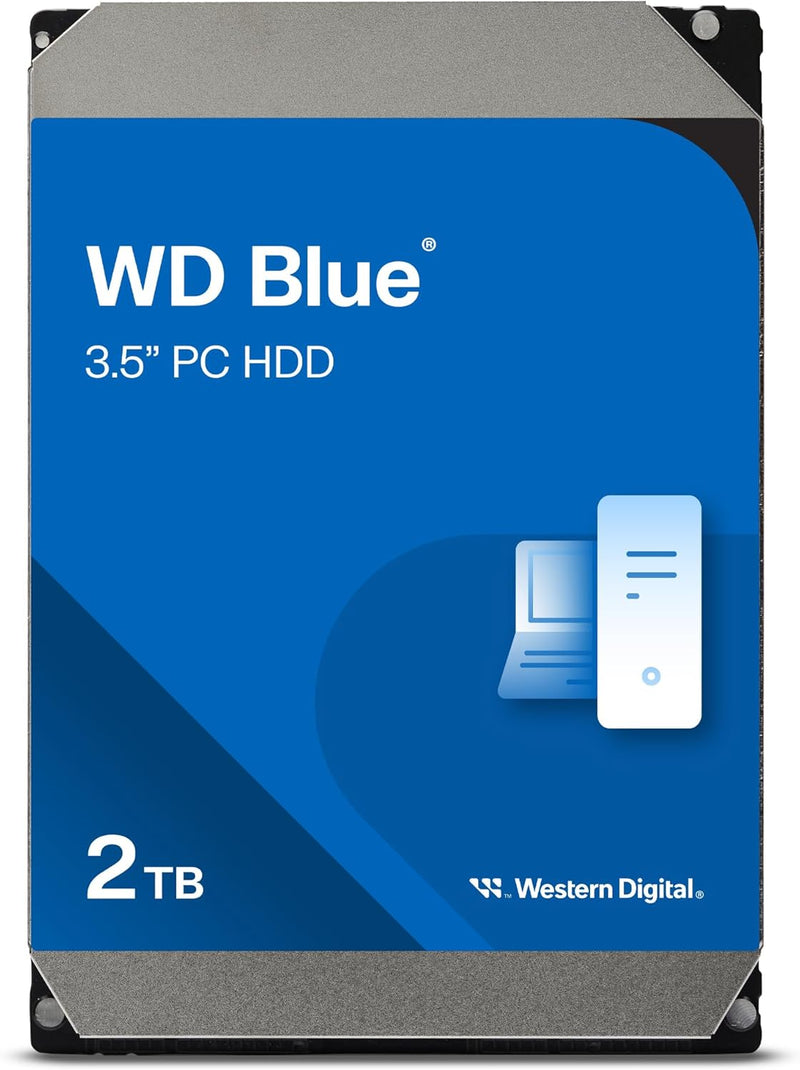


Seagate BarraCuda 8TB (ST8000DM004) — Editorial Review & SMR Reality Check
The Seagate BarraCuda 8TB (ST8000DM004 / ST8000DMZ04 variant) is a 3.5-inch 5,400 RPM desktop internal hard drive with a SATA 6 Gb/s interface and 256 MB cache. Per Seagate's BarraCuda product manual PDF, the drive targets desktop PCs, all-in-ones, and home-server applications with an Advanced Power mode for energy efficiency. The defining technical characteristic of the 8 TB BarraCuda is its use of Drive-Managed Shingled Magnetic Recording (SMR) — a high-density recording technology that maximizes capacity per platter at the cost of sustained-write performance. The findings below aggregate independent coverage so buyers understand exactly what they're getting before purchase.
The SMR Story Buyers Need to Know
Tom's Hardware's review of the BarraCuda 8TB is titled, in full, "The SMR Slowdown." The publication documents that the drive's write performance "suffers at the hands of its SMR technology" — the BarraCuda lags the comparable Western Digital Blue even with larger block sizes, and the gap widens at smaller blocks. Tom's specific framing: SMR drives can write fine when fresh but eventually must rewrite data due to the shingled-track architecture, creating interspersed periods of lower performance under sustained-write workloads.
The 2020 industry SMR-disclosure controversy is the broader context here. Per Tom's Hardware's coverage of the original 2020 SMR-disclosure issue, Seagate (alongside Western Digital and Toshiba) was shipping SMR drives in consumer product lines — including the ST8000DM004 — without explicit SMR labeling on datasheets. The industry has since become more transparent, and Seagate's own current product material acknowledges that SMR drives should not be used in NAS or other sustained-write environments.
What the Drive Is Actually Good At
Despite the SMR write-performance caveat, the ST8000DM004 has a defined sweet spot. Workloads that are predominantly read-heavy with infrequent large bulk writes — media archive, music and movie library hosting, photo collections, backup destination drives that receive a weekly or monthly bulk write — fit the drive's strengths well. The 8 TB capacity at the BarraCuda price point is one of the lowest cost-per-GB tiers on the consumer desktop HDD market, which is the reason the drive sells in the volume it does. For users where the SMR penalty doesn't intersect with daily workload patterns, the drive delivers the capacity-for-cost ratio that its market position promises.
Best-Fit Workloads
- Media library / photo archive — long-term storage of music, video, photos, and document archives where writes happen rarely (initial bulk migration, then periodic appends). Reads dominate, and read performance is not affected by SMR
- Backup destination drive — used as the target of a weekly or monthly full-system or incremental backup. The cache absorbs typical backup-incremental write volume; sustained-write degradation hits only during multi-hundred-GB initial migrations
- Bulk download / Steam game library archive — for gamers who download games but only occasionally install or move them; reads from disk to RAM for game loading is unaffected by SMR write characteristics
- Secondary internal drive in a desktop tower — paired with a primary NVMe SSD that handles the OS, applications, and active work, with the BarraCuda providing bulk storage for completed projects and inactive files
Workloads That Will Fight the Drive
- NAS use. Per Seagate's own current guidance, SMR drives should not be used in NAS environments. Multi-user simultaneous read/write workloads expose the SMR rewrite penalty constantly
- Video-editing scratch disk. Sustained-write workloads (4K capture cache, render targets, large project saves) trigger the SMR slowdown documented in Tom's Hardware's testing
- Active database storage. Frequent small writes scattered across the drive defeat the SMR cache-and-batch design. Use an SSD for any active database
- Daily-overwrite security camera / dashcam continuous recording. While the drive will write the data, sustained-overwrite cycles age SMR drives faster than purpose-built surveillance-class HDDs (Seagate SkyHawk, WD Purple)
Reliability Picture
According to Backblaze's Q3 2025 Drive Stats report, Seagate maintains roughly one-third of Backblaze's data-center drive population, with mixed reliability outcomes — several specific Seagate models (HMS5C4040BLE640 4 TB, ST8000NM000A 8 TB enterprise) recorded zero failures in the quarter, while older smaller-fleet models showed elevated annualized failure rates as they aged past their 8-year design lifetime. Backblaze's data is enterprise-class — the ST8000DM004 is a consumer BarraCuda, not an enterprise Exos / NM-series drive — but the broader pattern aligns: Seagate's higher-tier enterprise drives perform well, and the consumer BarraCuda is appropriate for consumer use (desktop secondary, media archive, backup) but not for sustained 24/7 server workloads.
Honest Cons
- SMR sustained-write slowdown is real and documented. Per Tom's Hardware's measurements, the drive's small-block write performance is materially worse than CMR alternatives. Buyers with sustained-write workloads should look at the Seagate IronWolf or Western Digital Red Plus (both CMR-based NAS drives) instead
- 5,400 RPM, not 7,200 RPM. The BarraCuda 8 TB is a 5,400 RPM drive (some smaller-capacity BarraCudas are 7,200 RPM). Random read performance is slower than the faster-spinning desktop drives — appropriate for archival storage, less so for an active-OS drive
- 2-year warranty. Seagate's BarraCuda consumer-tier warranty is 2 years; the IronWolf NAS-tier and Exos enterprise tier offer 3 and 5-year warranties respectively. For long-deployment use, the longer-warranty tiers buy meaningful peace of mind
- No vibration tolerance for multi-bay enclosures. The BarraCuda is designed for single-drive desktop installation. Multi-drive NAS / DAS enclosures expose the drive to rotational vibration that the IronWolf NAS-tier drives are specifically engineered to handle
Where the ST8000DM004 Specifically Fits
- Desktop secondary storage — paired with a primary SSD on a single-drive desktop tower for bulk archive use
- Media-library / Plex server enthusiasts who need raw capacity for movie / music / photo libraries with read-dominated workloads
- Weekly or monthly backup target — paired with backup software (Macrium Reflect, Acronis True Image) for periodic full-image or incremental backups
- Cost-conscious archive buyers who need 8 TB at the lowest available cost-per-GB and accept the SMR trade-off for their workload
Where Buyers Should Look Elsewhere
- NAS deployments — Seagate IronWolf (CMR, NAS-rated) or Western Digital Red Plus (CMR) is the appropriate tier. Seagate explicitly recommends against SMR in NAS
- Active video-editing scratch or daily-write workloads — step up to IronWolf, Exos, or move to an NVMe SSD for the active layer
- Surveillance / security camera continuous recording — Seagate SkyHawk or WD Purple are purpose-built for that workload
- Enterprise / 24/7 server use — Seagate Exos or WD HC-series enterprise drives with vibration tolerance, longer warranty, higher MTBF
Sources & Citations
- Seagate, "BarraCuda Product Manual (PDF) — ST8000DM004 / ST6000DM003," seagate.com (accessed 2026-05-17)
- Tom's Hardware, "Seagate BarraCuda 8TB HDD Review: The SMR Slowdown," tomshardware.com (accessed 2026-05-17)
- Tom's Hardware, "Toshiba, Seagate Also Shipping Slower SMR-Based Hard Drives Without Disclosure," tomshardware.com (accessed 2026-05-17)
- Backblaze, "Backblaze Drive Stats for Q3 2025," backblaze.com (accessed 2026-05-17)
Last verified: 2026-05-17

