



Western Digital
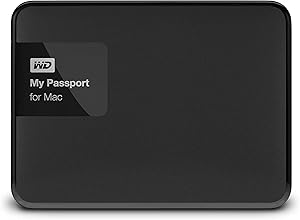
Western Digital WDBCGL0040BSL-NESN 4TB My Passport for Mac USB 3.0
USB 3.0
Keep your Mac files safe and encrypted on the go with 4TB of portable USB 3.0 storage built for Time Machine.
$159.99*
Check availability
*Price sourced from Amazon.com. Last updated:Oct 21, 2026.Price and availability are subject to change — details.
Affiliate Disclosure: As an Amazon Associate, Studio Supplies earns from qualifying purchases made through links on this page, at no additional cost to you. This helps support our editorial team.
Notice a mistake? Let Us Know
Overview
Key Features
Secure portable storage with up to 4TB capacity
Password protection and 256-bit hardware encryption
Compatible with Apple time machine
Specifications
Capacity
4TB
Interface
USB 3.0
Compatibility
Mac (pre-formatted)
Encryption
256-bit AES hardware encryption
Power
Bus-powered (USB)
Backup Software
Apple Time Machine compatible
Model
WDBCGL0040BSL-NESN
Frequently Asked Questions
Is the My Passport for Mac formatted and ready to use out of the box?
Yes. The drive comes pre-formatted for macOS, so you can plug it in and start transferring files or setting up Time Machine immediately.
How does the hardware encryption work on this drive?
The drive uses 256-bit AES hardware encryption. You set a password through WD's software, and the encryption is handled by the drive itself rather than your Mac's processor.
Will this drive work with Windows computers?
It is formatted for Mac out of the box. To use it with Windows, you would need to reformat the drive, which erases macOS compatibility unless you use third-party software.
Does the drive require an external power source?
No. The My Passport for Mac is bus-powered through its USB 3.0 connection, so no separate power adapter is needed.
Related Products
