



Western Digital
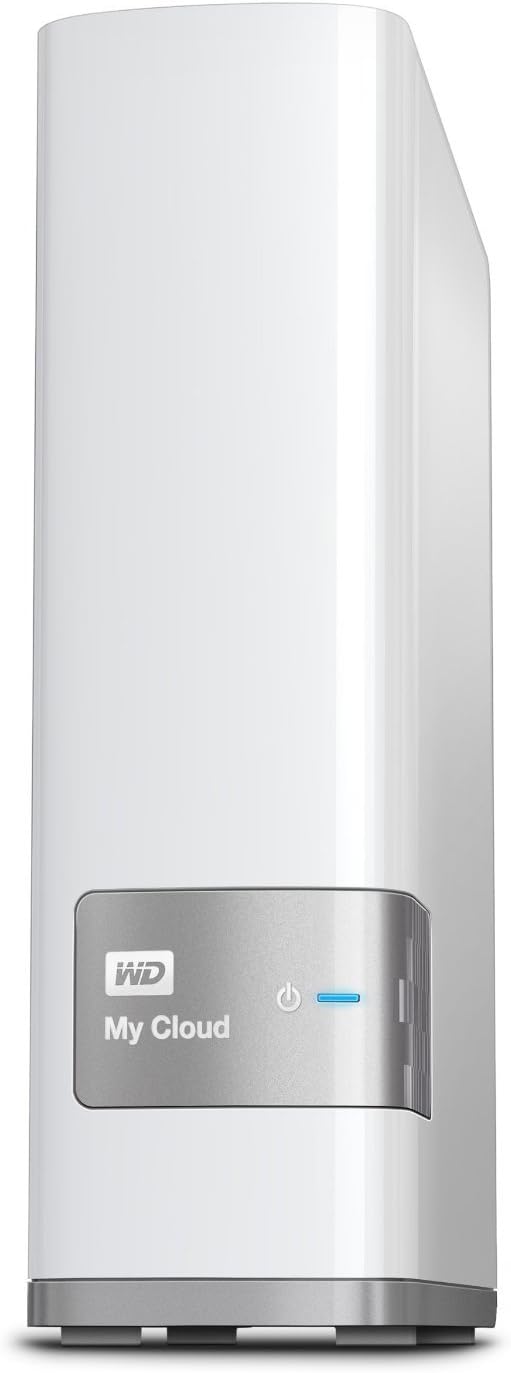
Western Digital WDBCTL0030HWT My Cloud 3TB NAS
The WD My Cloud 3TB puts a private, always-on network storage server on your home LAN — no subscription, no cloud vendor dependency, no per-month fee.
Check availability
Affiliate Disclosure: As an Amazon Associate, Studio Supplies earns from qualifying purchases made through links on this page, at no additional cost to you. This helps support our editorial team.
Notice a mistake? Let Us Know
Overview
Key Features
Centralized, whole-home storage
Mobile and remote web access, Backs up PC and Mac computers
Photo and video backup for smartphones and tablets, Operating System - Windows/Mac
Sync software to keep content up-to-date across all your computers
Creates a common place for friends and family to share photos
Specifications
Capacity
3TB
Operating System Compatibility
Windows, Mac
Access Type
Mobile, Remote Web
Backup Capabilities
PC, Mac, Smartphones, Tablets
Purpose
Centralized whole-home storage, Photo and video backup, Content sharing
Frequently Asked Questions
What interface does the My Cloud use to connect to the network, and what throughput can I expect?
The My Cloud connects via a single Gigabit Ethernet port. Theoretical maximum throughput is 125 MB/s, but real-world NAS read/write speeds on spinning hard disk are typically 80–110 MB/s depending on file size and network conditions — sequential transfers are fast, but small random file operations are slower due to mechanical drive seek times.
Does the 3TB My Cloud support RAID or drive redundancy?
No. The single-drive My Cloud does not offer RAID or any hardware redundancy. A drive failure means data loss — this device is a centralized access point and a backup destination, but it should not be treated as an archive. Follow a 3-2-1 backup strategy: keep copies on at least two additional storage locations.
Can I access files on the My Cloud from outside my home network?
Yes. WD's remote access feature allows file access via the My Cloud mobile app or web interface from any internet-connected device. Remote access depends on WD's relay servers, so service continuity is tied to WD maintaining those services — something worth factoring into long-term ownership decisions.
Is the USB 3.0 port for expanding storage or for backing up to external drives?
Both. The USB 3.0 port accepts external USB hard drives for either expanding accessible storage or running local backup jobs from the My Cloud to a USB drive. This is the most practical path to redundancy on this device — connecting a USB drive and scheduling mirrored backups from the NAS.
What operating systems and devices are compatible?
The My Cloud is compatible with Windows and macOS over the local network via SMB/AFP protocols. iOS and Android apps provide mobile access. DLNA support allows media streaming to compatible TVs, game consoles, and media players on the same network.
Related Products
