



Western Digital
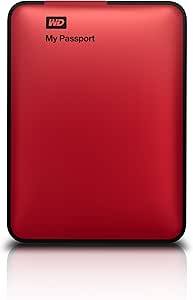
Western Digital WDBKXH5000ARD-NESN My Passport 500GB Red USB 3.0
USB 3.0
The WD My Passport 500GB packs USB 3.0's 5 Gbps theoretical ceiling and AES hardware encryption into a palm-sized enclosure rated for two years of portable use.
Check availability
Affiliate Disclosure: As an Amazon Associate, Studio Supplies earns from qualifying purchases made through links on this page, at no additional cost to you. This helps support our editorial team.
Notice a mistake? Let Us Know
Overview
Key Features
Sleek compact design with plenty of storage
Ultra-fast data transfers with USB 3.0 interface
Data Transfer Rate on USB up to 5 Gbps
Automatic backup software
Password protection and hardware encryption
2-Year Limited Warranty
Sleek, compact design
Automatic backup software
Password protection and hardware encryption
Specifications
Brand
Western Digital
Model
WDBKXH5000ARD-NESN
Capacity
500GB
Interface
USB 3.0 (up to 5 Gbps)
Color
Red
Encryption
Hardware-based (password protected)
Power
Bus-powered (USB)
Backup Software
Automatic backup software included
Warranty
2-Year Limited
Frequently Asked Questions
What is the actual data transfer speed of this drive over USB 3.0?
The USB 3.0 interface supports up to 5 Gbps theoretical bandwidth. Real-world transfer speeds for a 2.5" portable HDD are limited by the spinning platter mechanism — expect sustained sequential read/write speeds in the 100–120 MB/s range, which is well below the USB 3.0 bus ceiling. The USB 3.0 interface ensures the drive is not the bottleneck; the mechanical platter is.
Is the drive backward compatible with USB 2.0 ports?
Yes. USB 3.0 is fully backward compatible with USB 2.0 hosts. Connected to a USB 2.0 port, the drive operates at USB 2.0 speeds (theoretical 480 Mbps, practical ~30–40 MB/s sustained). The USB 3.0 cable and connector fit standard USB 2.0 Type-A ports via the same physical interface.
What type of encryption does the My Passport use, and how is it managed?
The drive uses hardware-based encryption. Password protection is managed through WD's included software — setting a password activates the hardware encryption engine on the drive's controller. The encryption operates independently of the host OS, meaning the drive's data is protected even if the physical drive is removed from the enclosure.
Does the drive require an external power supply?
No. The My Passport 500GB is bus-powered entirely through its USB connection. No AC adapter or separate power cable is required, making it viable for use with laptops and ultrabooks — provided the USB port delivers adequate bus current.
What backup software is included and what platforms does it support?
WD includes automatic backup software in the box. It monitors designated folders and runs scheduled backups without manual intervention. Platform compatibility should be verified against the current WD software documentation, as driver and software support has evolved across Windows and macOS versions since this model's release.
Related Products
