



Western Digital
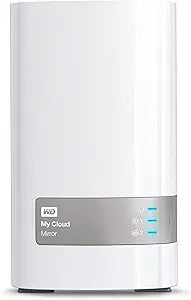
Western Digital WDBWVZ0040JWT-NESN 4TB My Cloud Mirror NAS
2TB HDD
A 4TB personal cloud NAS with automatic mirroring that keeps your files safe and accessible from anywhere.
Check availability
Affiliate Disclosure: As an Amazon Associate, Studio Supplies earns from qualifying purchases made through links on this page, at no additional cost to you. This helps support our editorial team.
Notice a mistake? Let Us Know
Overview
Key Features
2 Bay, 4TB Personal Cloud Storage includes 2 x 2TB HDD
Centralized, whole home storage and anywhere access with smartphones and tablets
Automatically creates a duplicate copy of all your content onto the second drive
Automatic backup for all your computers, and photos and videos on your mobile devices
Sync content across all your computers for up to date access anytime, anywhere
Create one place for you, friends and family to collect and share memorable photos and videos
Specifications
Storage Capacity
4TB (2 x 2TB HDD)
Drive Bays
2-Bay NAS
Data Protection
Automatic Data Duplication (RAID 1 Mirroring)
Remote Access
Via Smartphones, Tablets, and Desktop Apps
Backup Support
Automatic Backup for Computers and Mobile Devices
Sharing
Secure Photo and Video Sharing with User Accounts
Network Connection
Gigabit Ethernet
Frequently Asked Questions
What does "automatic data duplication" mean on the My Cloud Mirror?
The My Cloud Mirror contains two 2TB hard drives that automatically mirror each other. Every file you save is written to both drives simultaneously, so if one drive fails, your data remains intact on the other — providing built-in redundancy without any manual configuration.
Can I access my files stored on the My Cloud Mirror when I'm away from home?
Yes, WD provides remote access through their mobile and desktop apps, allowing you to view, download, and upload files from your My Cloud Mirror over the internet using smartphones, tablets, or computers from anywhere.
Does the My Cloud Mirror back up my computers automatically?
Yes, it supports automatic backup for both Windows (via WD SmartWare or Windows Backup) and Mac (via Time Machine), continuously protecting your computer's files to the NAS over your home network.
How does the My Cloud Mirror connect to my network?
It connects to your router via an Ethernet cable, making it accessible to all devices on your home network. It does not connect via WiFi directly — it requires a wired connection to your router or switch.
Can I share specific files or folders with friends and family?
Yes, the My Cloud Mirror lets you create user accounts with specific access permissions and generate secure sharing links, so you can share photos, videos, or documents with selected people without giving them access to your entire drive.
Related Products
